WEBSITES · ISKRAPRODUCTS.COM
iskraproducts.com: from a classic website to a platform ready for a shop
591 Iskra and Iskra ERO products moved from a classic website to a fast site built from Inventory Manager. Around it we set up an editor the team enjoys using, a CRM with a warranty portal and a dashboard. The online shop is one switch away.
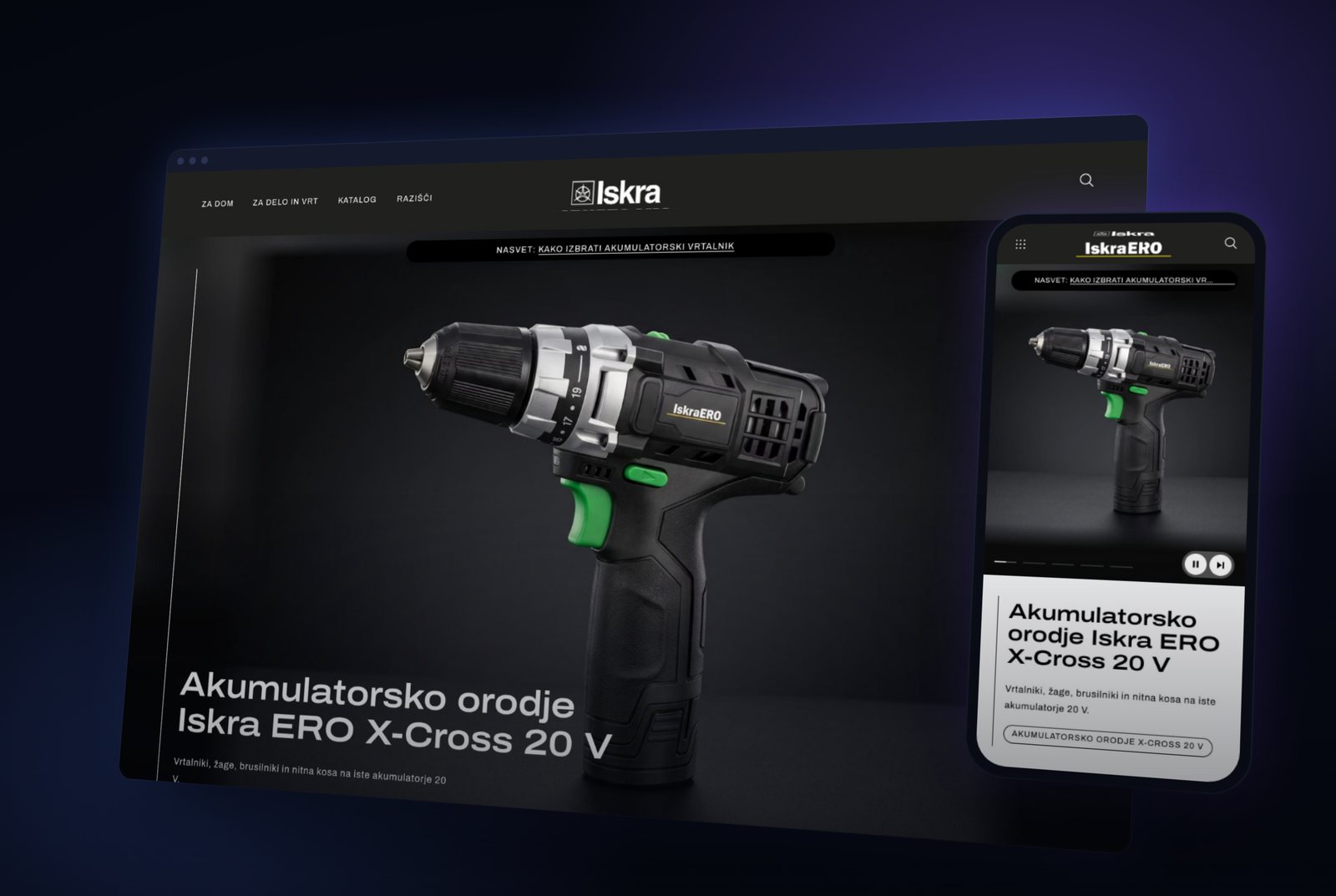
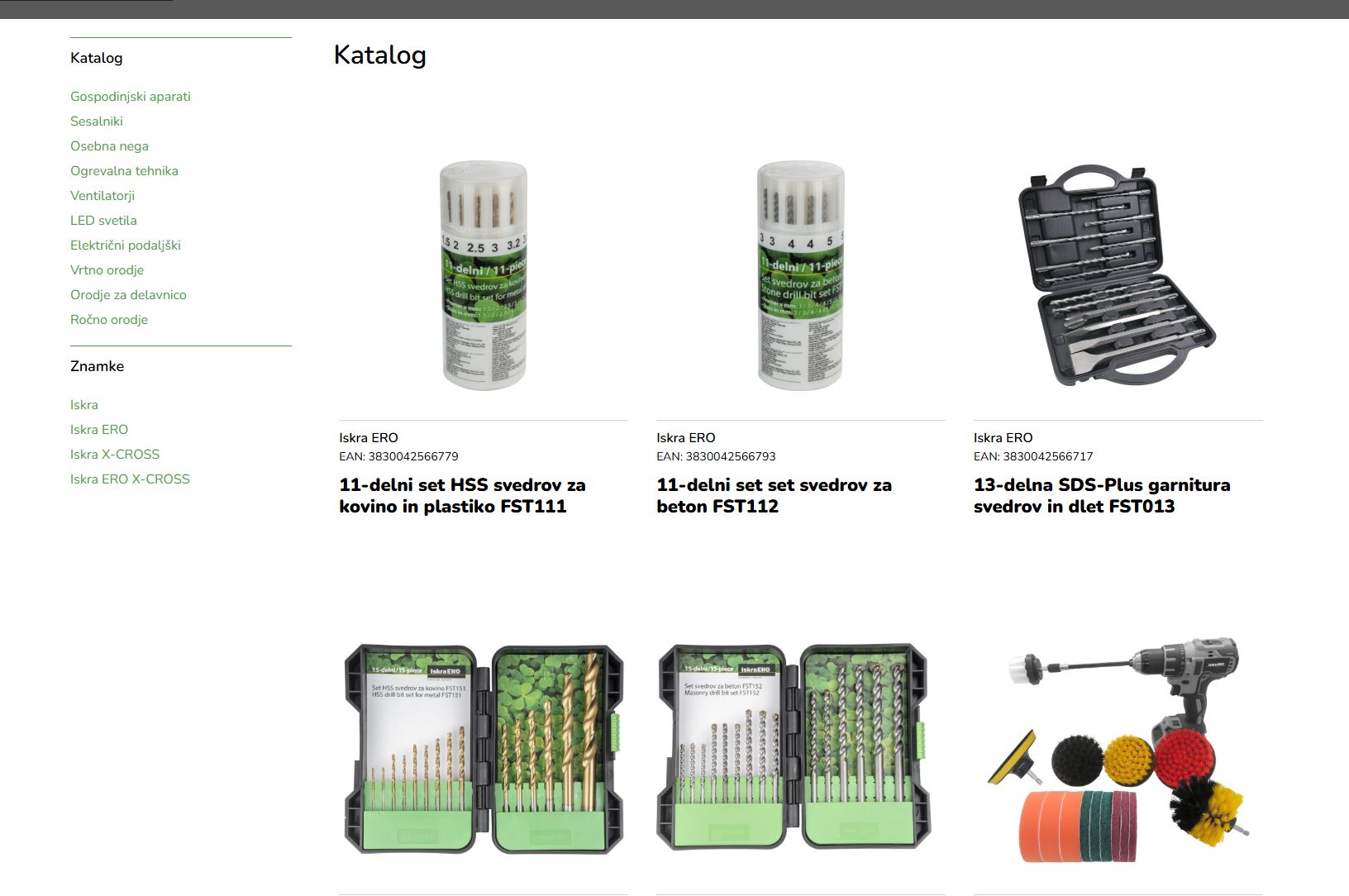
The Iskra and Iskra ERO catalog — 591 products in 10 groups and 62 categories — lived on a classic website: a long product list, maintained through an old admin system and kept apart from the product data. We rebuilt it from the ground up.
The new iskraproducts.com is a fast site built in advance from Inventory Manager data. Around it we built a modular editor, a CRM with a warranty portal and a dashboard for management, sales, marketing and service. The online shop is already built and tested — it is waiting for one switch.
The starting point: a classic site, maintained the hard way
The old site did its job as a brochure. But the catalog was one long, flat grid with a list of links beside it, product content was maintained separately from the company's data, and — in the team's experience — swapping a single image meant going through several admin screens: upload, save, refresh, check. An online shop on those foundations was not realistic.
- A flat catalog — one long grid with no sense of the whole range.
- Content typed in separately, apart from the product data.
- Images tied to folder names — rename a folder and they disappeared from the site.
- No customer database, device registration or reporting.

Part 1: A story on the homepage instead of a heavy video
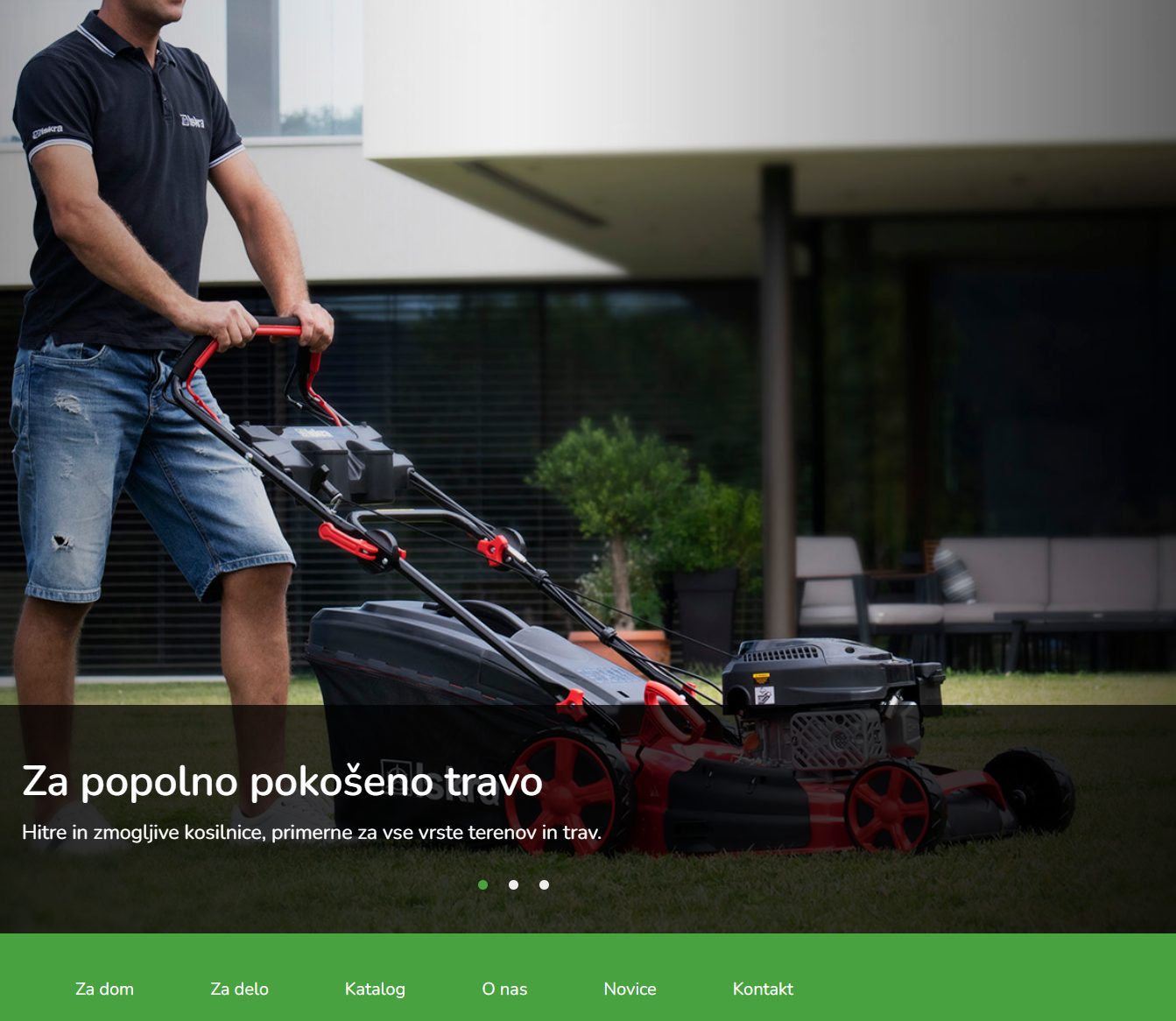
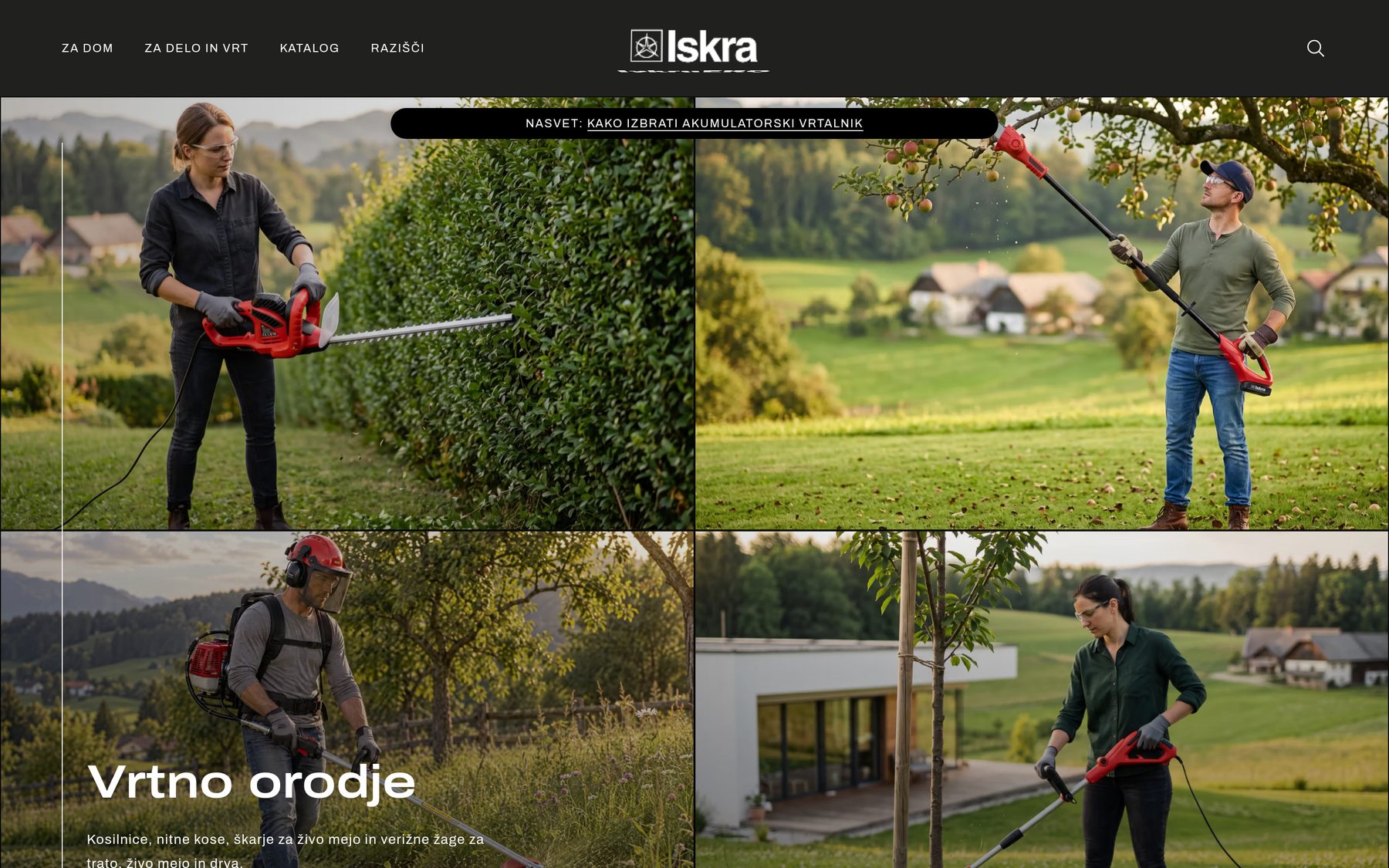
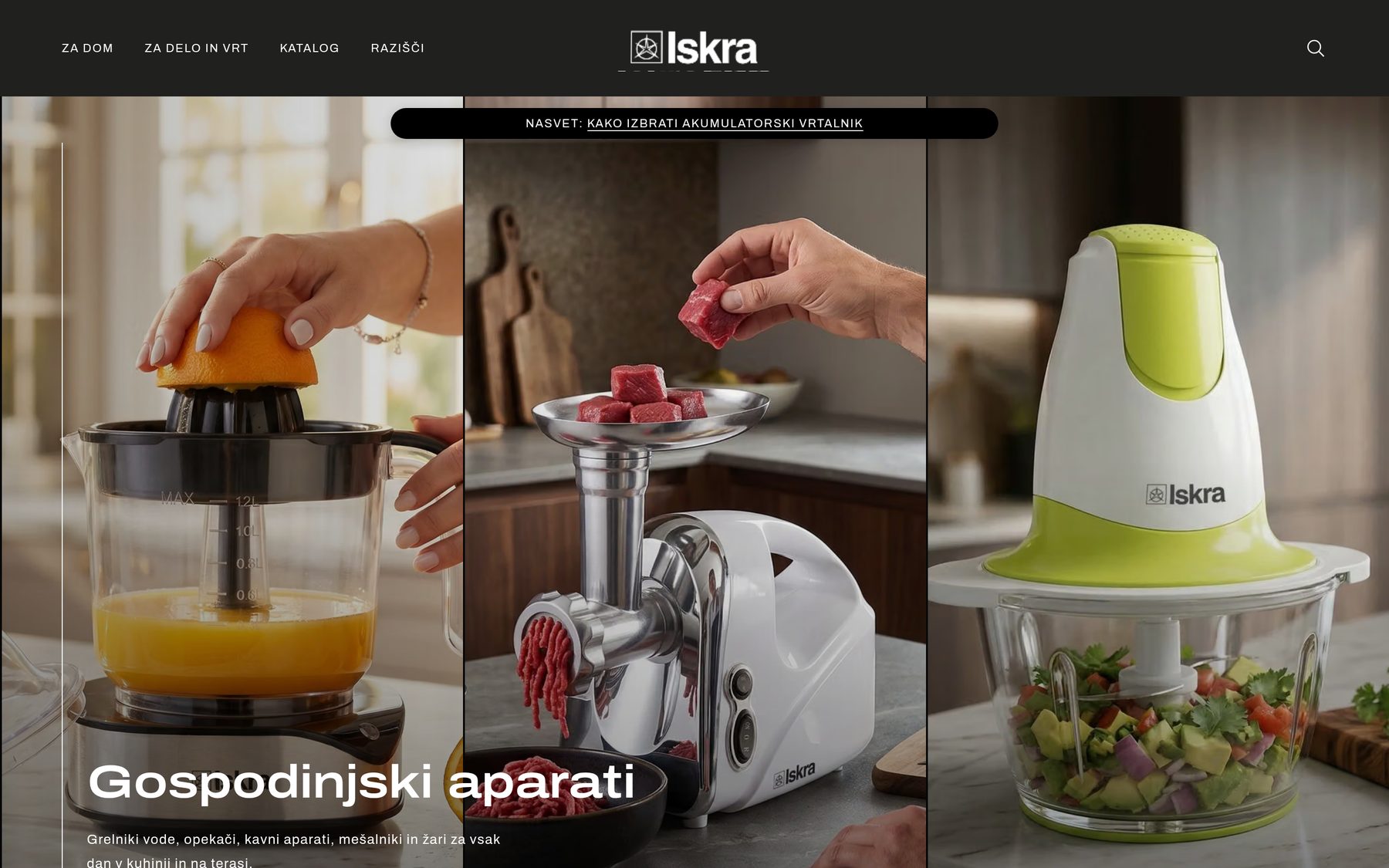
The homepage opens with five scenes built from images and motion — quick cuts, a slot-machine reel, a mosaic, a shift from cool to warm, lights switching on. Each has its own headline and buttons, with a chapter strip and a pause button below. It feels like film and loads like images.
Part 2: Two carousels, filled with a right-click
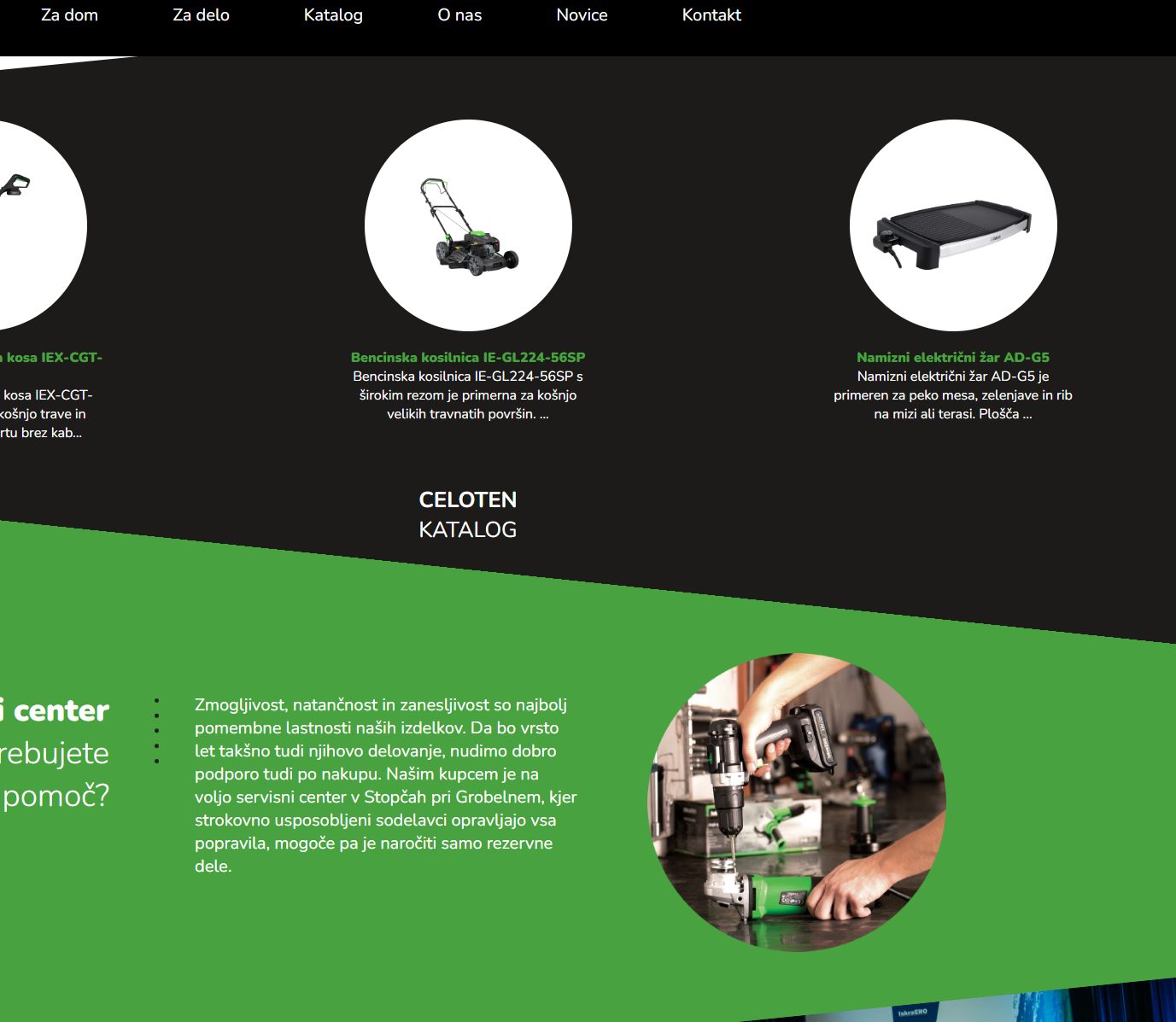
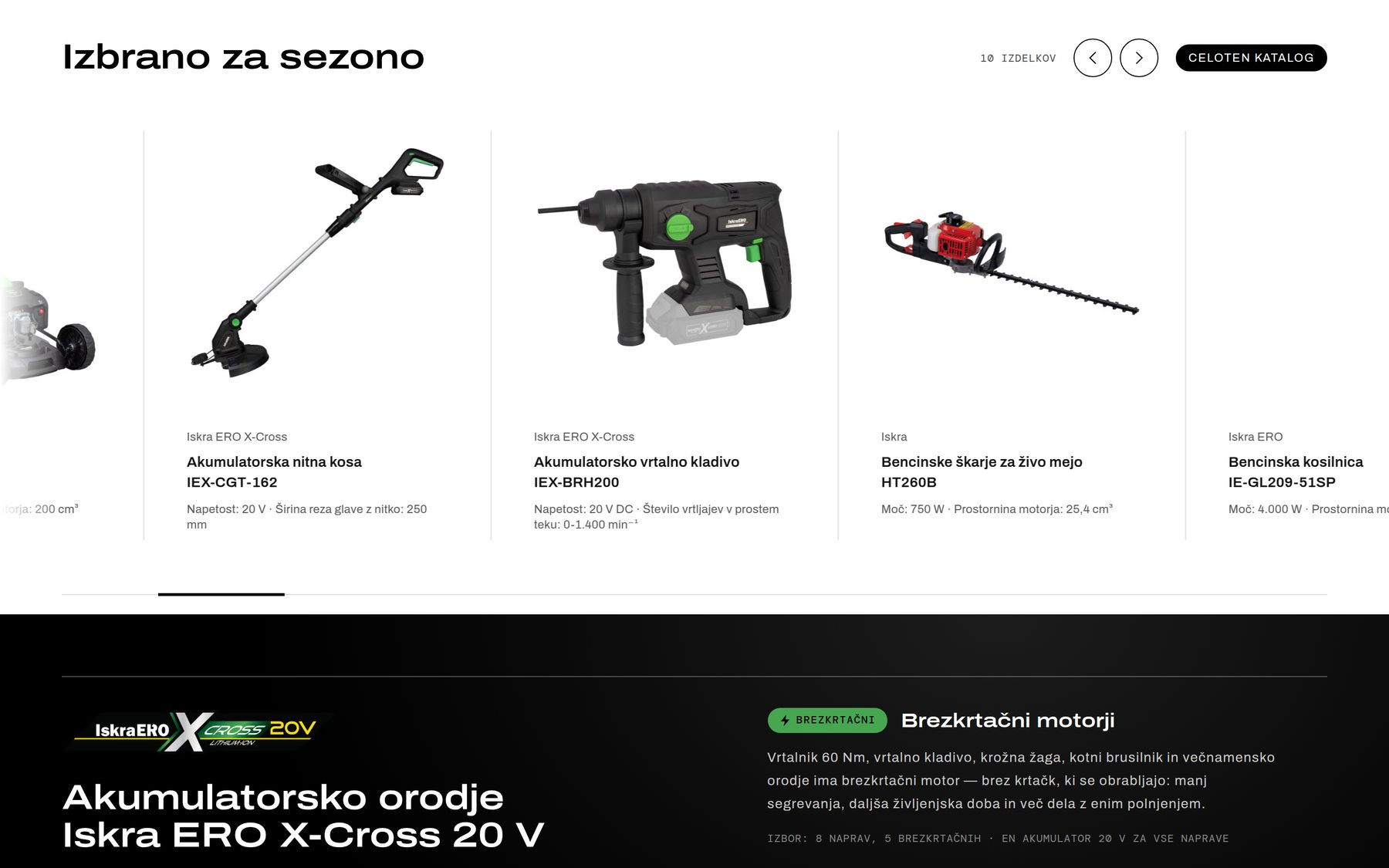
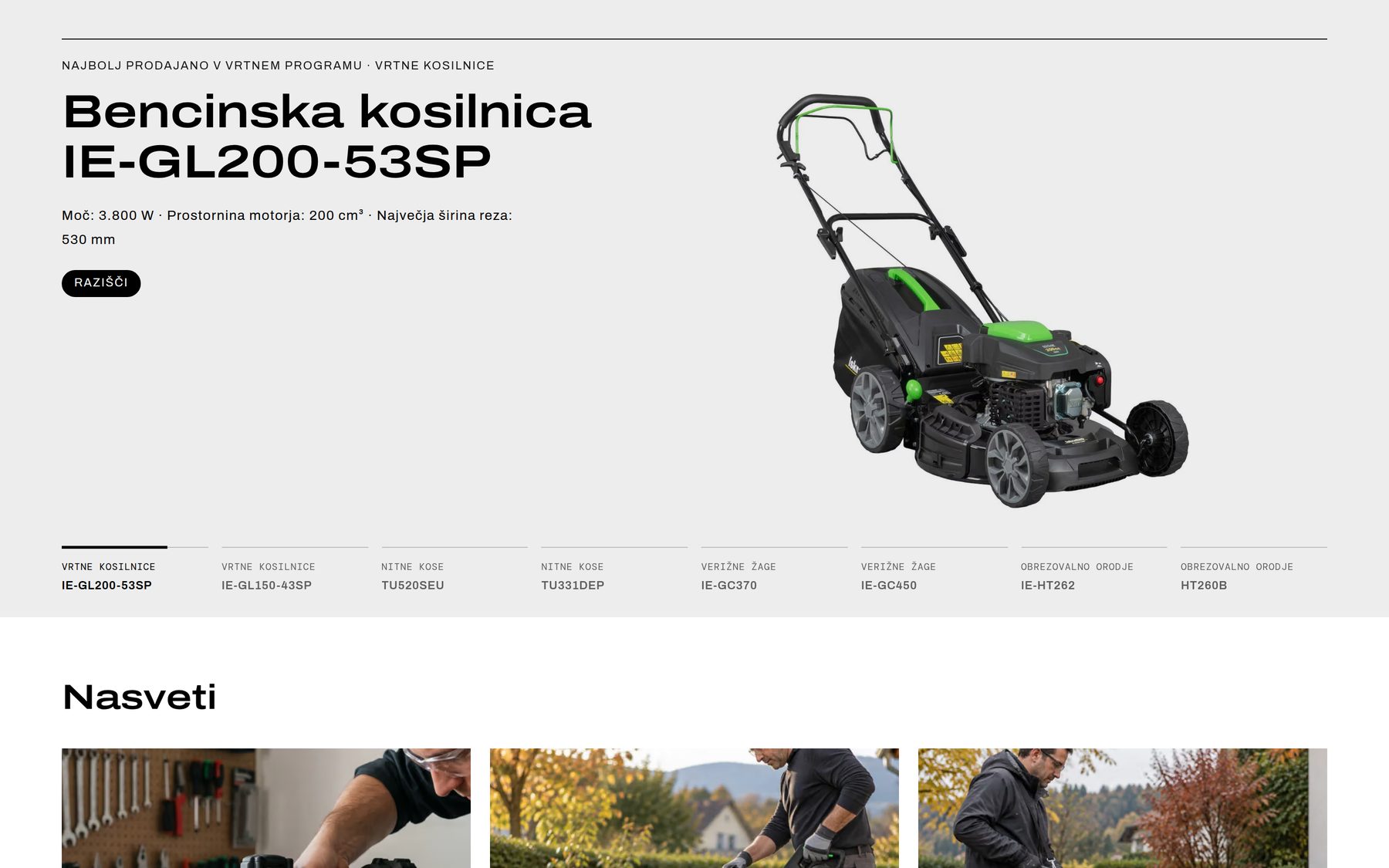
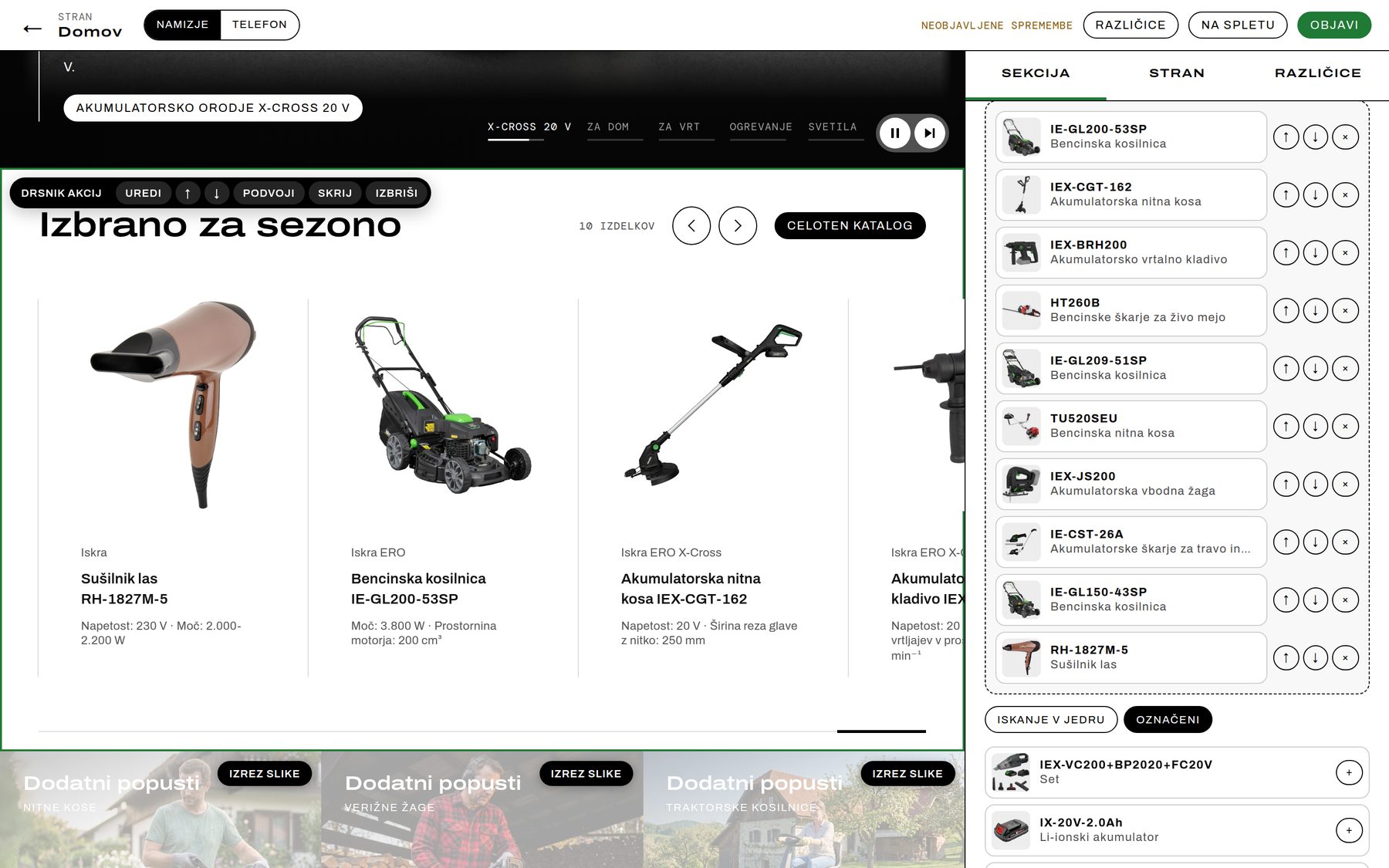
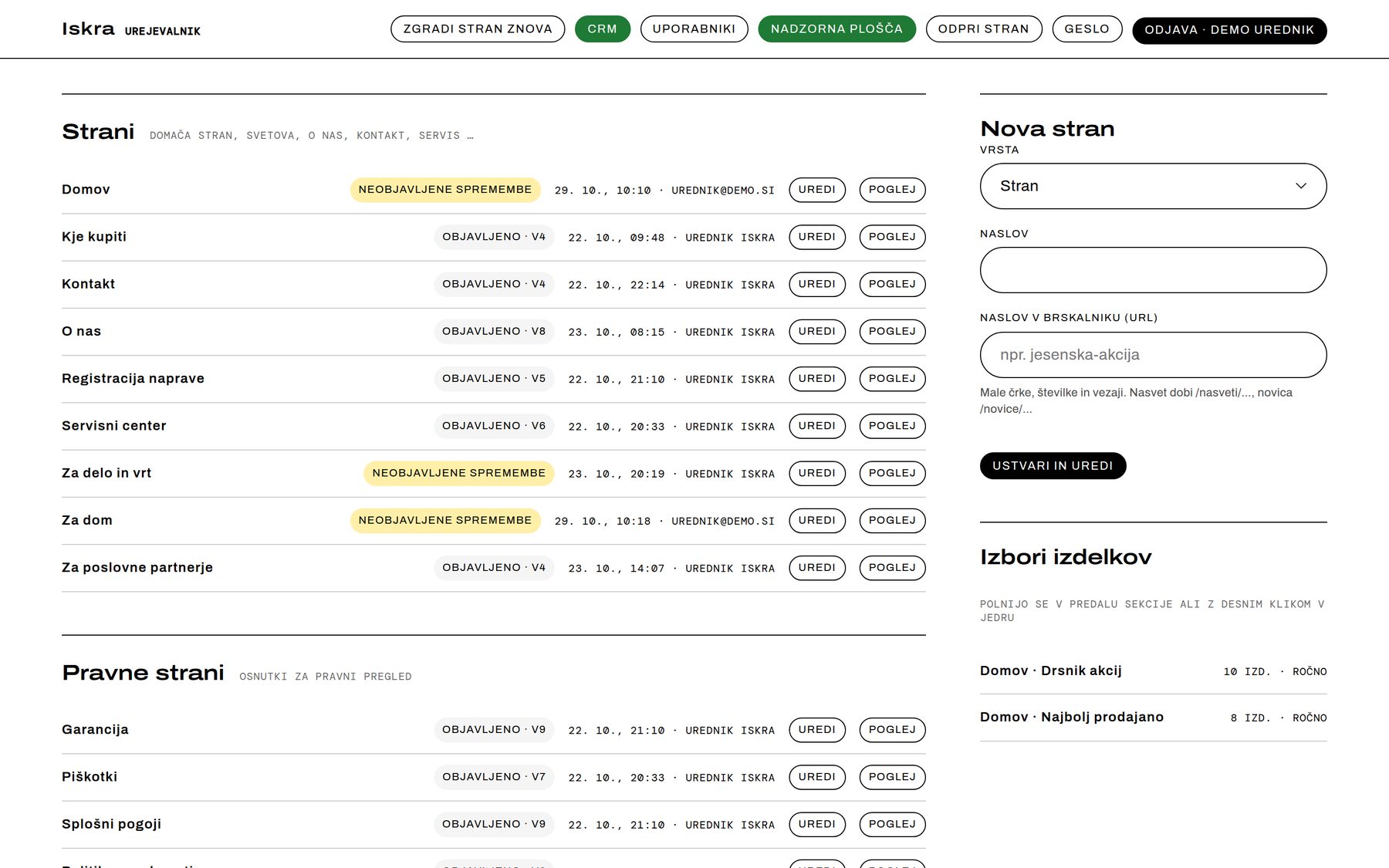
“Picked for the season” and “Best sellers in garden tools” show exactly what the team selected in Inventory Manager. Right-click a product there — Show on website — and it appears in the editor's Marked tray, ready to drop into a carousel and drag into place. The selection is saved straight back to the core.
Part 3: A catalog by segment, with a navigator that knows where you are
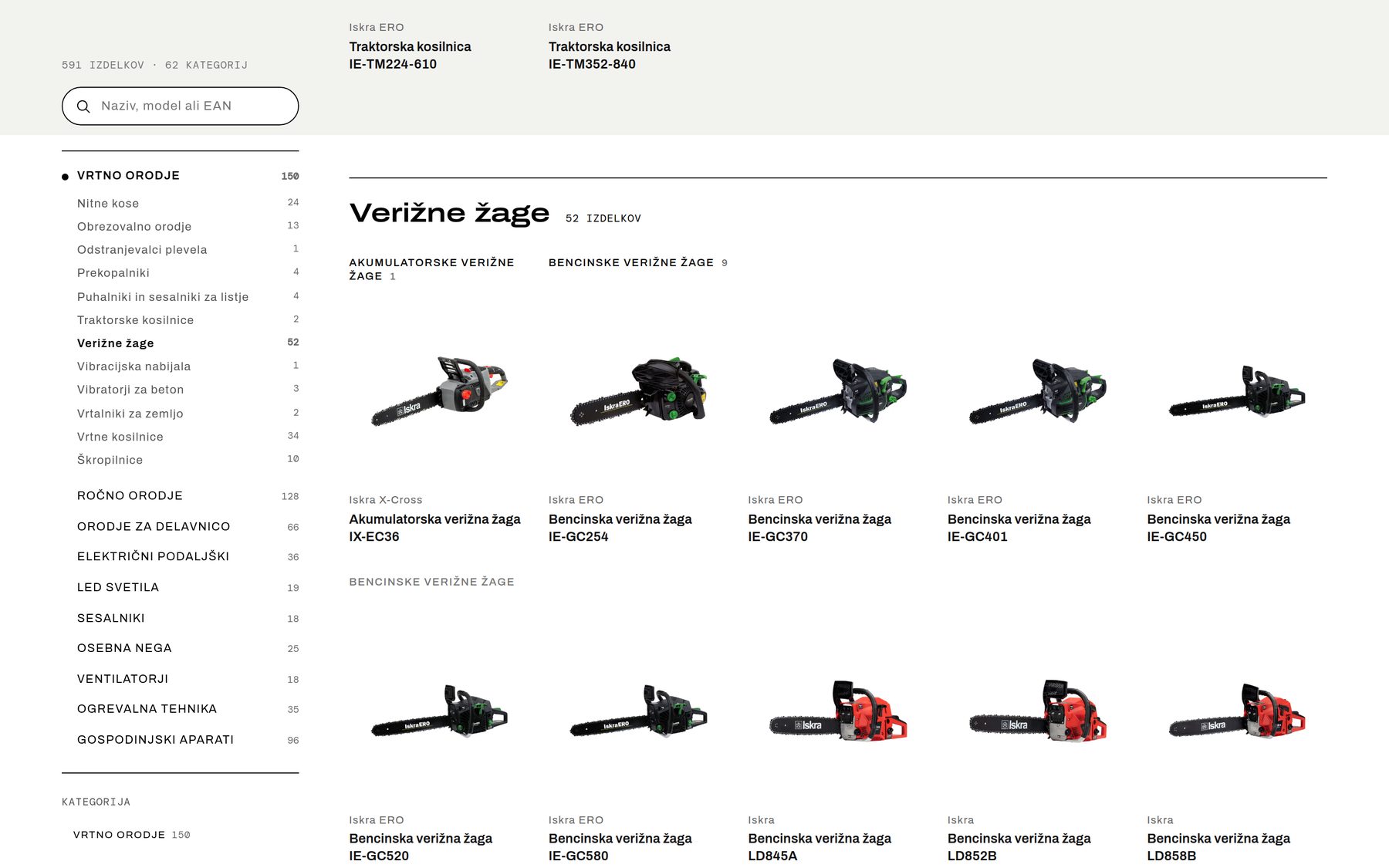
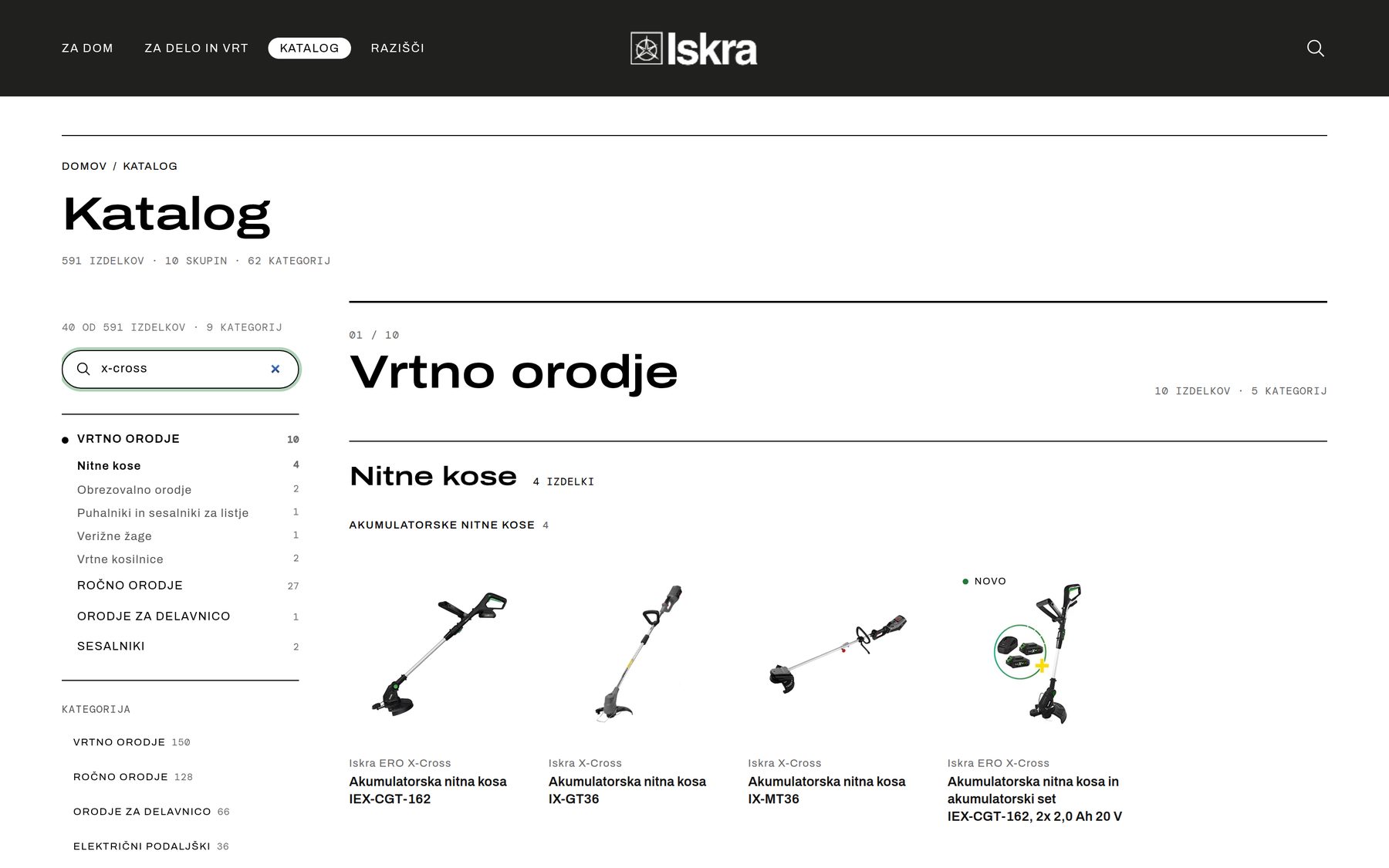
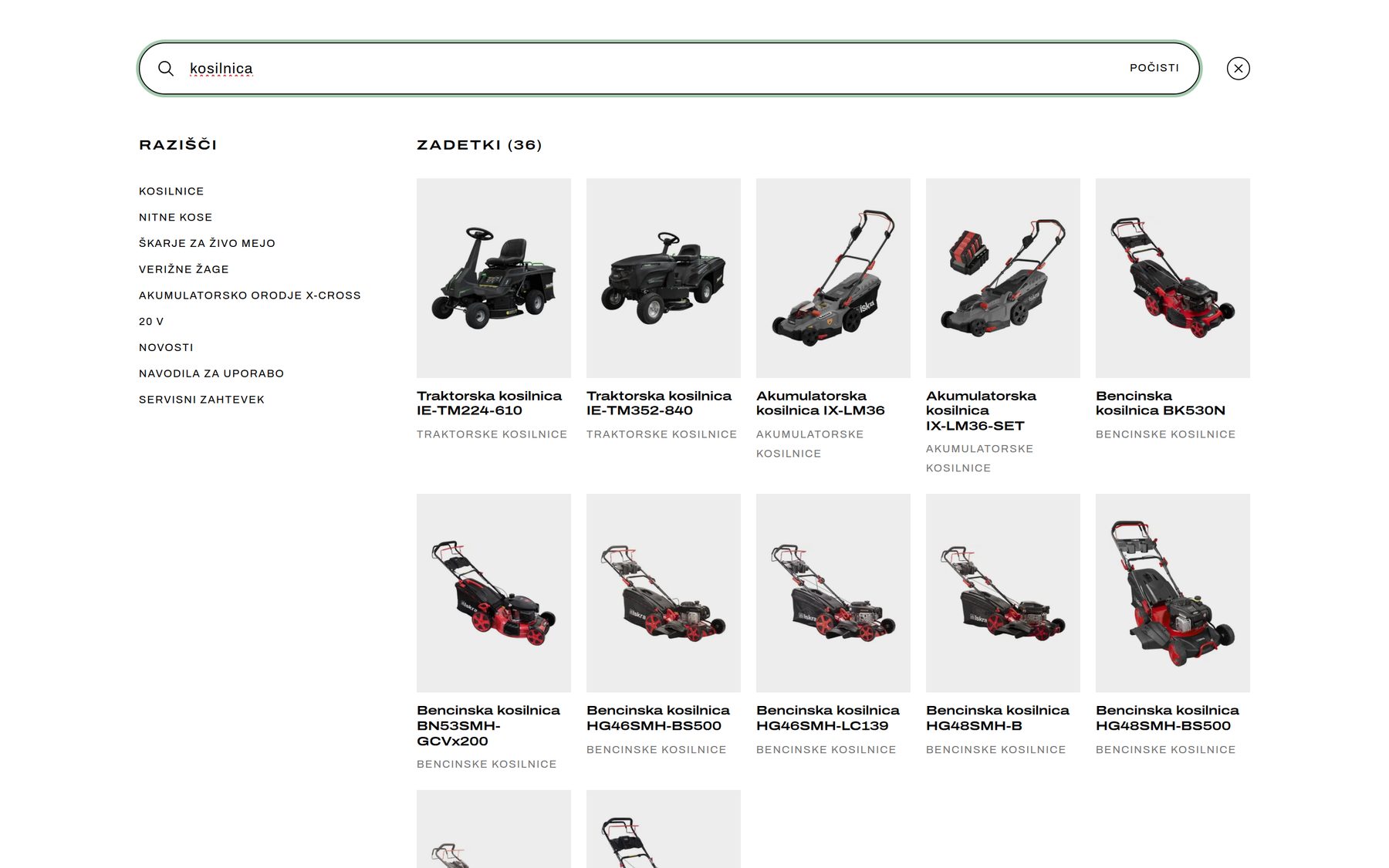
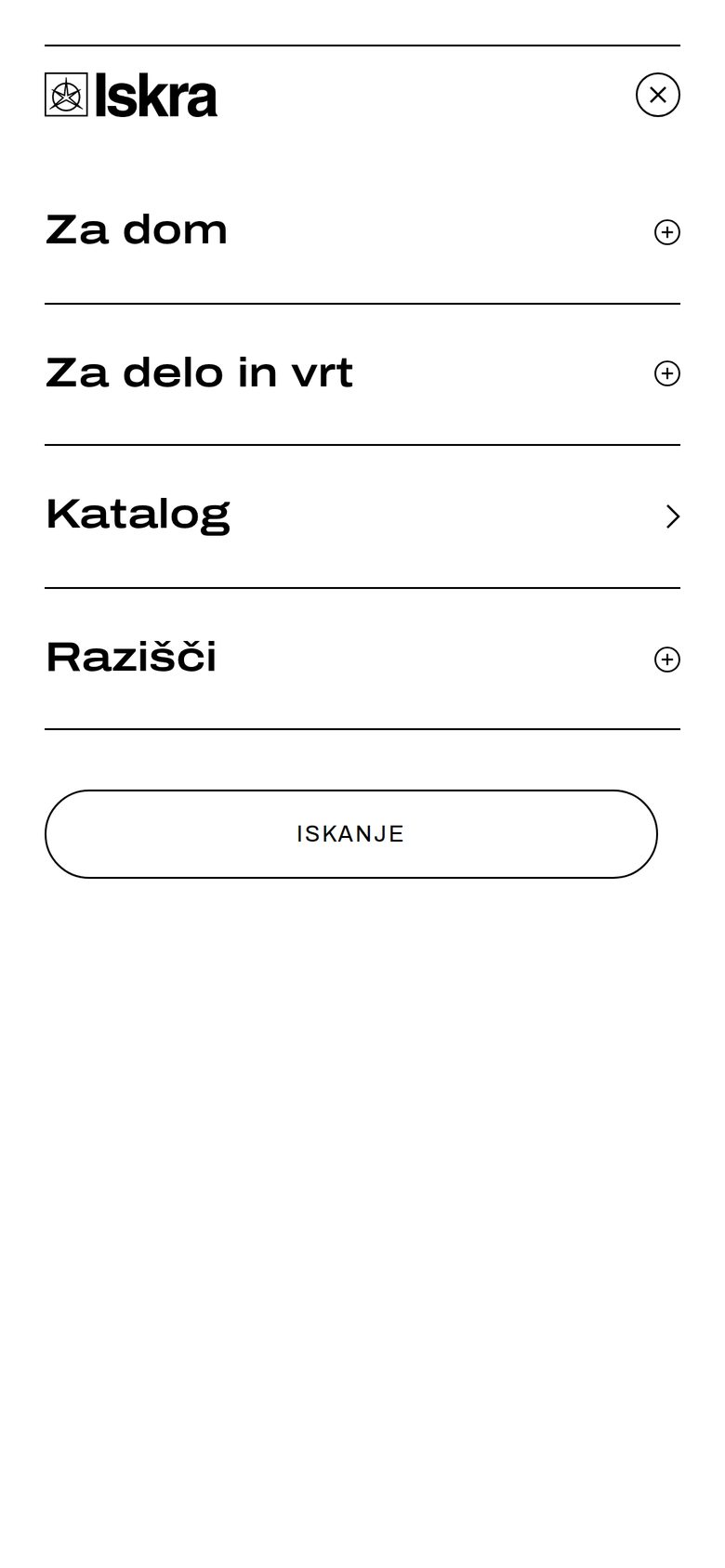
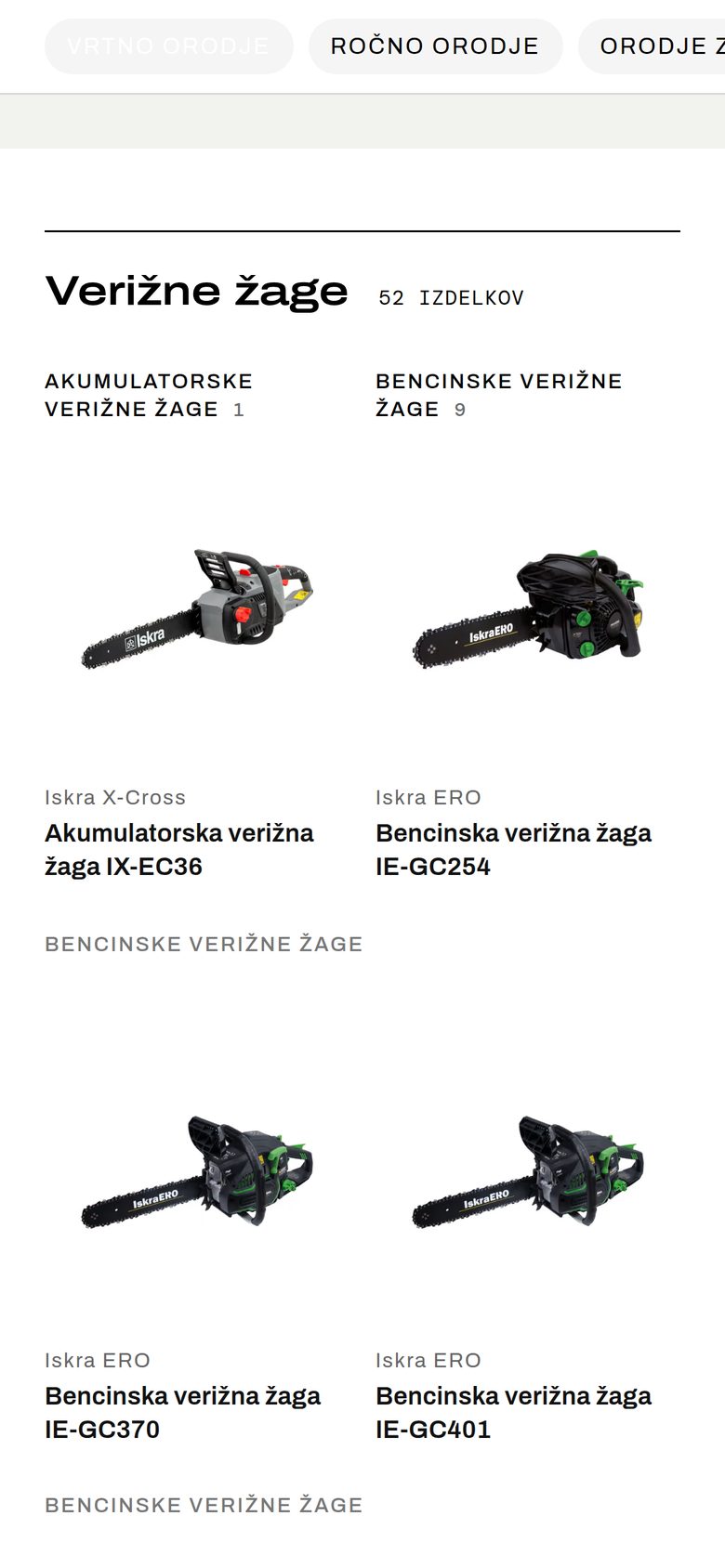
All 591 products sit on one page, organised into bands: groups, categories, subcategories. The navigator on the left follows your scroll — it opens the current group, highlights the category and shows the counts. Type “x-cross” into its filter and it shrinks to the matches: 40 of 591 products in 9 categories.
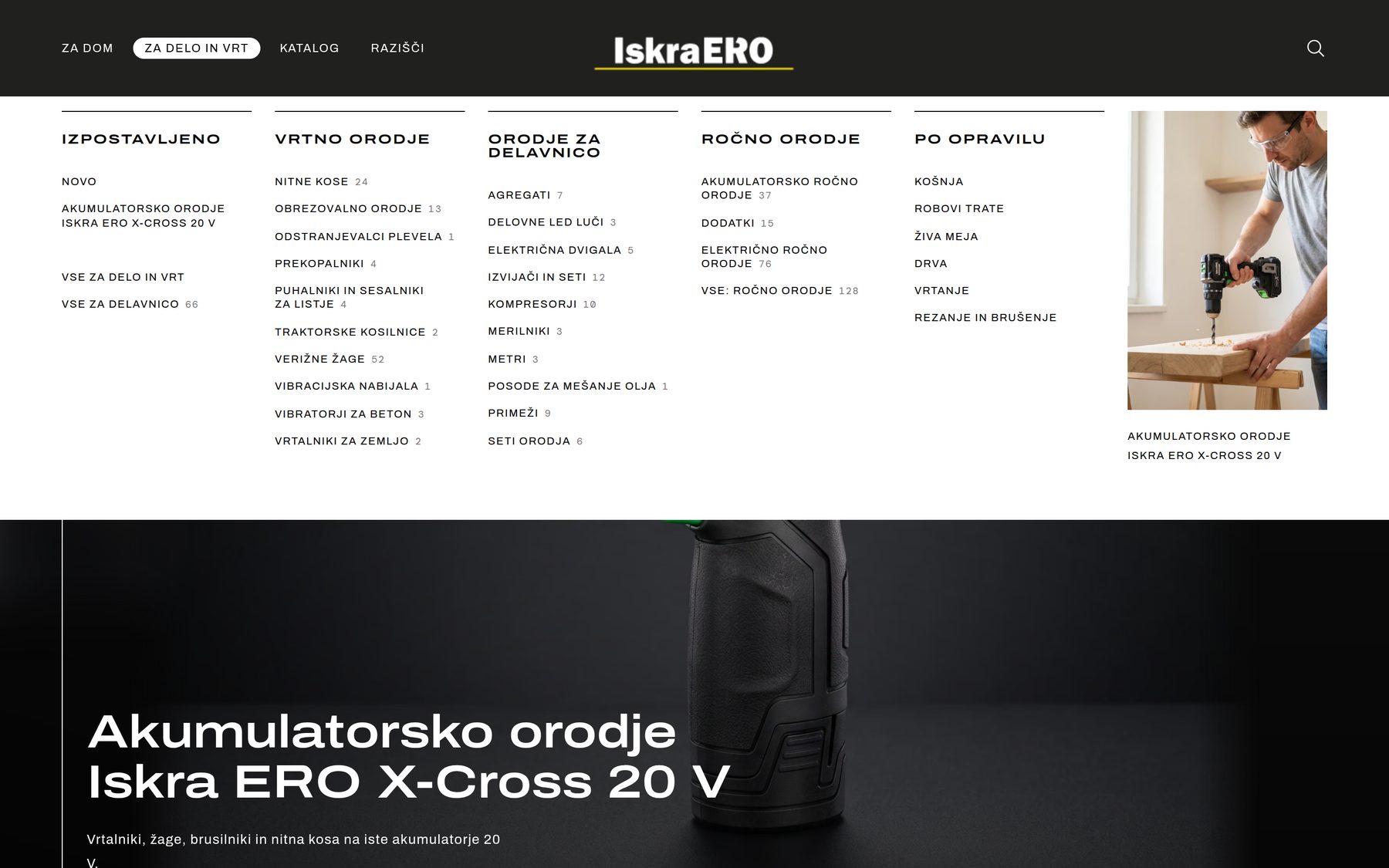
- A mega menu by group and category, with product counts and a featured image.
- Search as you type from the header (press /): category and product suggestions while you type, from a static index that needs no server.
- Moving a product to another category never breaks its link — the product URL isn't tied to the category.
Part 4: Two worlds, each with its own mosaic of categories
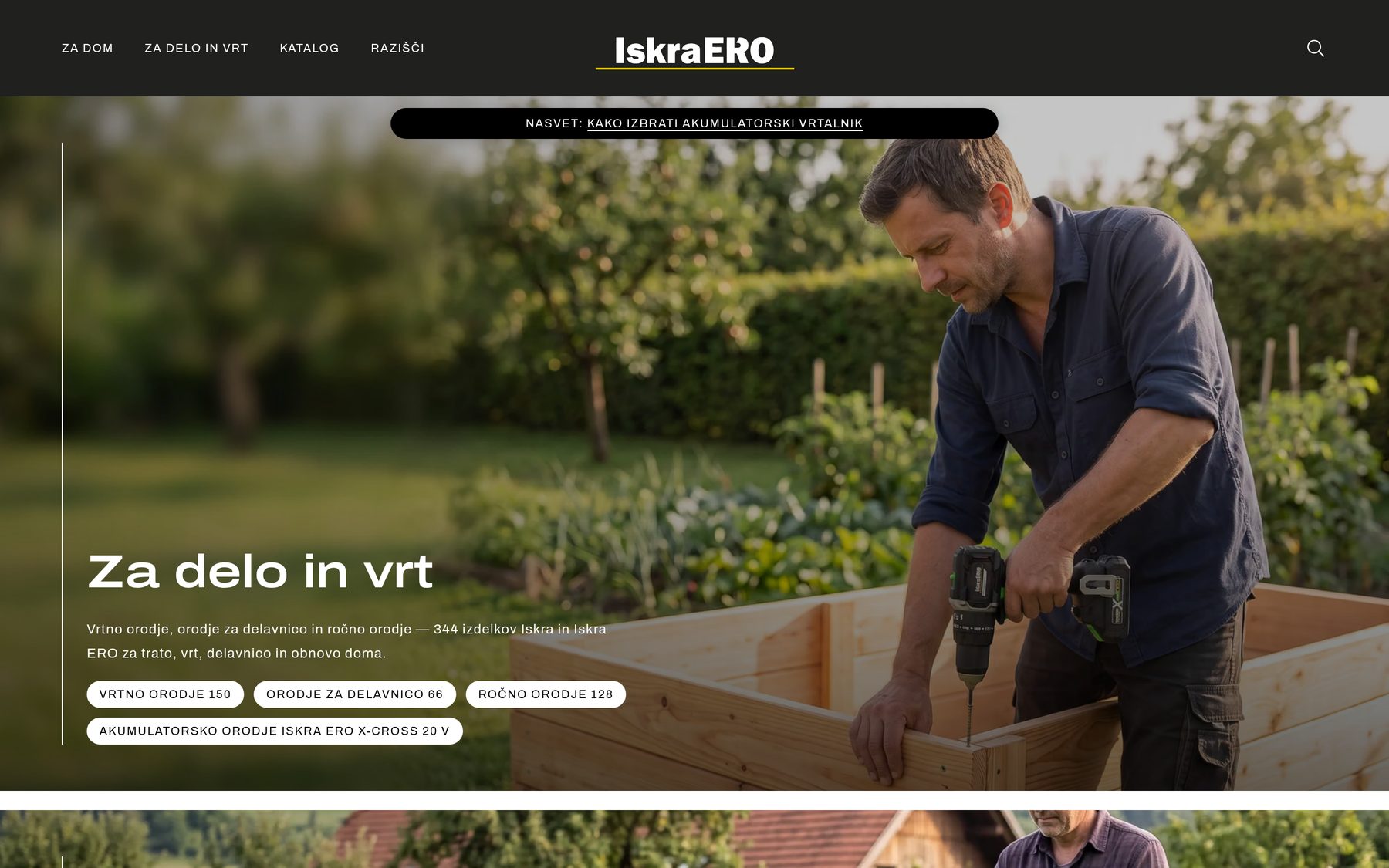
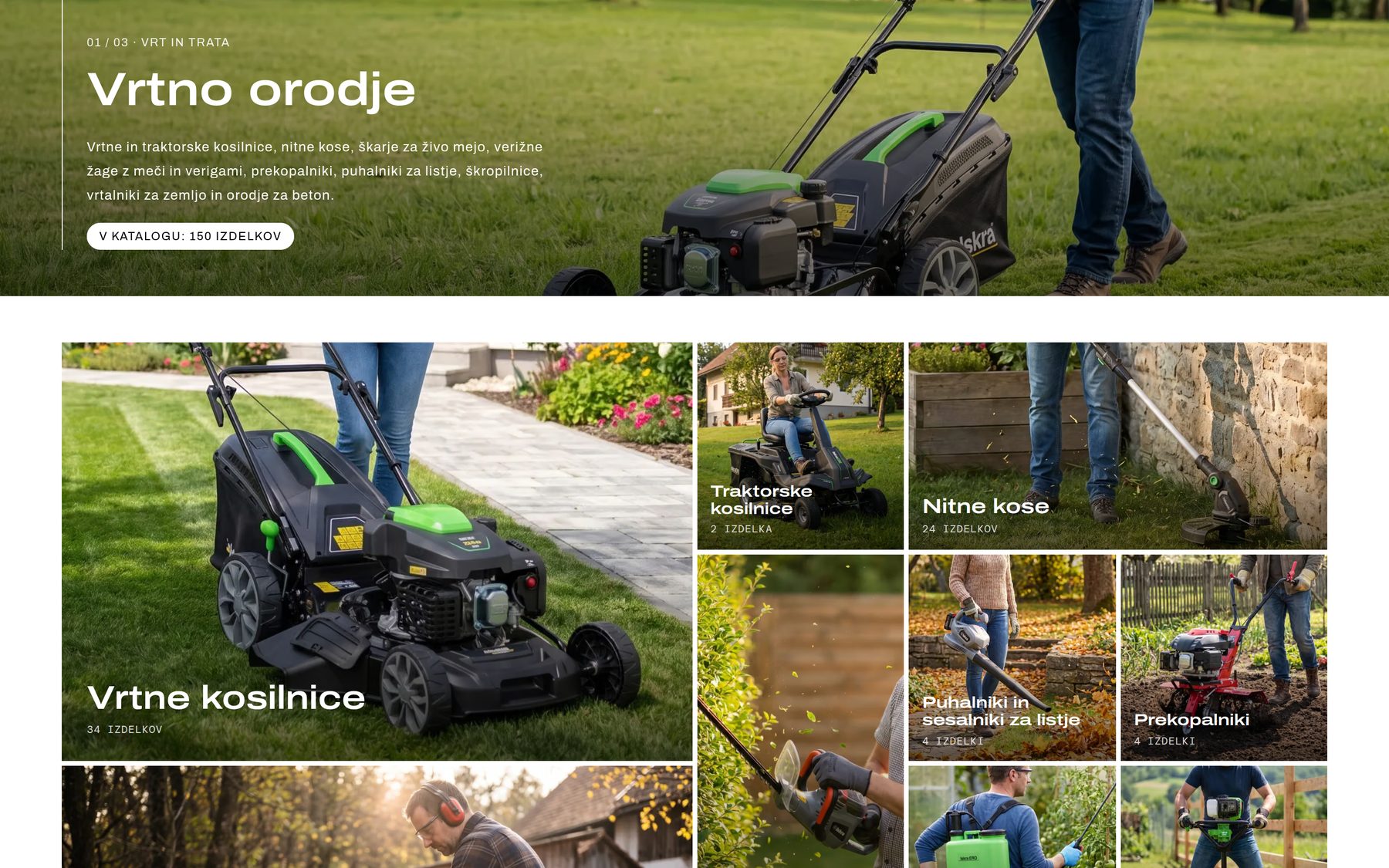
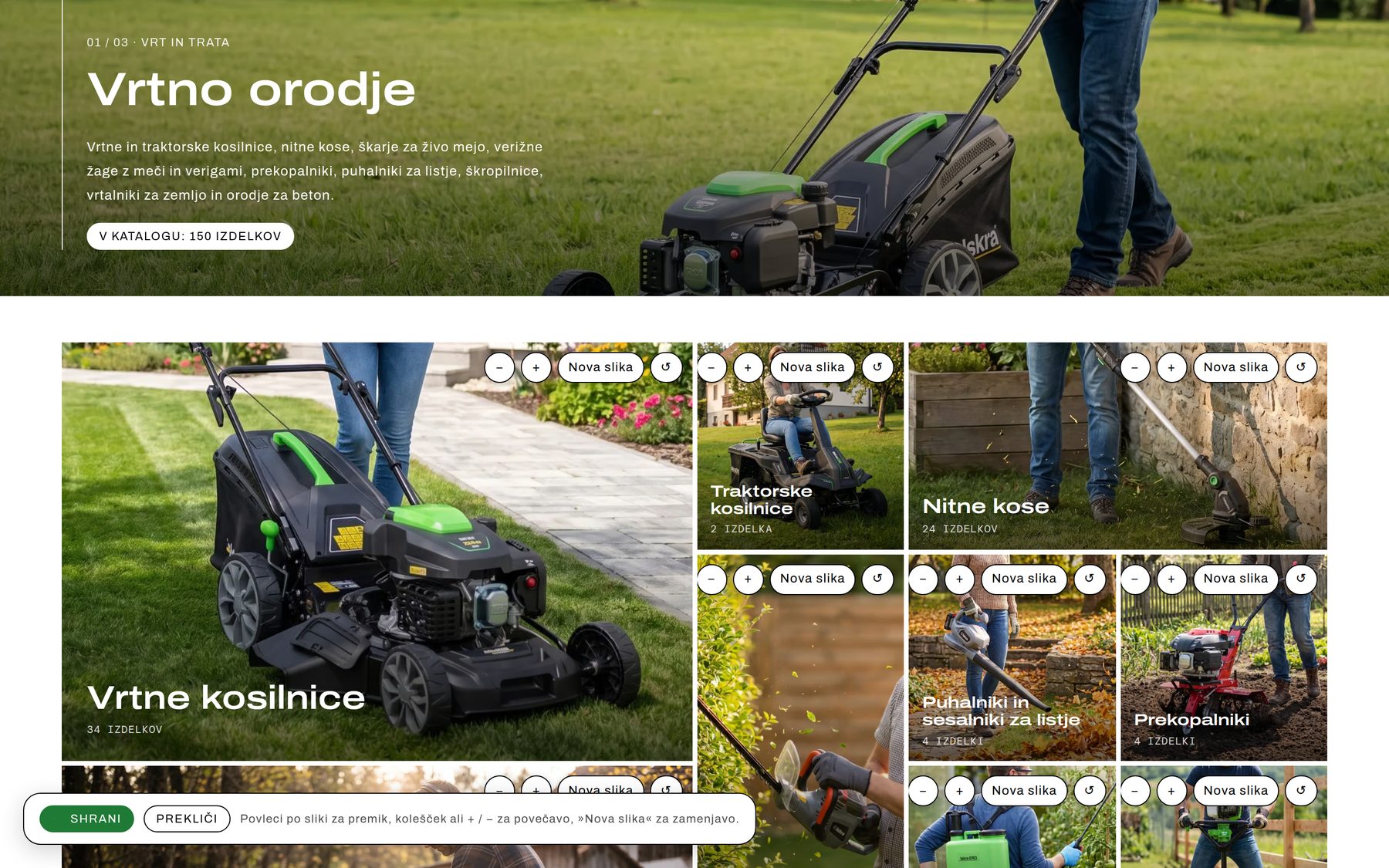
“For home” and “For work and garden” open with a hero that jumps straight to the groups. Each group then gets a banner and a mosaic of categories — tiles sized by importance, with product counts. The mosaic is edited right on the page.
Part 5: 591 product pages generated from the data
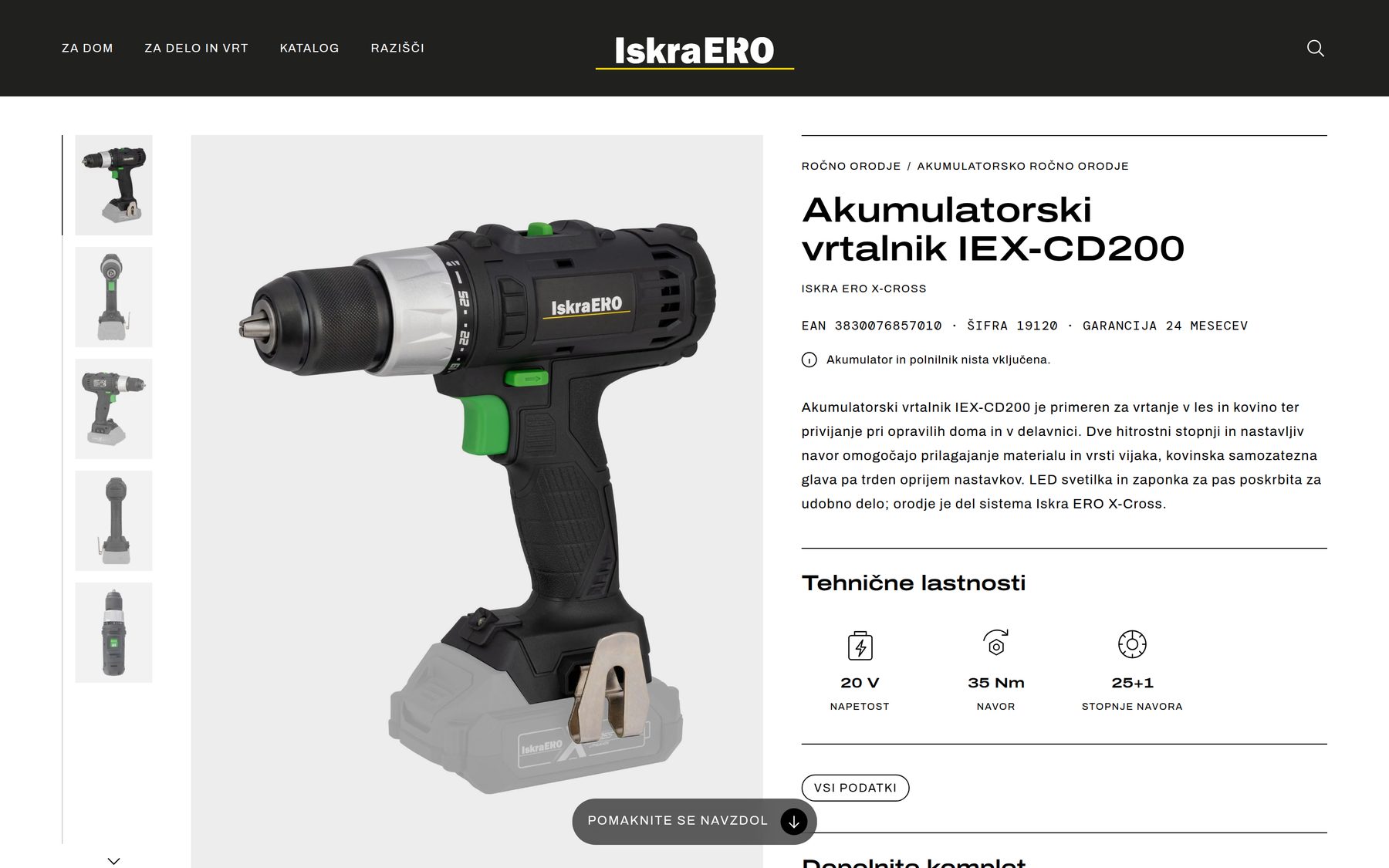
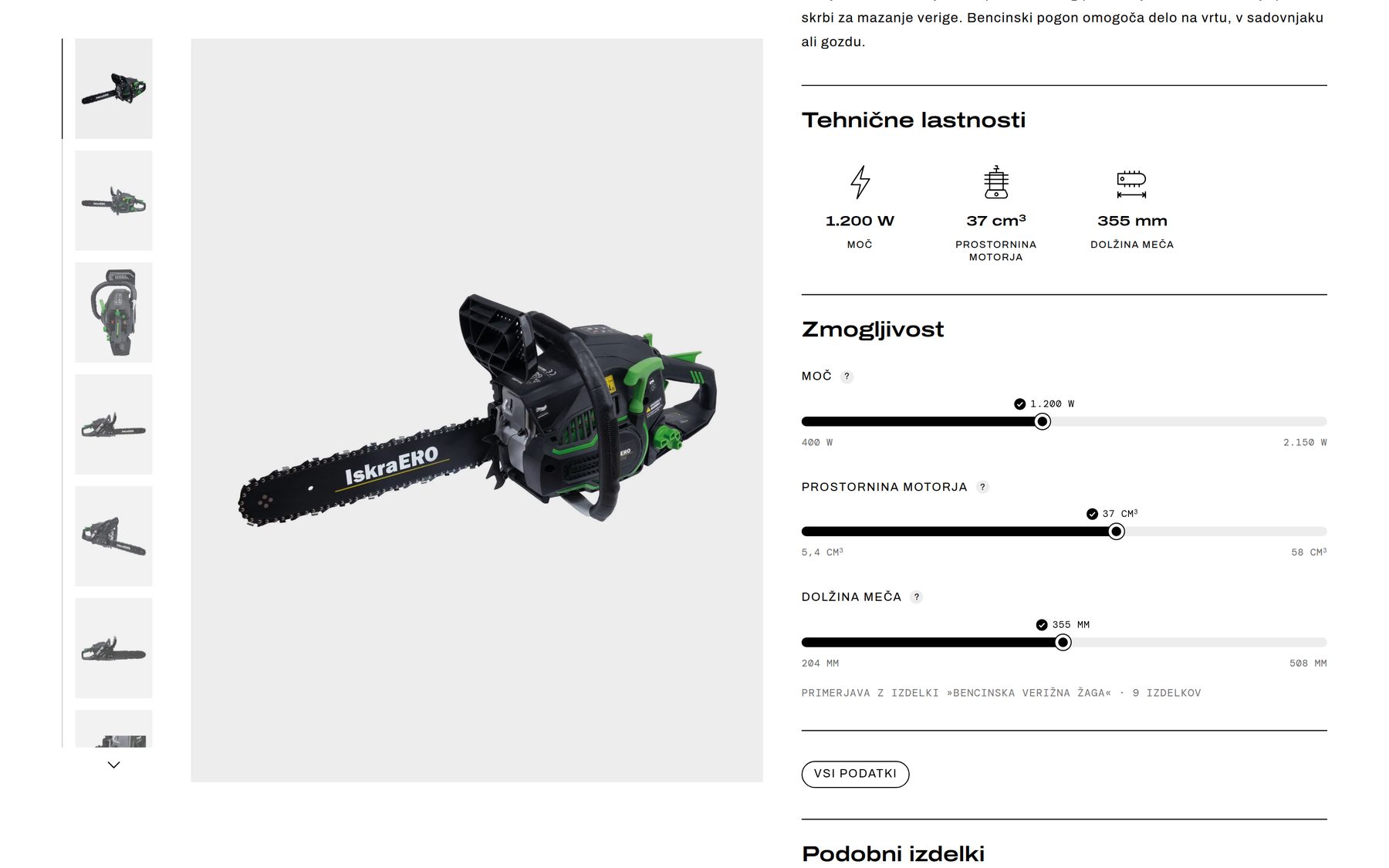
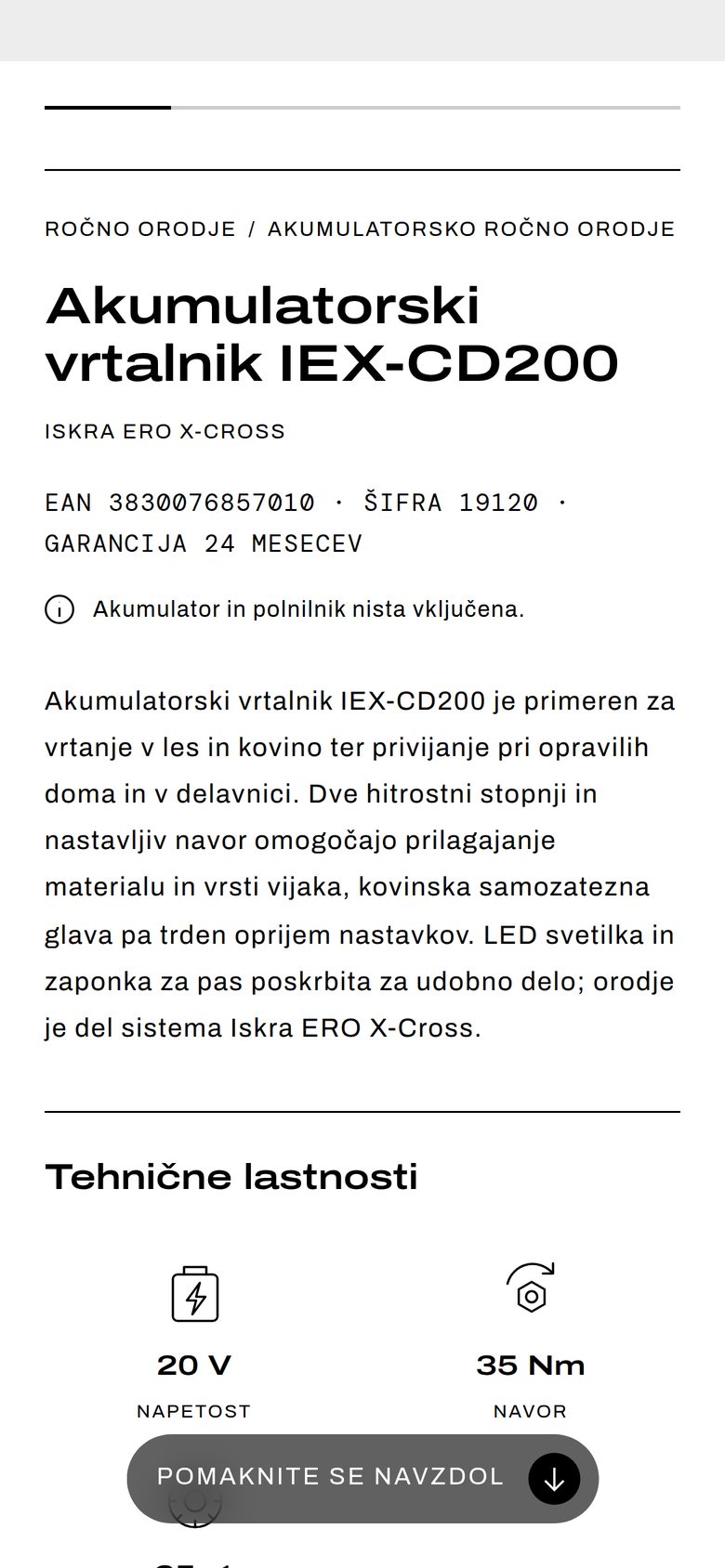
A gallery with thumbnails and zoom, technical highlights with icons, and specifications, packaging, warranty and PDF manuals — all from Inventory Manager. A performance comparison uses sliders to show where a product sits among the rest of its category: power, capacity, bar length. Nothing is retyped for the web, so the site can never disagree with the catalog.

Part 6: One screen instead of a maze of admin pages
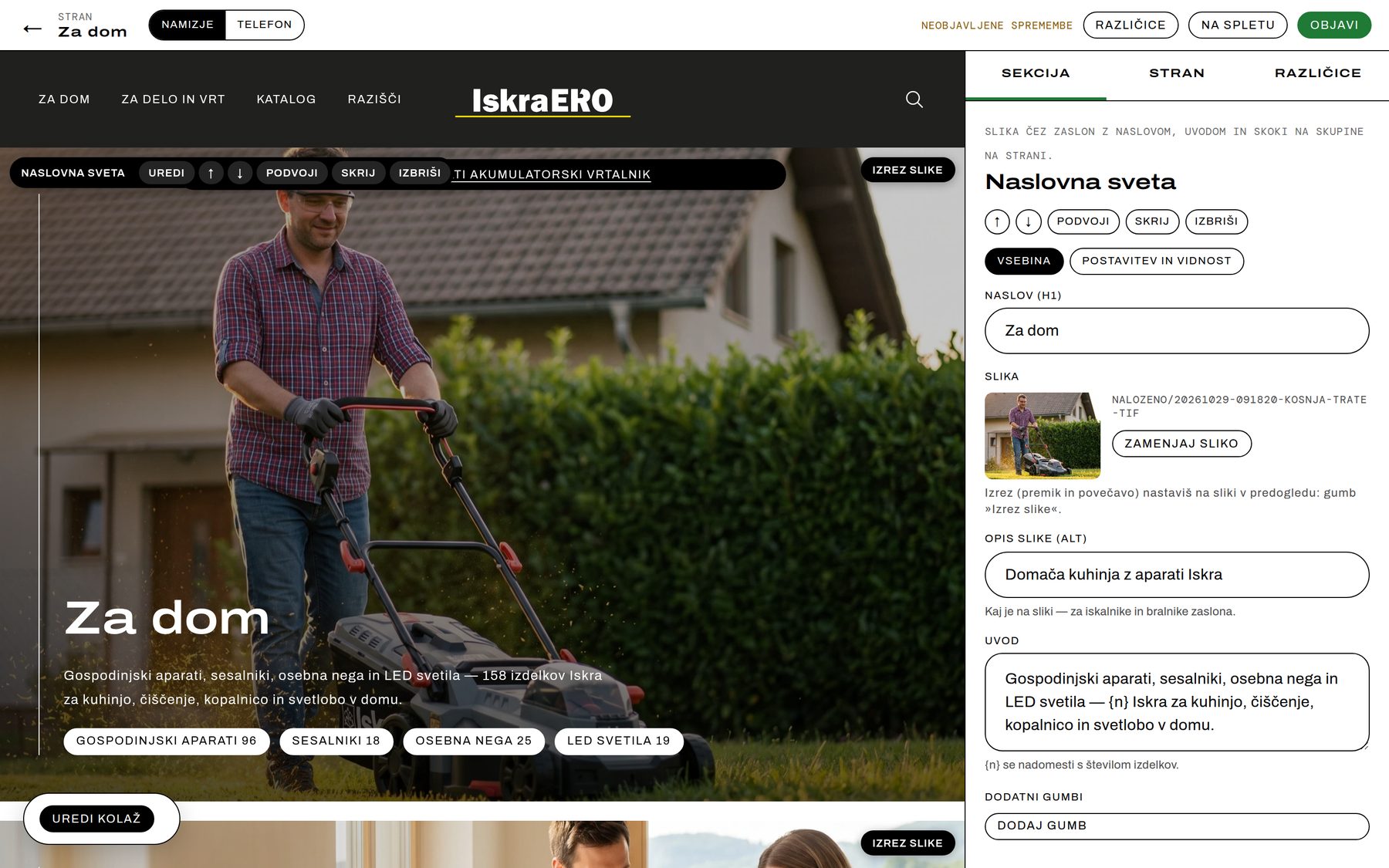
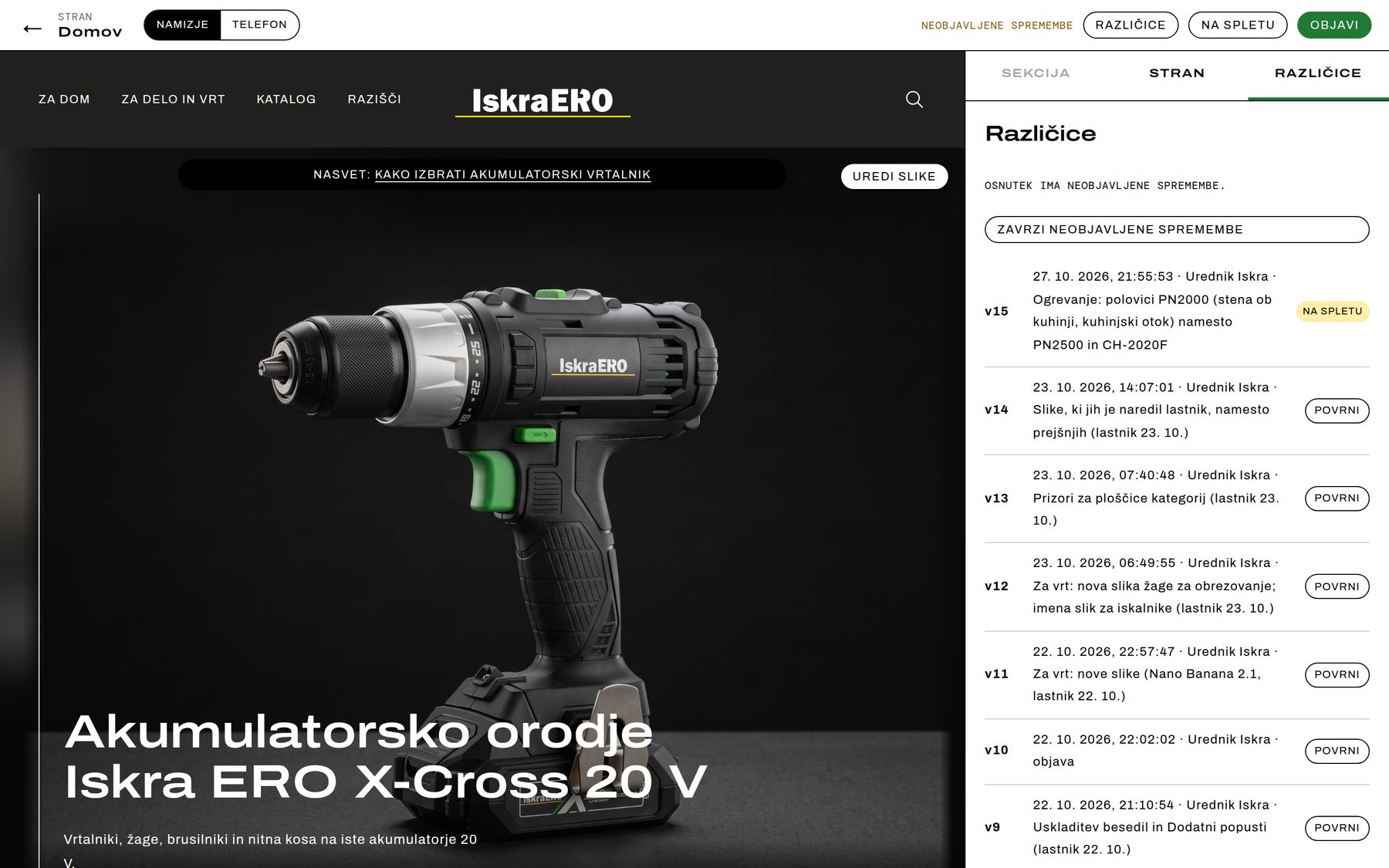
This is the part visitors never see and the team uses every day. On the left, a live preview of the draft — desktop or phone; on the right, a drawer. Click any section in the preview for its toolbar: Edit, up, down, Duplicate, Hide, Delete. Texts, images, buttons, products and SEO for a section all live in one drawer, and the preview refreshes by itself.
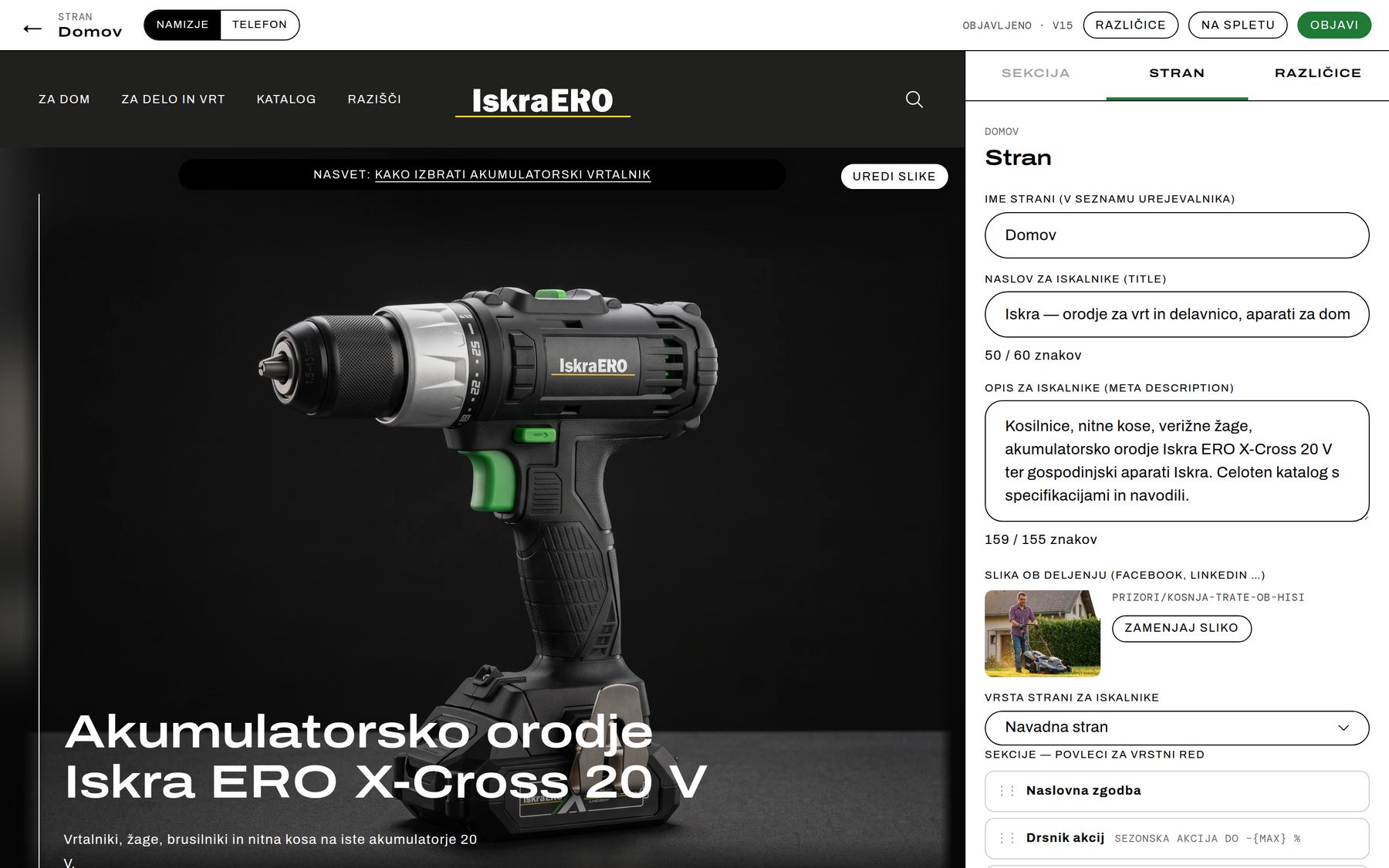
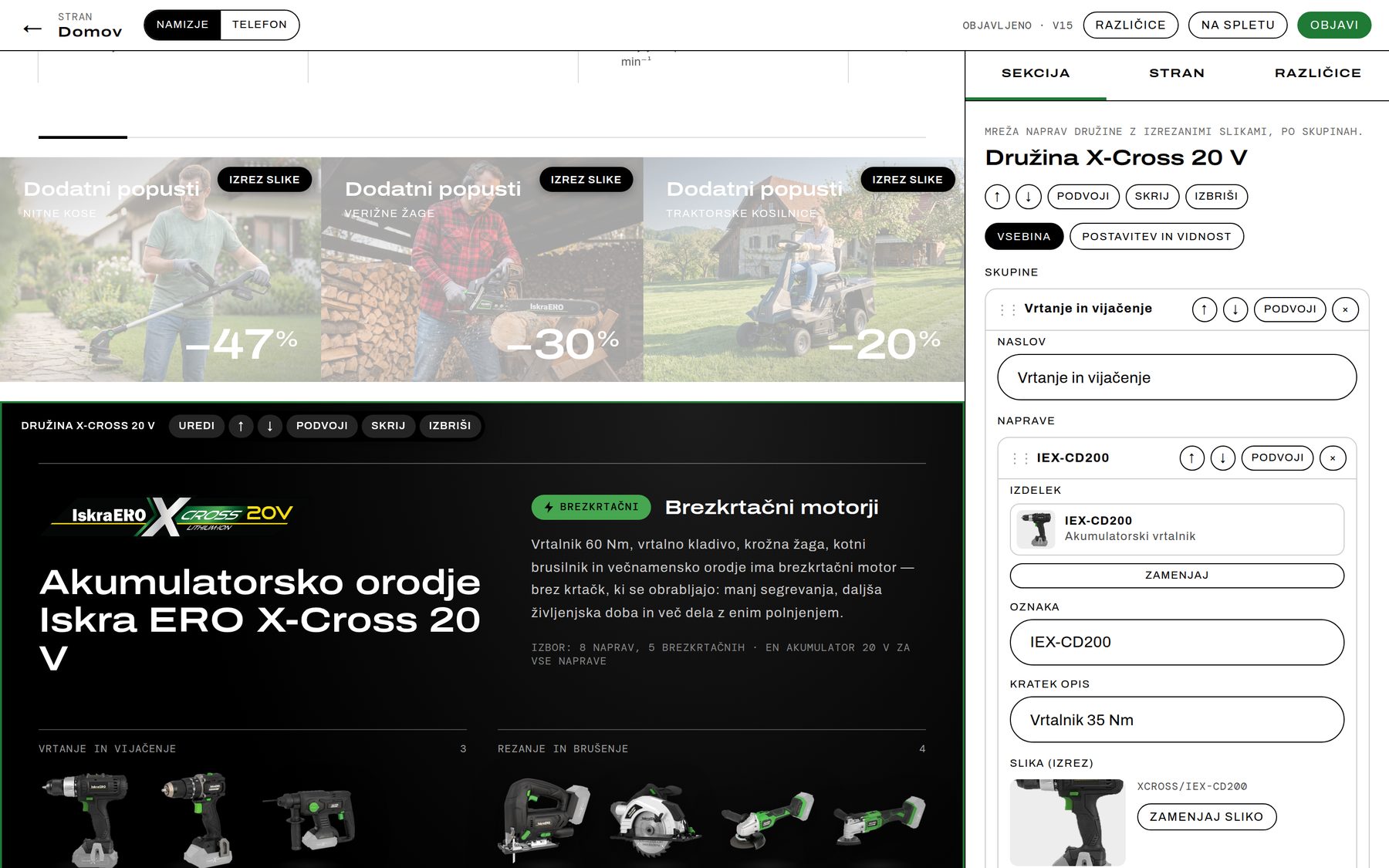
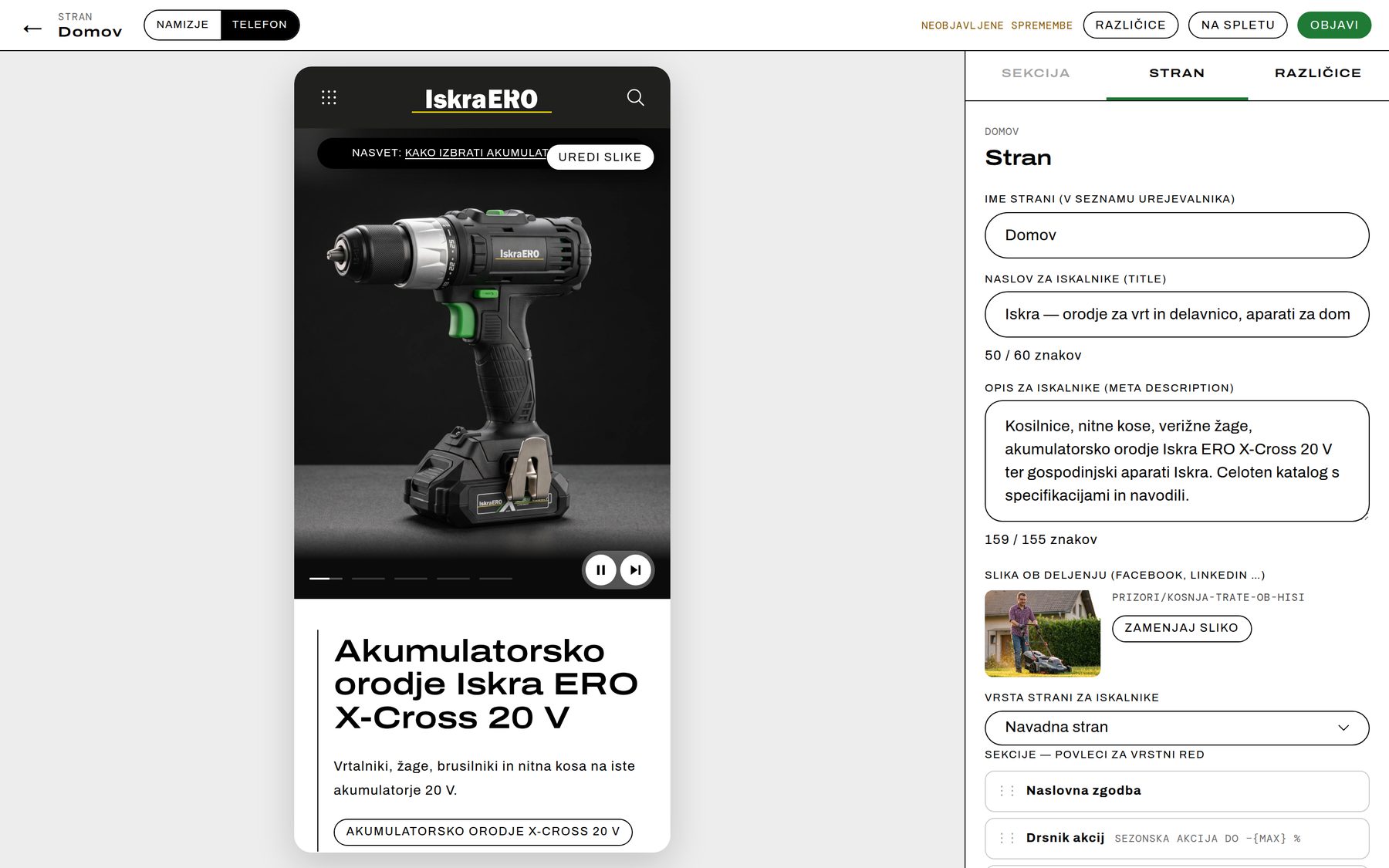
Move a section with one click, or by dragging it in the section list. The preview updates immediately and the draft saves itself — no saving, refreshing and checking across separate screens.
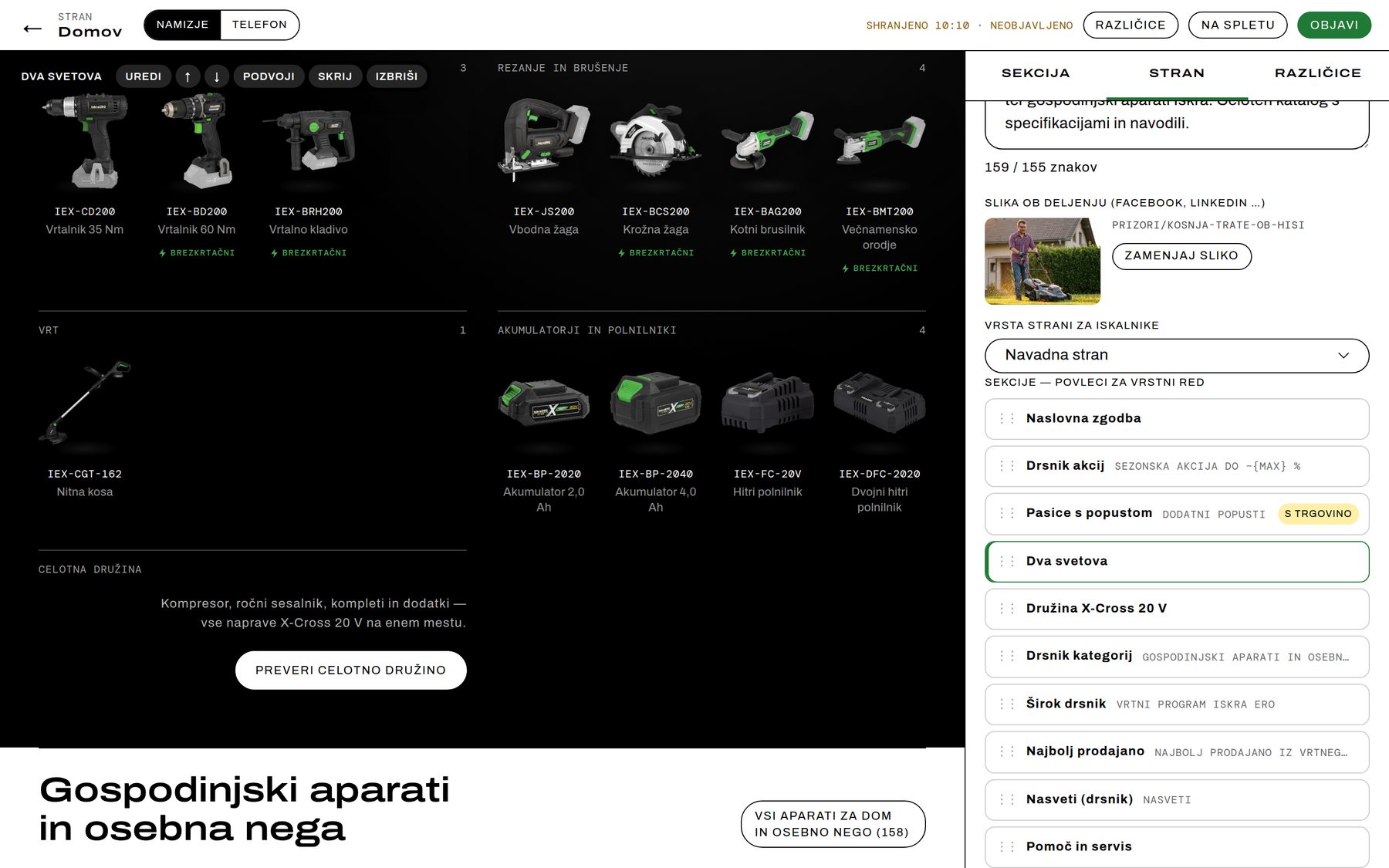
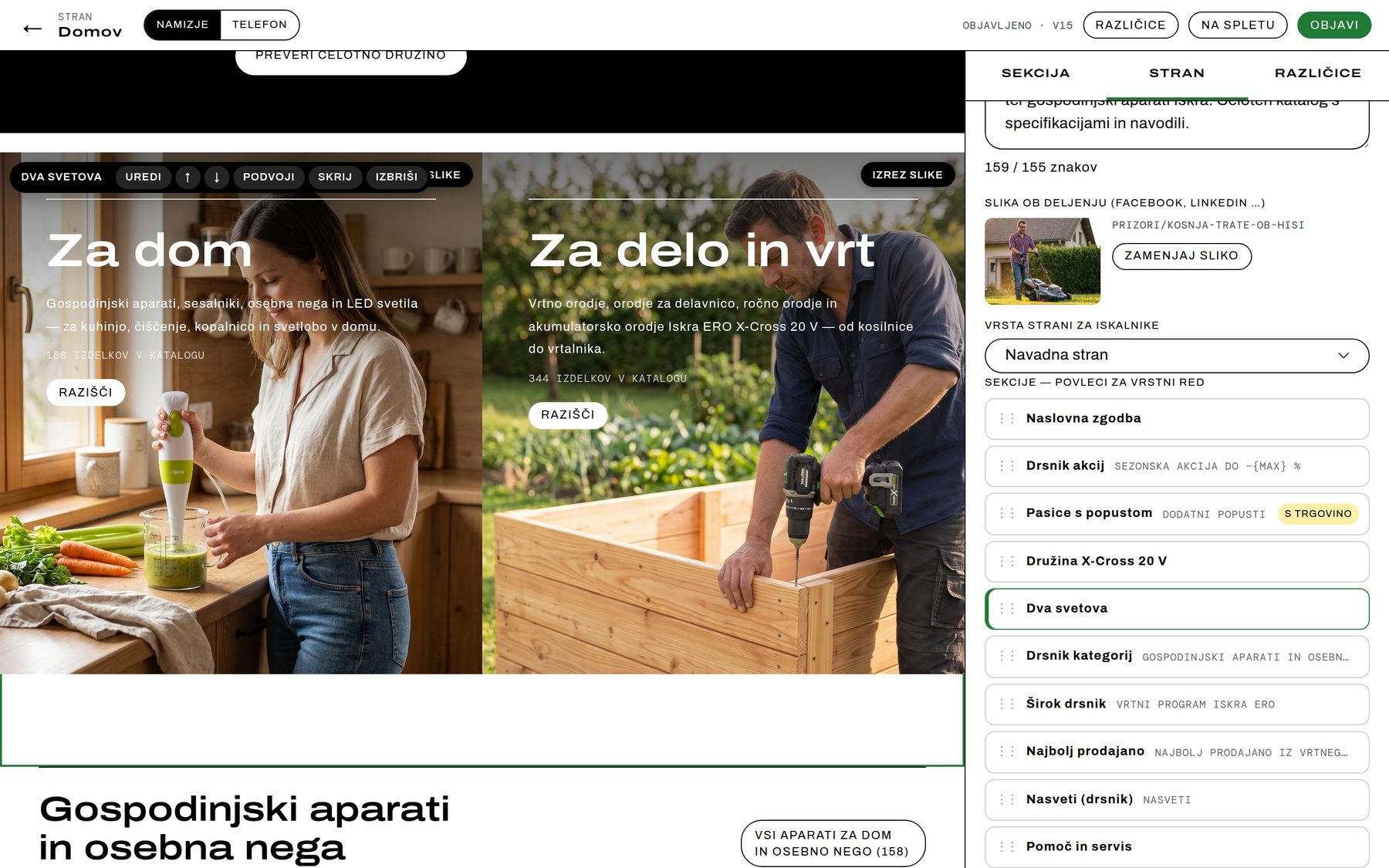
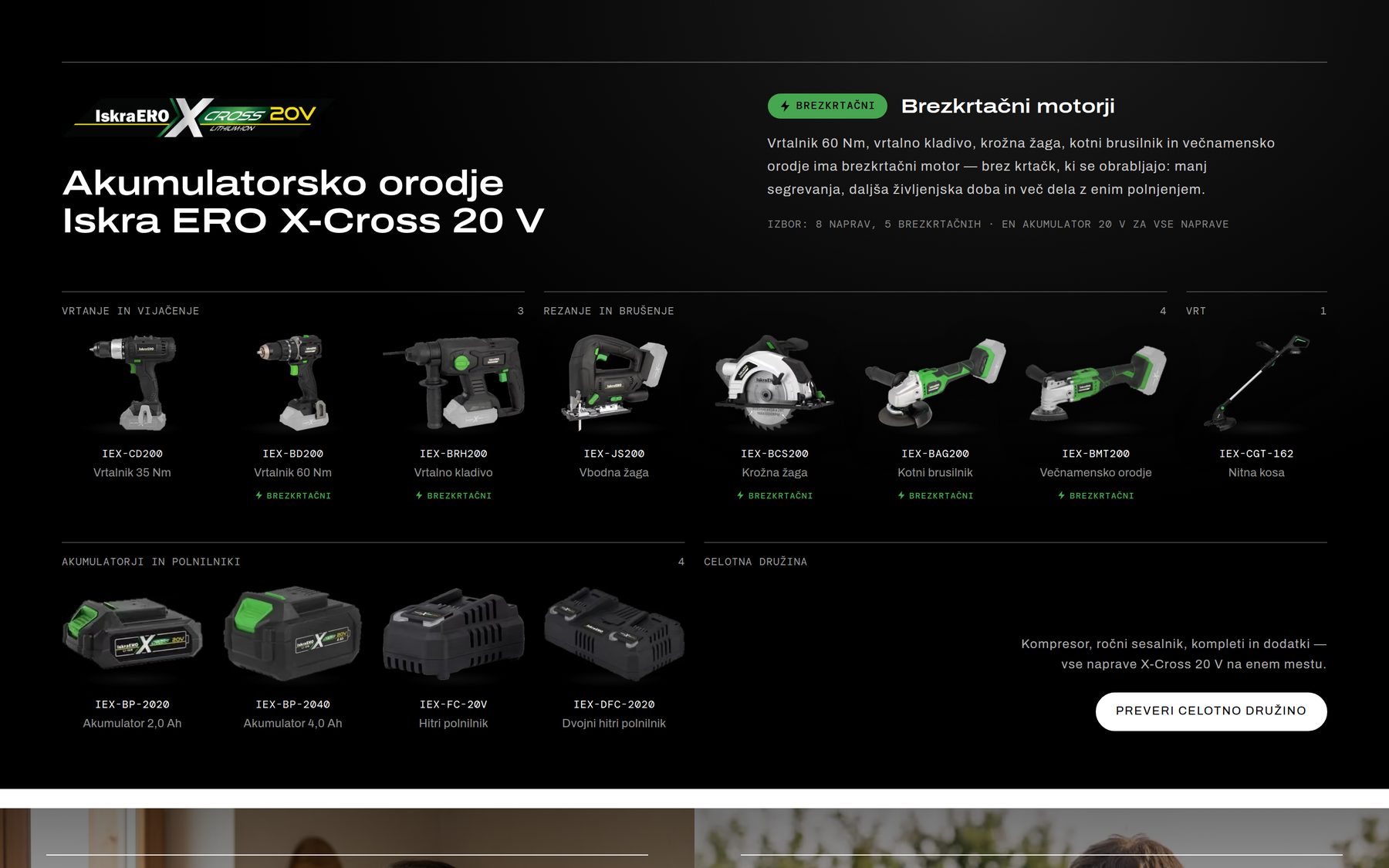
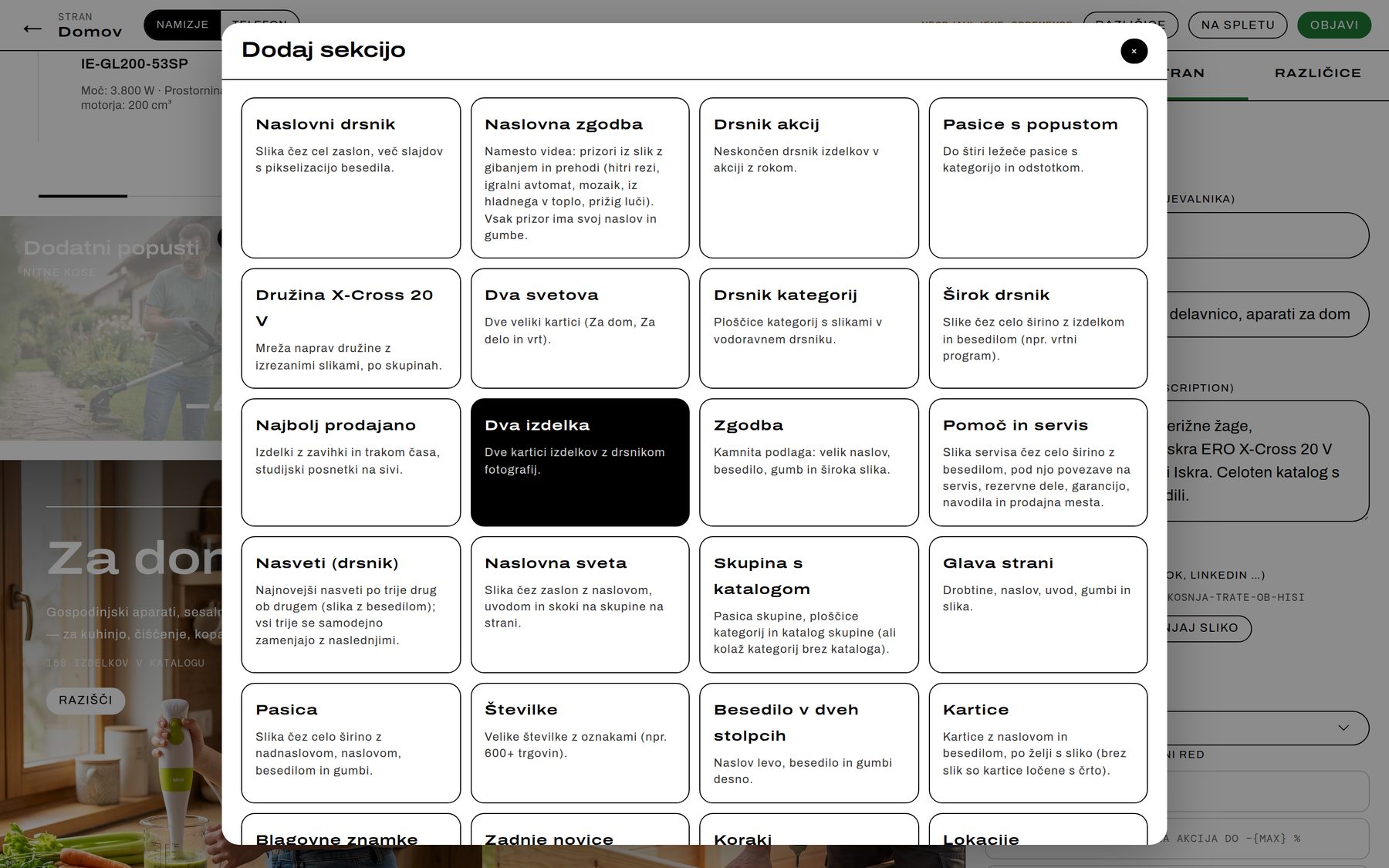
- 42 section types in the library: hero slider, homepage story, promotions carousel, discount banners, the X-Cross family, two worlds, best sellers, cards, two-column text, numbers, steps, locations, brands, forms … A “+” between sections inserts the new one exactly there.
- Products in sections come from a selection in Inventory Manager: search the core, the Marked tray, order by dragging.
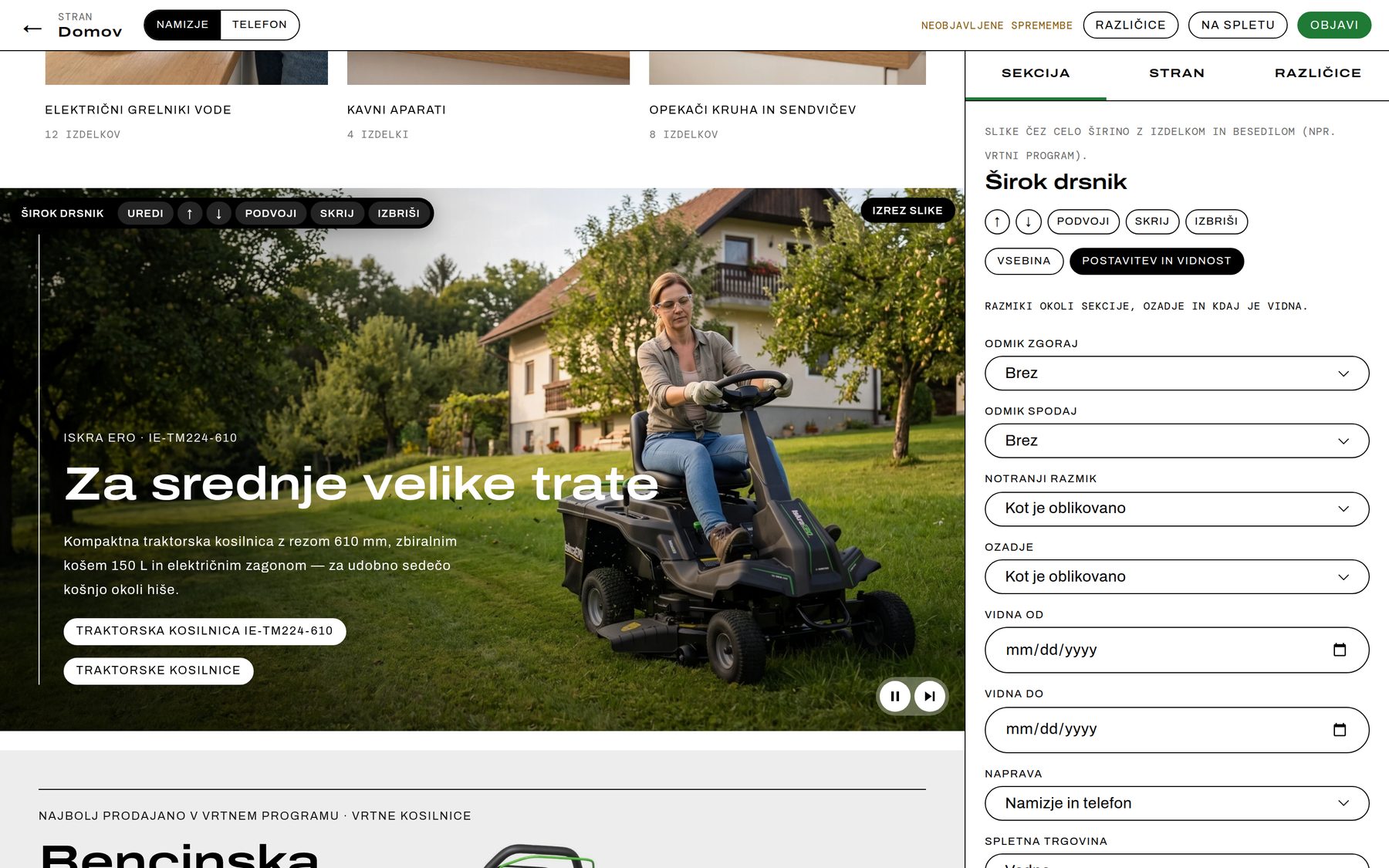
- Layout and visibility without code: spacing, inner padding, background, visible from and to a date for seasonal content, desktop-only or phone-only.
- Drafts save themselves; nothing changes on the live site until Publish. Publishing rebuilds only the affected pages — live in a minute or two.
Part 7: Images — drag, drop, the code does the rest
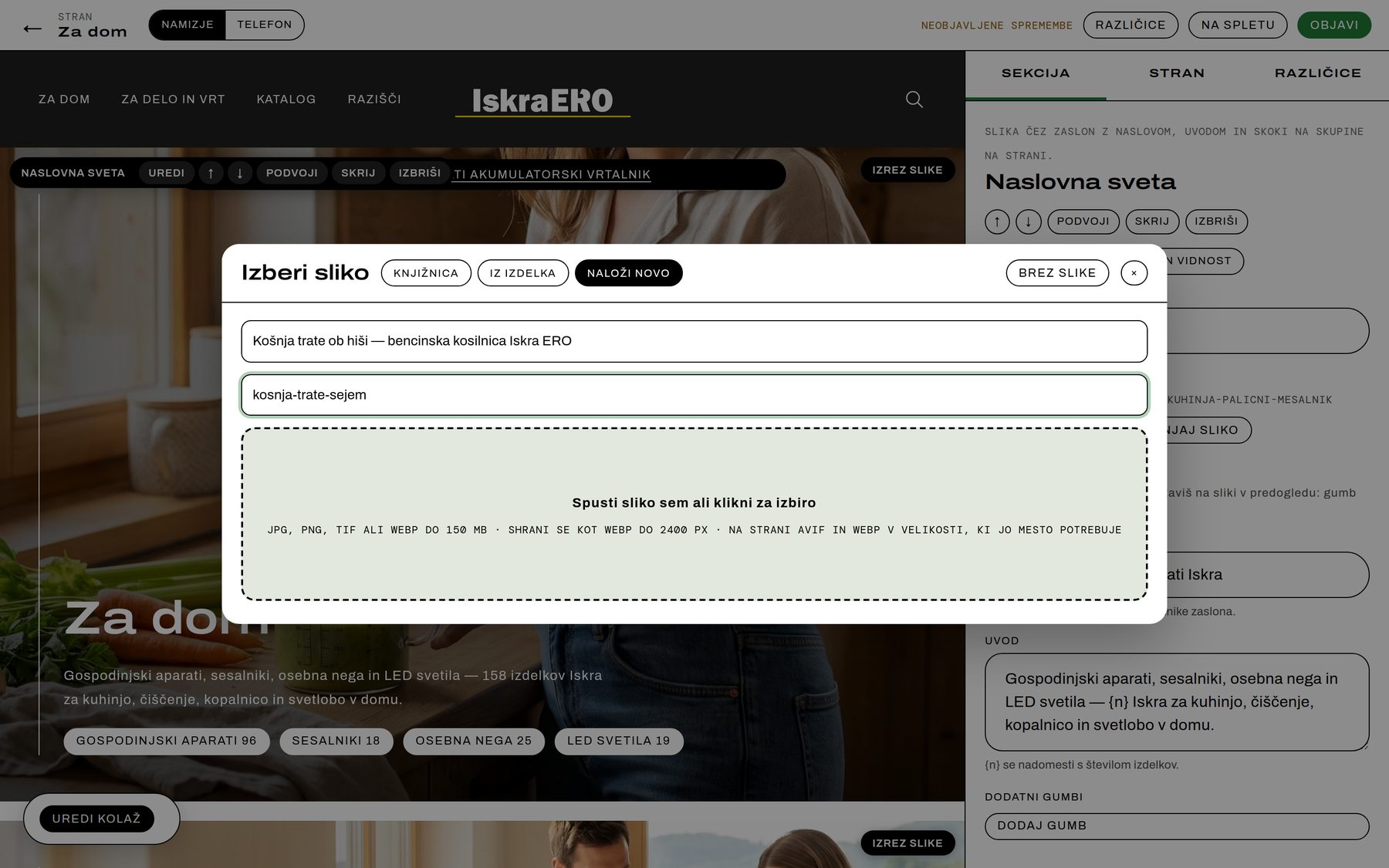
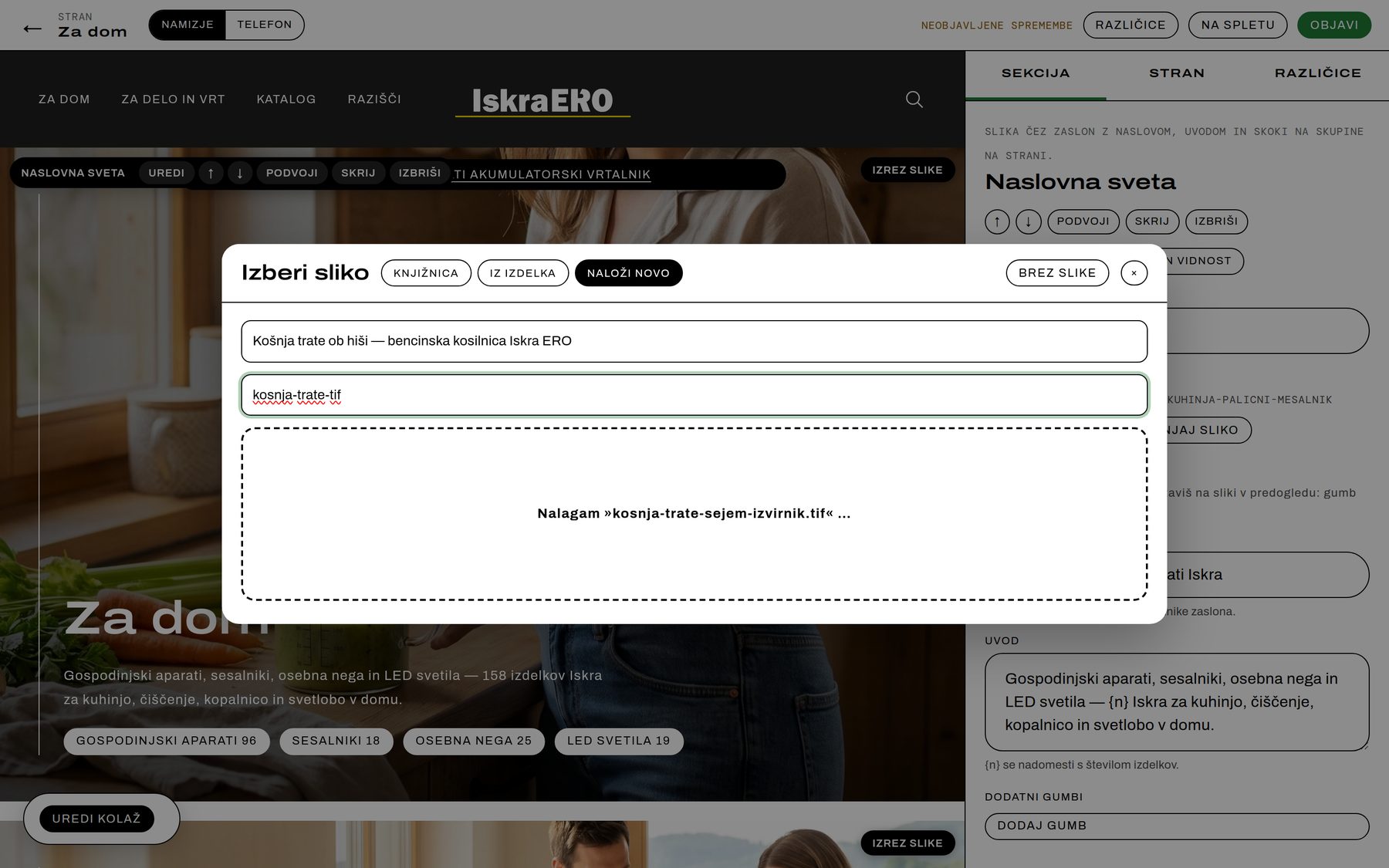
Drop in a JPG, PNG, TIFF or WebP of up to 150 MB. The server straightens it, scales it to at most 2,400 px, converts it to WebP and strips the metadata (EXIF with GPS, XMP, IPTC, C2PA). In testing, an uncompressed 65 MB TIFF became a 416 KB WebP in about two seconds and was in the preview straight away.
When a page is published, every image is written as AVIF (the main format) and WebP (the fallback) — in exactly the widths its spot on the page needs:
- Every spot has its own preset — hero, half, card, gallery, tile, product card, thumbnail, cut-out — with its own widths and sizes.
- For cropped images, the code works out the size from the frame, the image's aspect ratio and the crop zoom: a portrait frame holding a landscape image needs a wider file than the frame itself.
- The browser picks for itself: the homepage hero is 56 KB on an iPhone and 100 KB on a 1440 px Retina desktop; a product card is 4–14 KB.
- In total, 18,578 AVIF and 20,514 WebP variants; each build converts only new images.
Part 8: Cropping on the image, editing on the page, versions
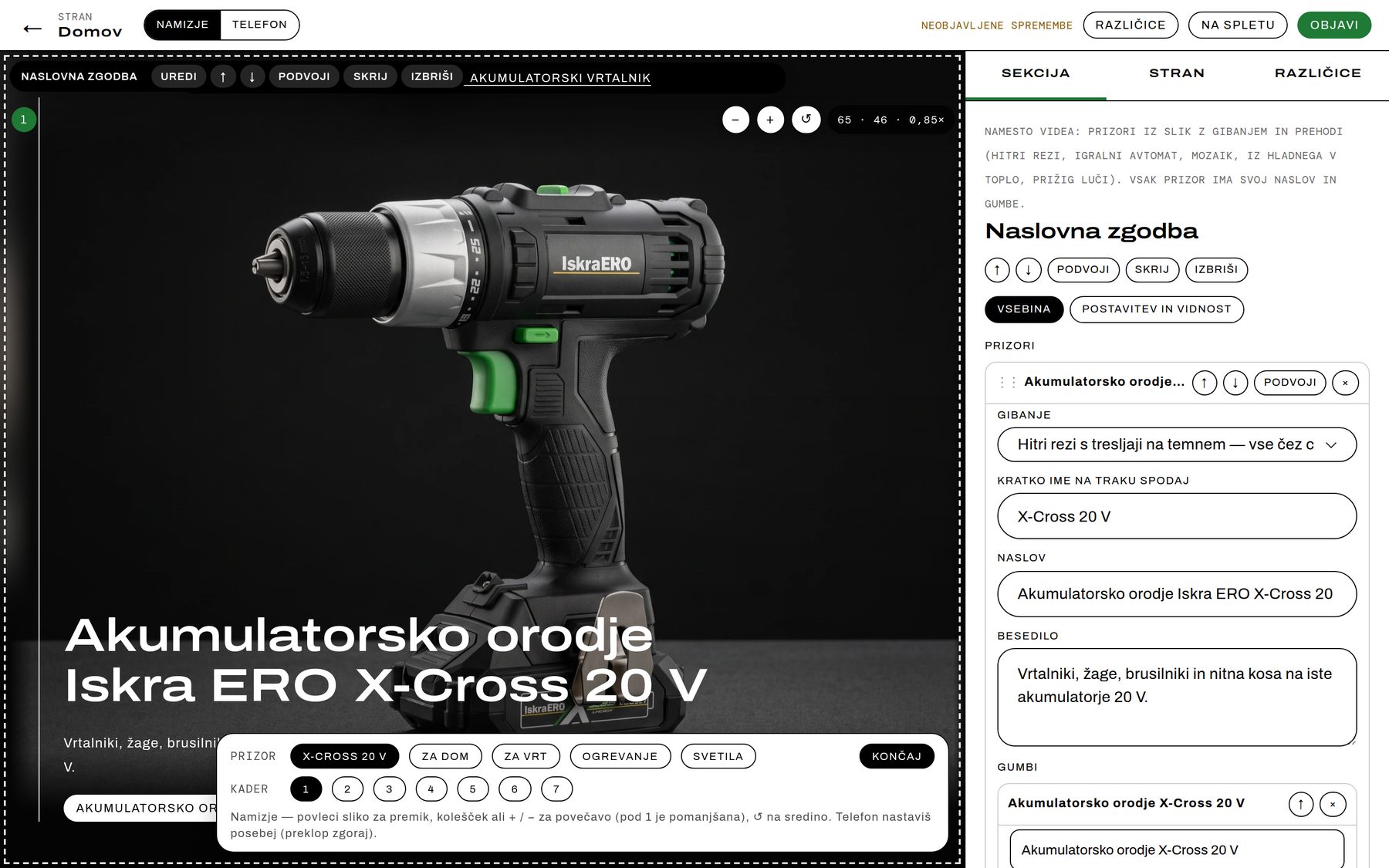
Crops are set right in the preview: drag to move, scroll or +/− to zoom, with a separate crop for phones. The category collage on the world pages and the order of photos in a product story are edited directly on the page. And every publish is kept as a version — who, when, a note — with one-click restore.
Part 9: A CRM you can ask in plain Slovenian
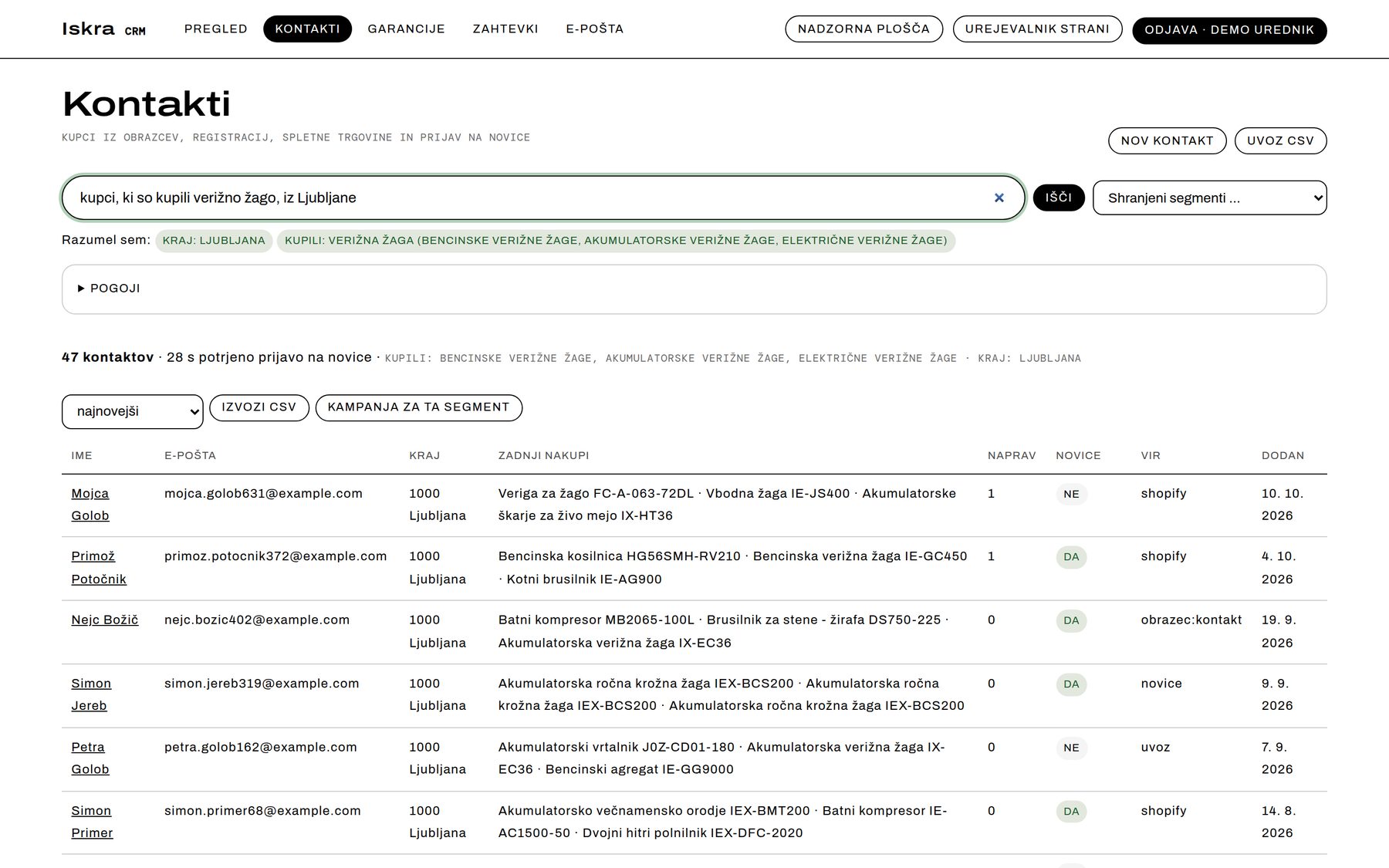
Type “customers who bought a chainsaw, from Ljubljana”. The CRM shows what it understood — place, categories — fills in the conditions and returns the list. Save it as a segment, export it or send it a campaign.
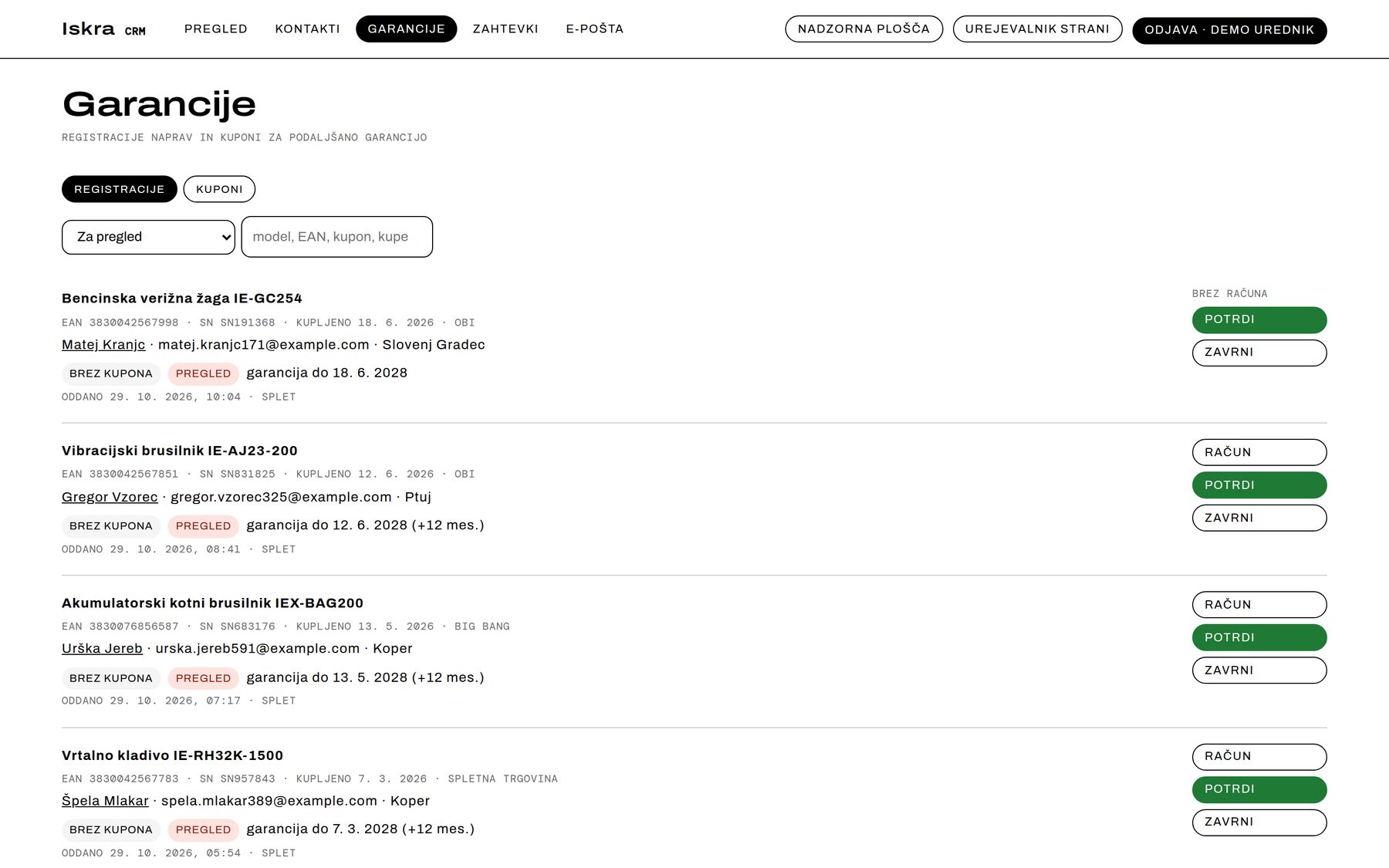
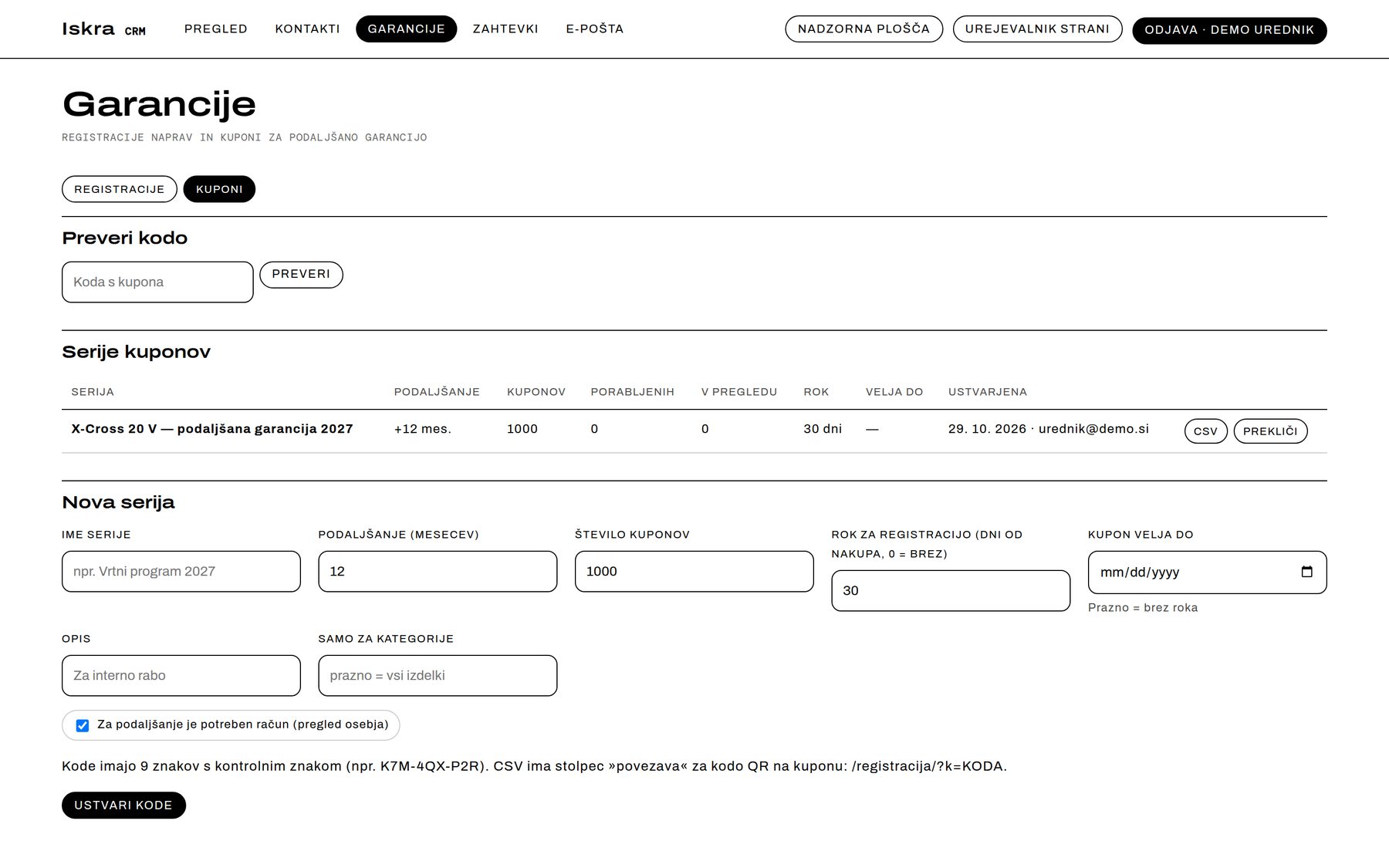
- Warranty portal: a QR coupon in the box, device registration with the receipt, staff review (approve, or reject with a reason), extended warranty. Coupon series with 9-character codes and a check character, exported as CSV for the printer.
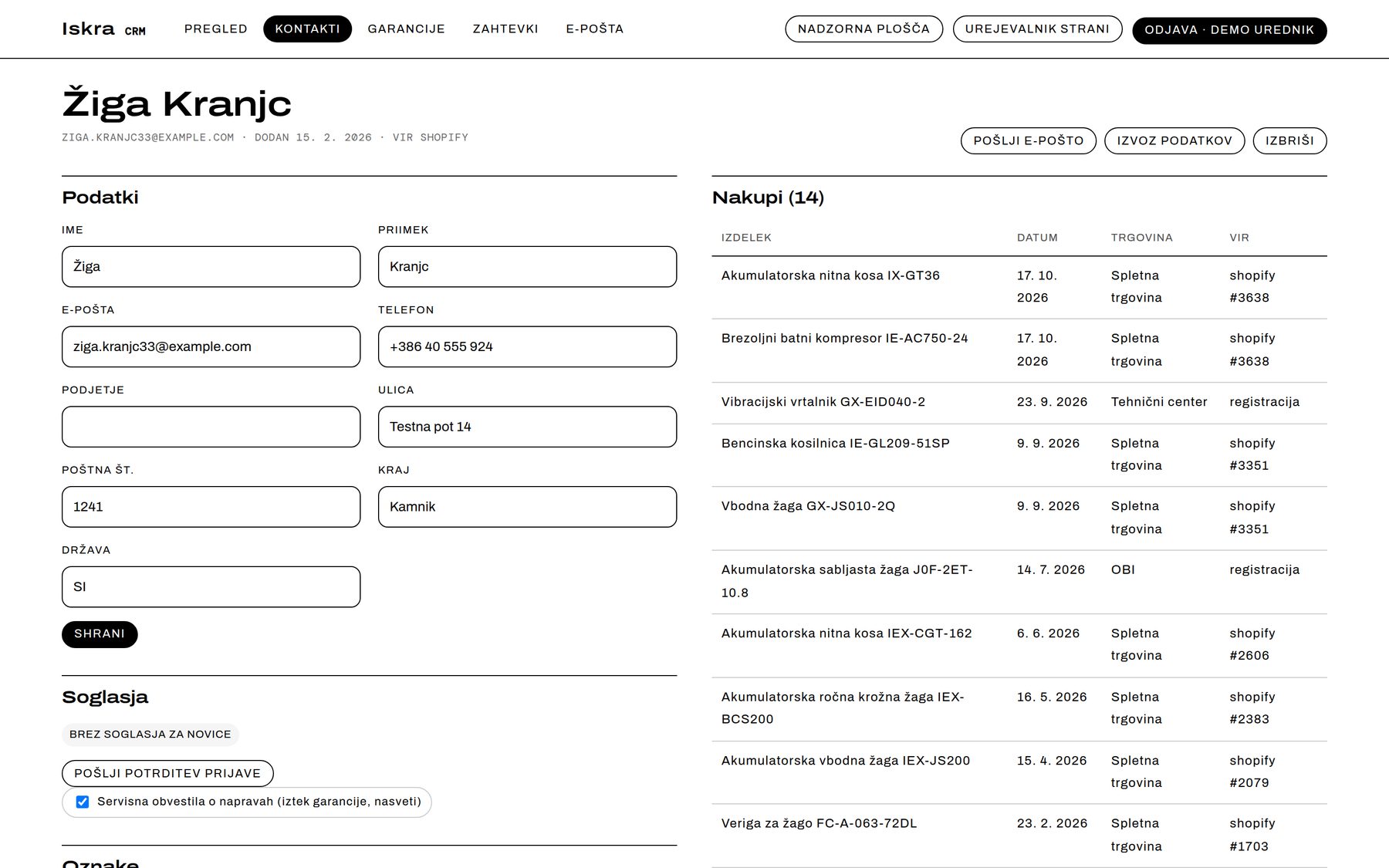
- Each contact on one card: details, consents, purchases, devices, requests, sent email and a timeline with notes; data export and erasure on request.
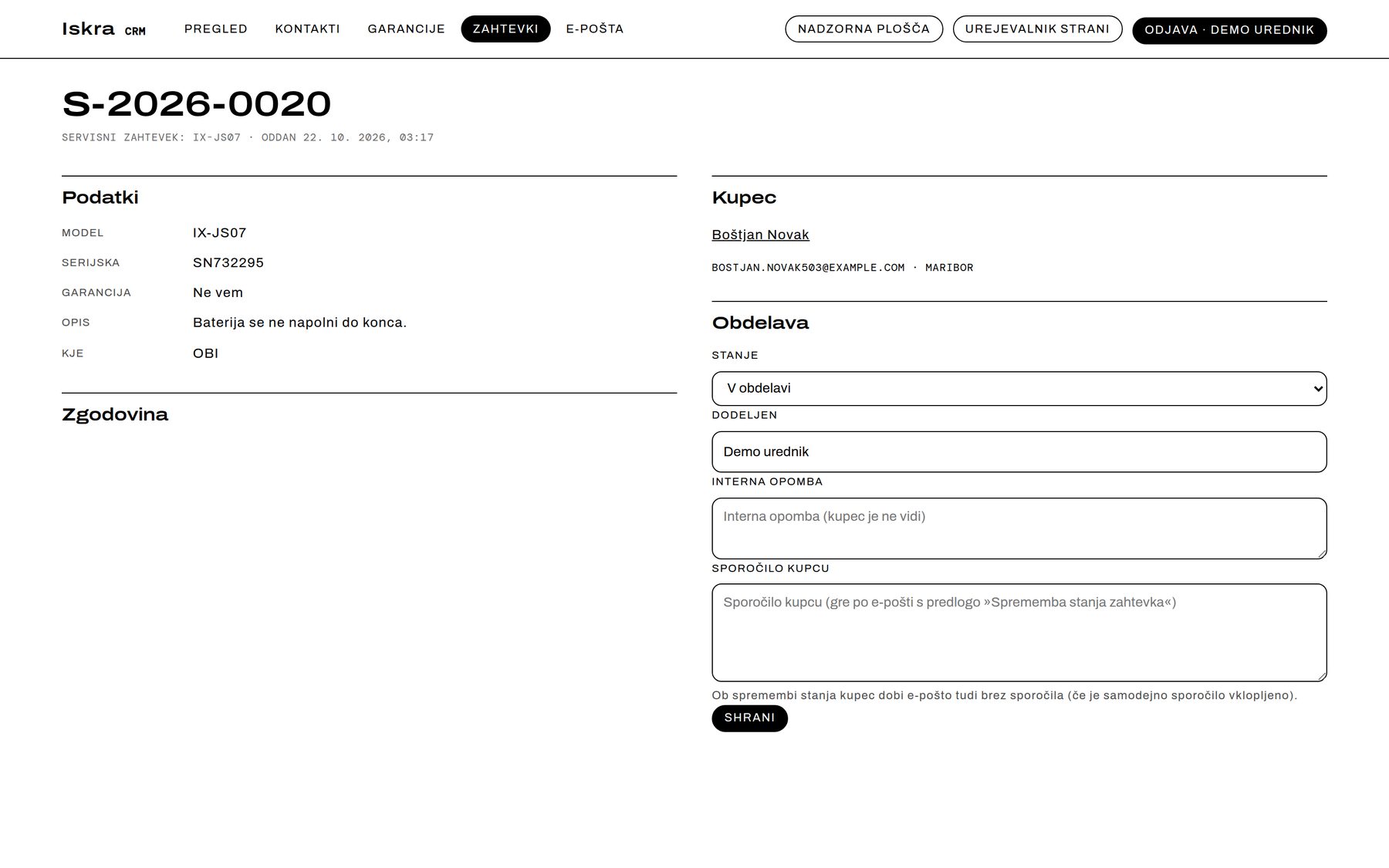
- Requests for service, spare parts and contact — numbered, assigned, with internal notes and a reply to the customer by email. Customer attachments are virus-scanned and stored as clean copies in a separate, locked-down process.
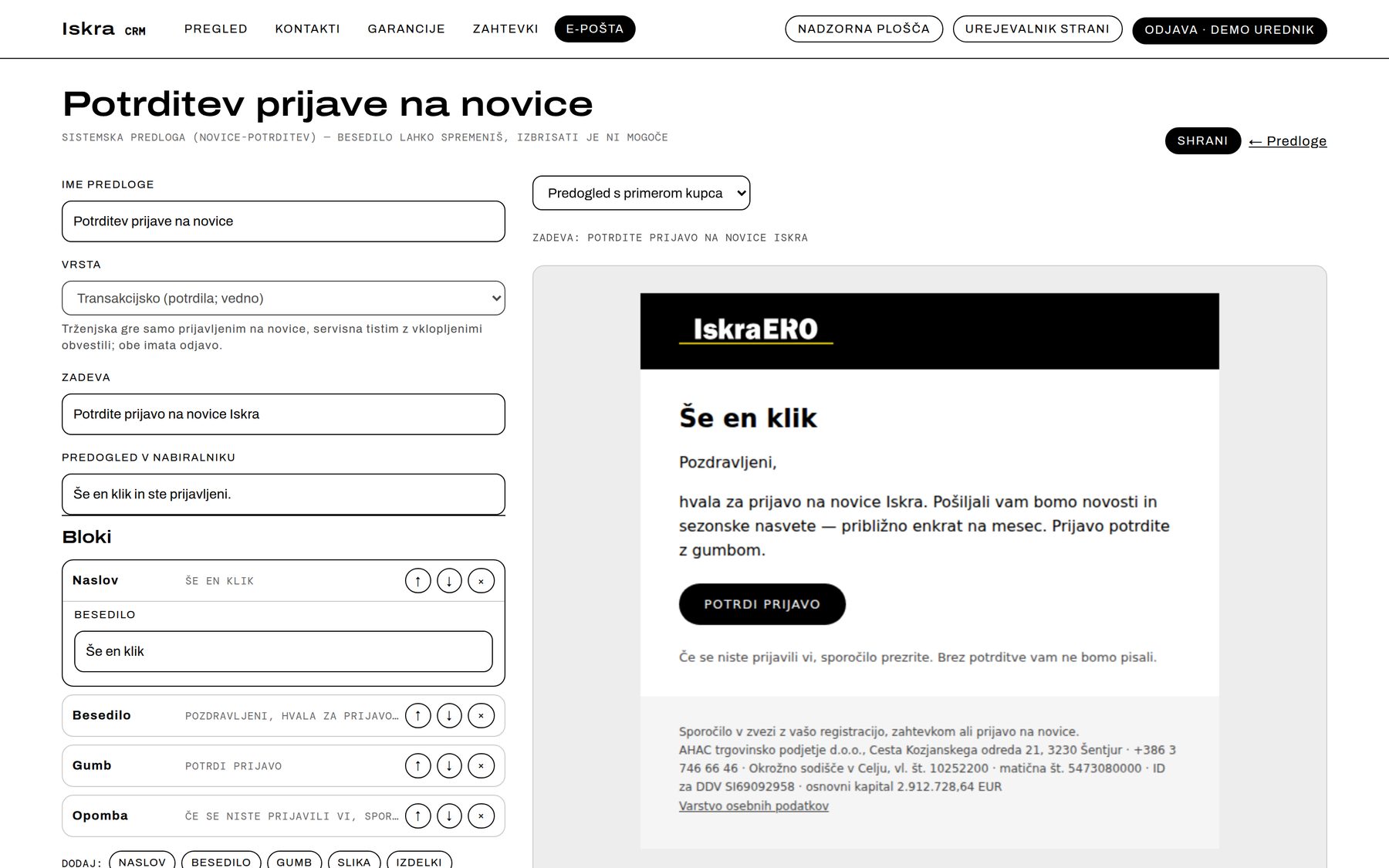
- Email: templates built from blocks with a live preview, campaigns to segments through Mailchimp, and automated messages — confirmations, a reminder 30 days before a warranty expires, tips after purchase, seasonal messages.
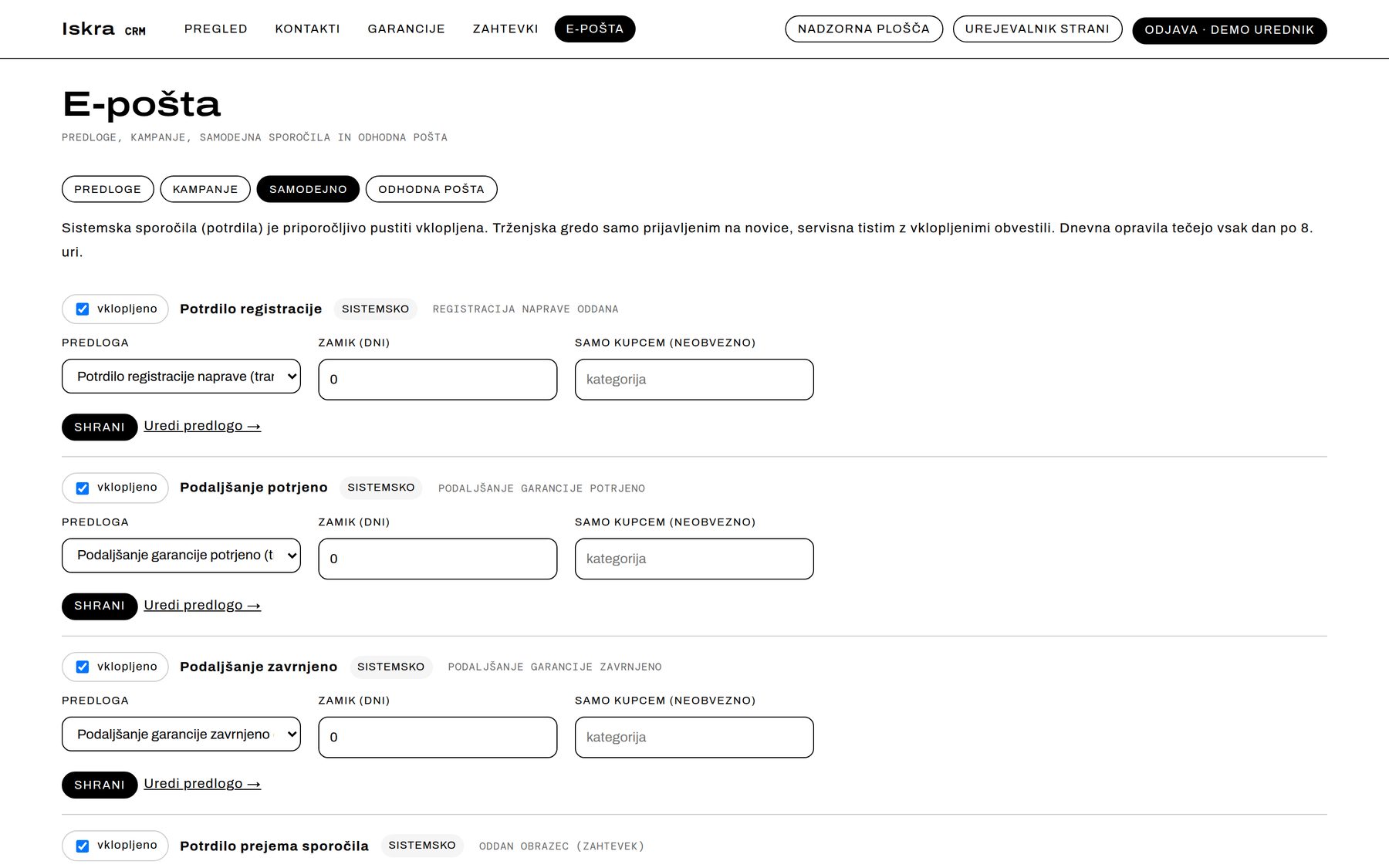
Email sending, Mailchimp, customer sign-in and virus scanning are built and tested; they switch on with the production server.
Part 10: A dashboard for four teams
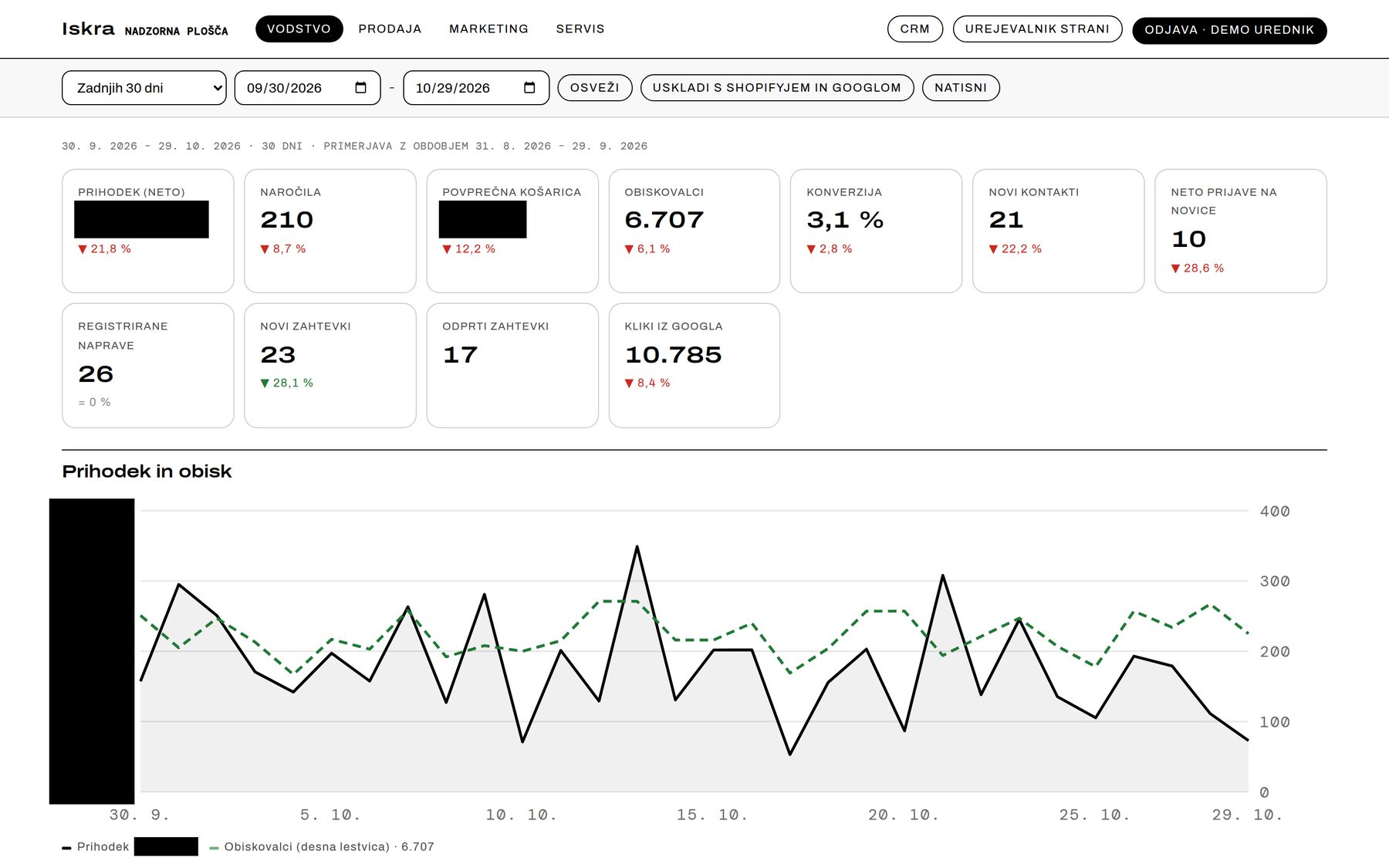
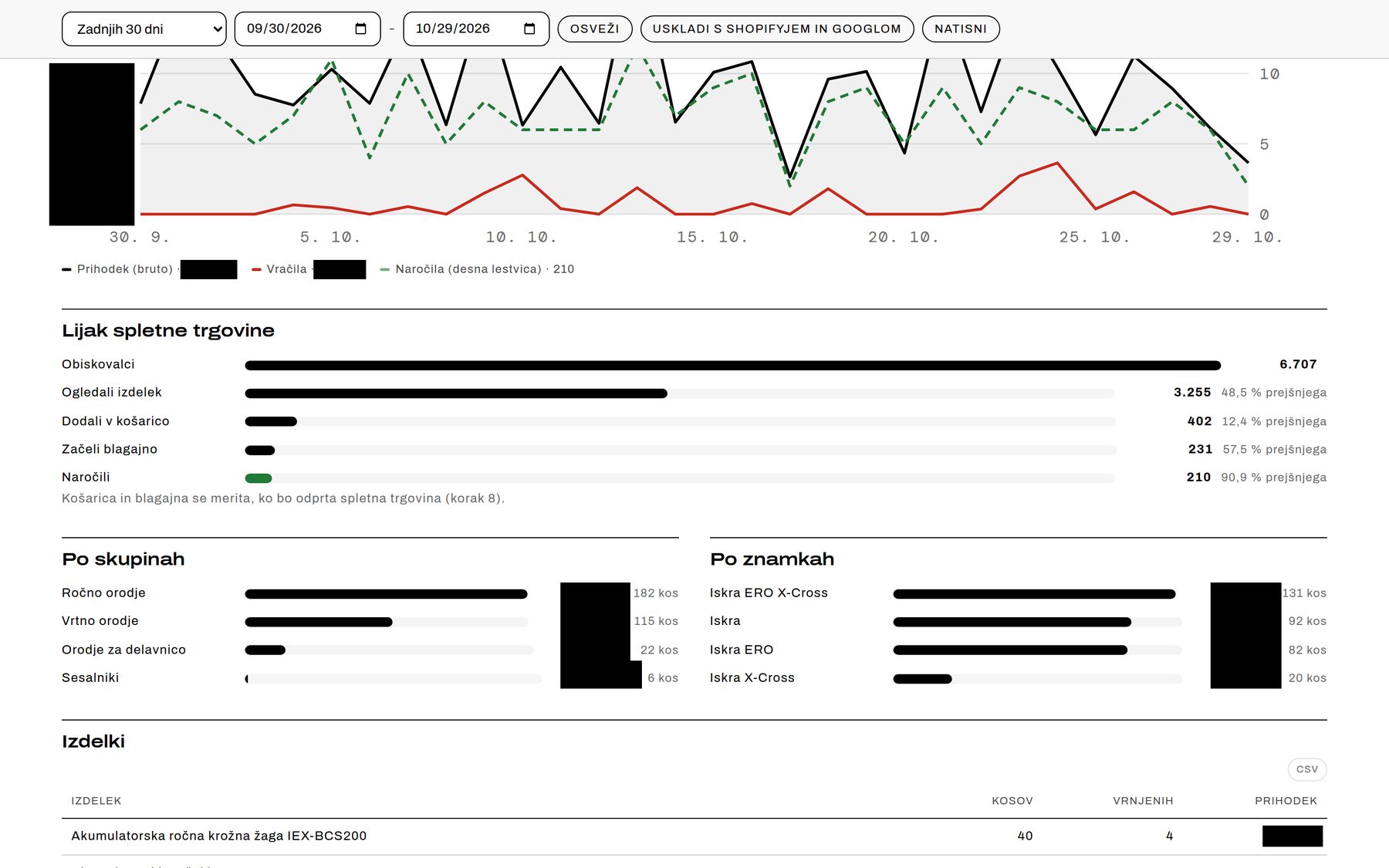
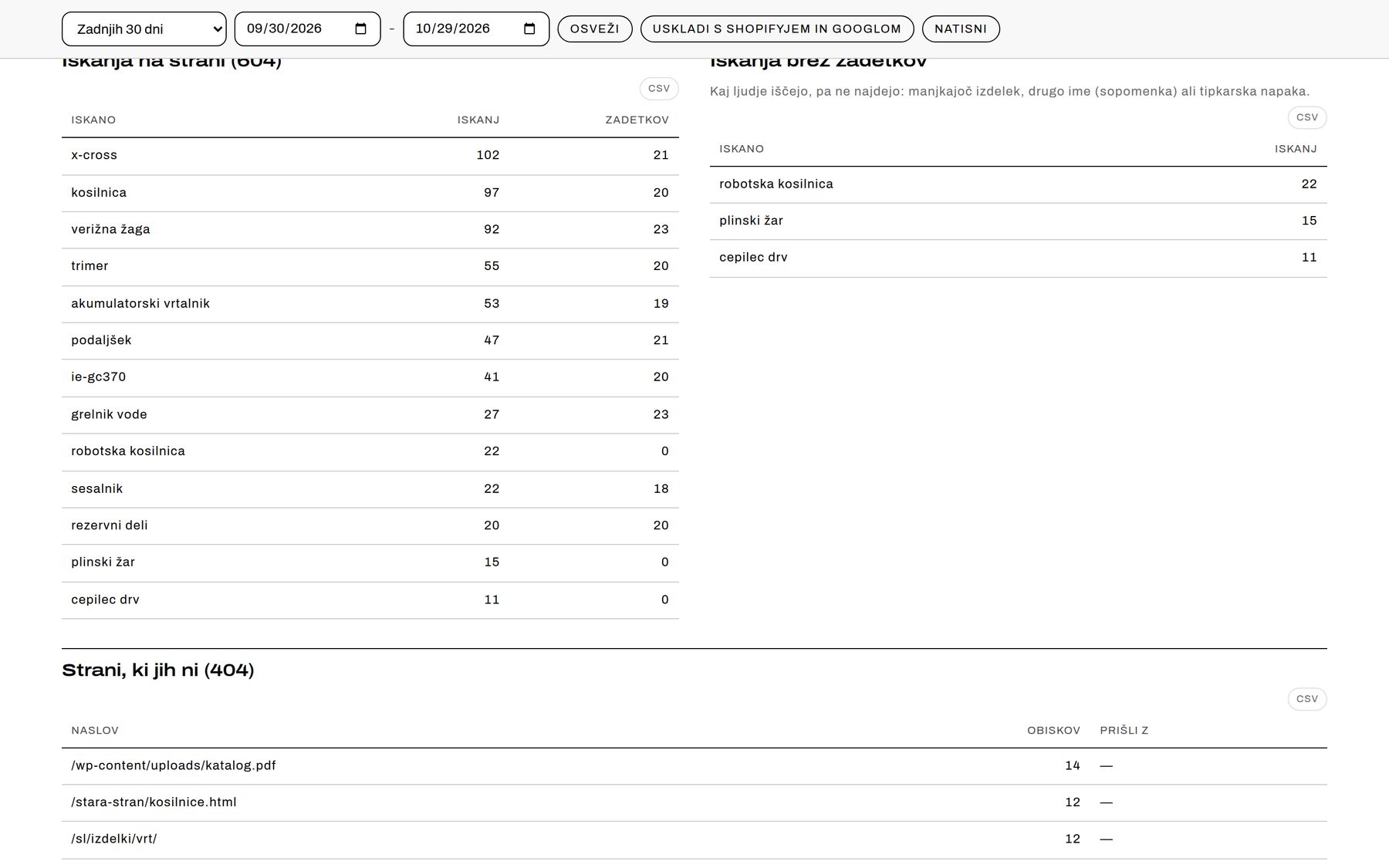
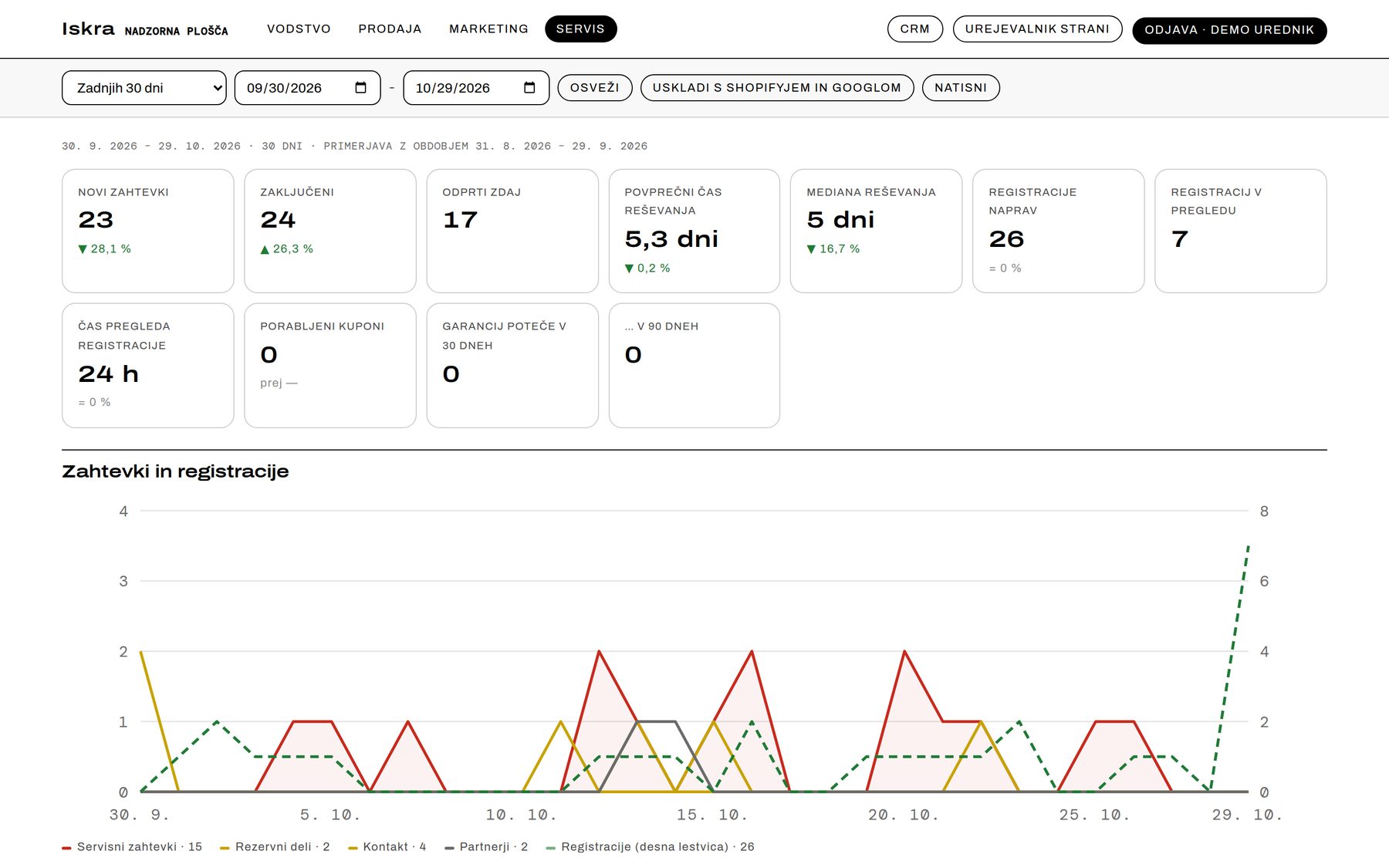
Four views of the same data — Management, Sales, Marketing, Service — each metric compared with the previous period. Any view can be shared as a link, and every table exports to CSV. Visitor analytics are built in, without cookies or browser storage; IP addresses are not stored.
Part 11: Speed, measured honestly
Lighthouse 12, the median of three runs on the built site. These are lab measurements — data from real visitors follows after launch, when the site's own Core Web Vitals tracking starts collecting it.
- Desktop: performance 100 on the homepage, catalog, a product page and a world page; best practices and SEO 100.
- Mobile (simulated slow connection and a 4× slower CPU): performance 90–97, LCP 2.5–2.7 s.
- Layout shift 0–0.014.
- 21 KB of JavaScript on the homepage, 11–12 KB elsewhere — no framework in the browser, no trackers, no third-party code.
- Self-hosted fonts: 76 KB in three files.
Built and tested, not open yet
Cart, Shopify checkout, passwordless customer accounts, My account with devices and warranties, orders flowing into the CRM and dashboard, and prices, promotions and stock read live from Inventory Manager. It all switches on together, with one switch.
What's next
- Stock and prices from the business system, product sync to Shopify.
- Payments and weight-based shipping; Slovenia first, then Croatia.
- Croatian and English versions — the translations already live in Inventory Manager.
What this means for your business
A good-looking website is half the job. The other half is who will edit it a year from now and where the data comes from. If products update themselves and the team edits pages without a developer, the site stays alive. If not, a year from now you need a new one.
Instead of a dull old WordPress site, the company gets a whole system written to measure — for its corporate identity, its way of working and its requirements. It is an extensive, capable system that makes the work fast and efficient. As new needs and new ideas from management come up over time, they can be put into practice quickly and very efficiently.
The system can also connect to other applications. No more exporting invoices from the online shop by hand and typing them into the ERP: through API connections, invoices appear in your ERP automatically, where they can be fiscally verified straight away.