DATABASES · INVENTORY MANAGER
Inventory Manager: 600 products, one source of truth
Product data for the Iskra and Iskra ERO range lived in several overlapping Excel files, each with its own version of the truth. We built Inventory Manager: the only place product data is maintained, and the source everything else is generated from.
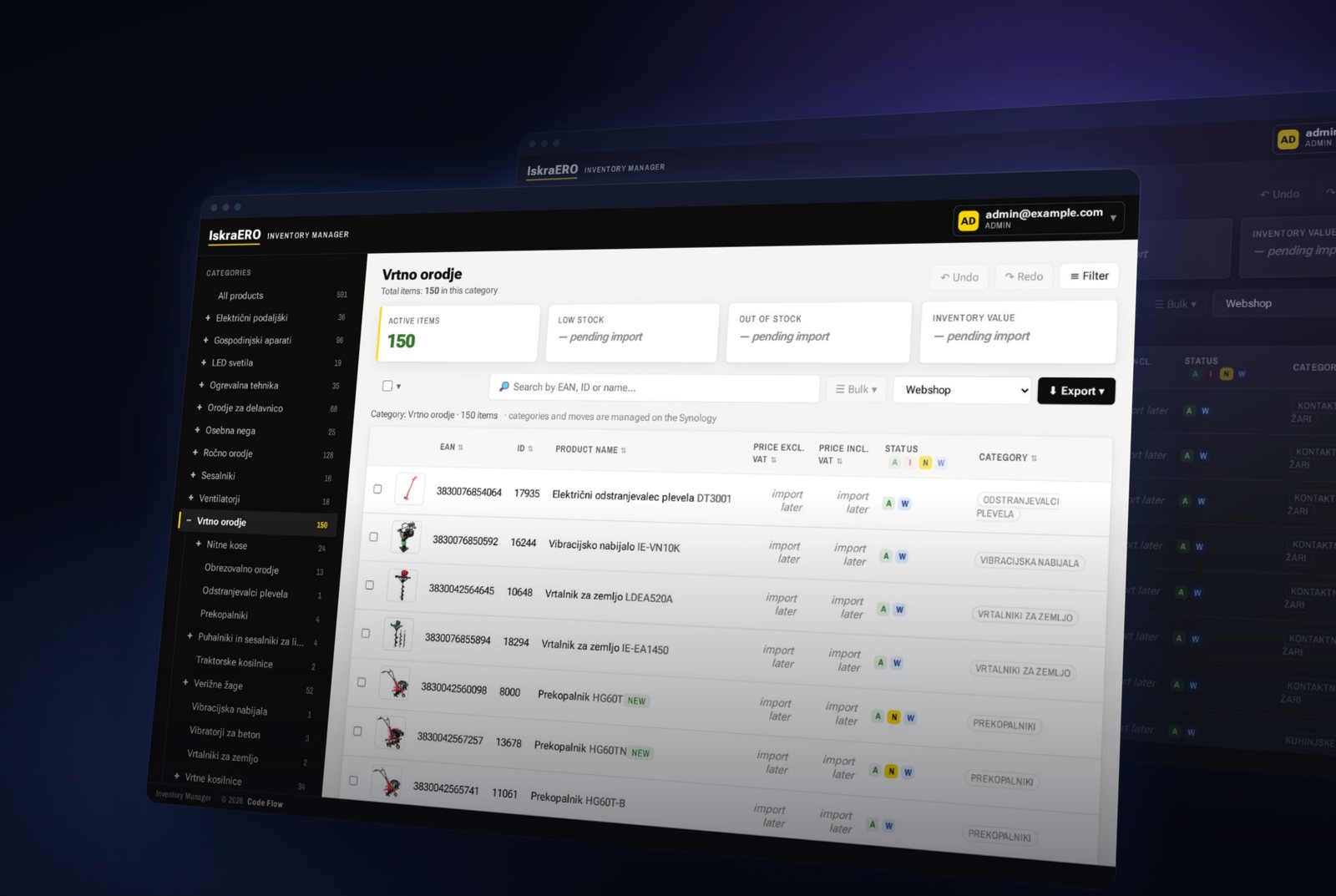
When a company has a few hundred products in several languages, Excel holds up for a long time. Until a second copy of the spreadsheet appears. Then a third. And then the question nobody can answer any more: which one is right?
For the Iskra and Iskra ERO range we built Inventory Manager — a web application that is now the only source of product data. Partner exports, catalog sheets and the new website are all generated from it. None of those channels keeps its own copy: fix something in Inventory Manager and it is fixed everywhere.
The starting point: several spreadsheets, several truths
Product data was spread across files that overlapped:
- Four working workbooks by product line — tools, household appliances, extension cords and garden. Each with several sheets and its own copy of the images.
- A master catalog with 19 sheets and eight languages in columns. Specifications, packaging and warranty shared one cell per language.
- A separate extension-cord catalog that listed the same products again — so it was never clear which one was the source.
During the migration we reviewed 9,110 specification rows. The same term was written many ways — product dimensions alone in more than a dozen variants. Five EAN/ID codes were duplicated, 24 products had no article ID, 91 had no customs tariff number and 41 had no category. That is not carelessness: it is what any spreadsheet does after years of editing by several people. But every correction had to be typed by hand — into every copy and every language.
In the owner's words, running an online business on that simply wasn't possible.
Part 1: A catalog organised the way the business thinks
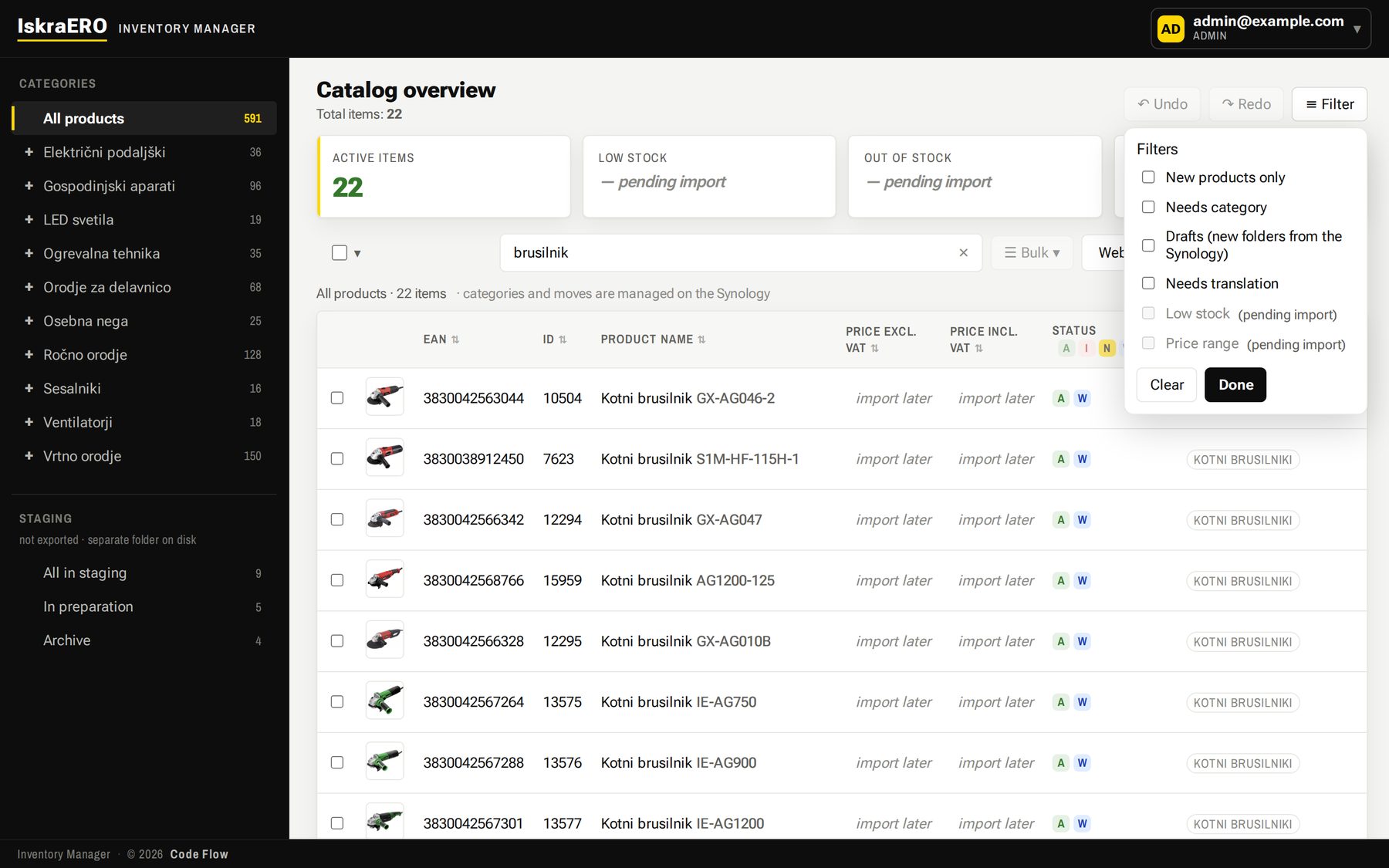
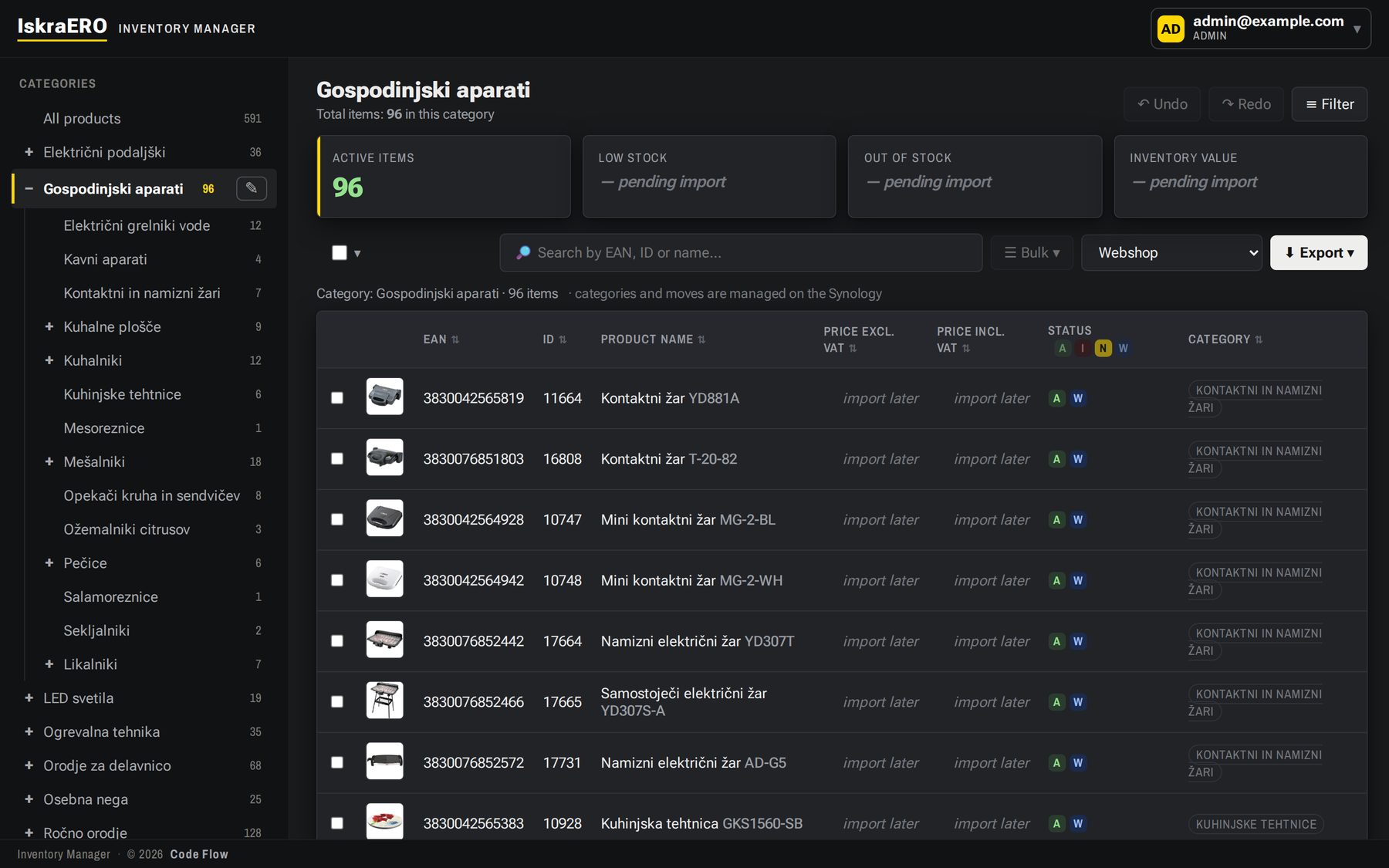
A three-level category tree on the left, products on the right with photo, EAN, ID, status and category. Search reaches EAN, ID, model, names and specifications in every language, and working filters show what's new, what's still a draft, what's missing a category and what is waiting for a translation.
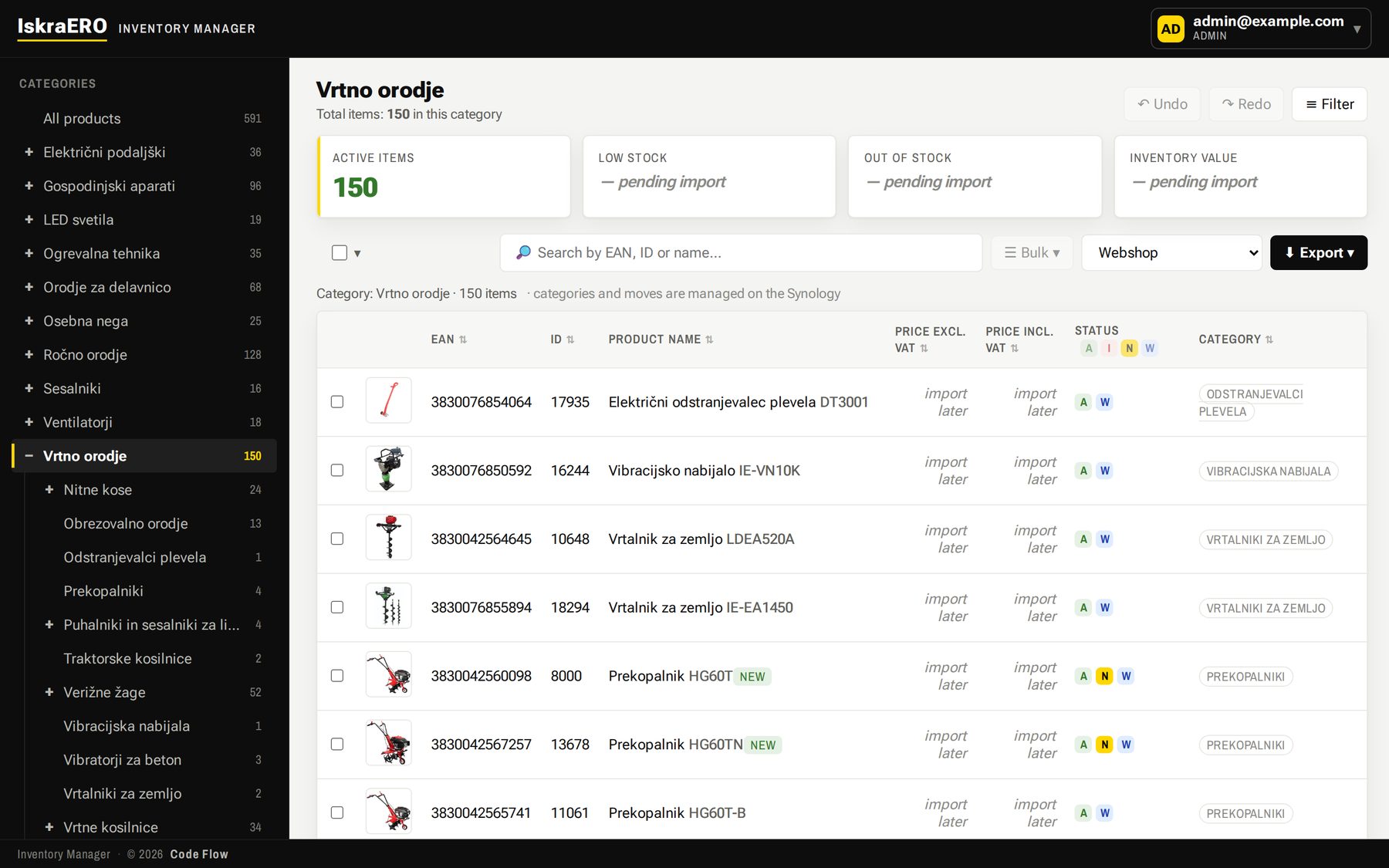
- Structure from the company NAS. When an editor creates a product folder on the Synology drive, Inventory Manager picks it up as a draft within minutes. Moving the folder moves the product to another category.
- Media matched by EAN, not by folder name. Photos and manuals are found by EAN, so renaming a folder no longer breaks anything.
- Light and dark theme. English interface, data in its original language.
Part 2: A specification is no longer text in a cell
This is the decision everything else rests on. A specification row is label + value: Voltage + 14,4 V.
- The label is a term in a shared dictionary. It is translated into each language once and then applies across the whole catalog.
- The value is stored once for every language. Correct it once and it is correct everywhere.
- Formatting adapts to the language when displayed: 14,4 V becomes 14.4 V, kos/embalažo becomes pcs/pack.
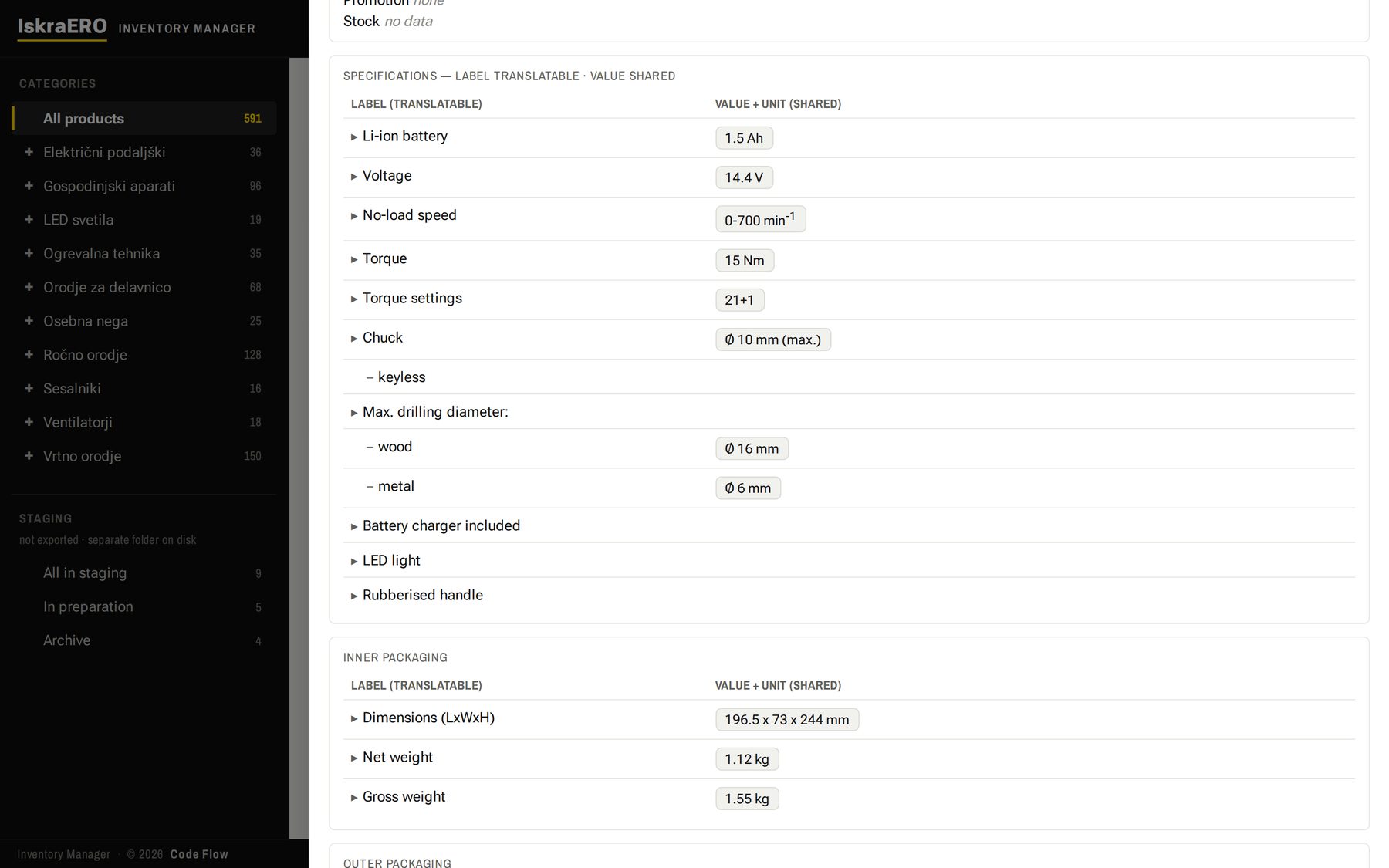
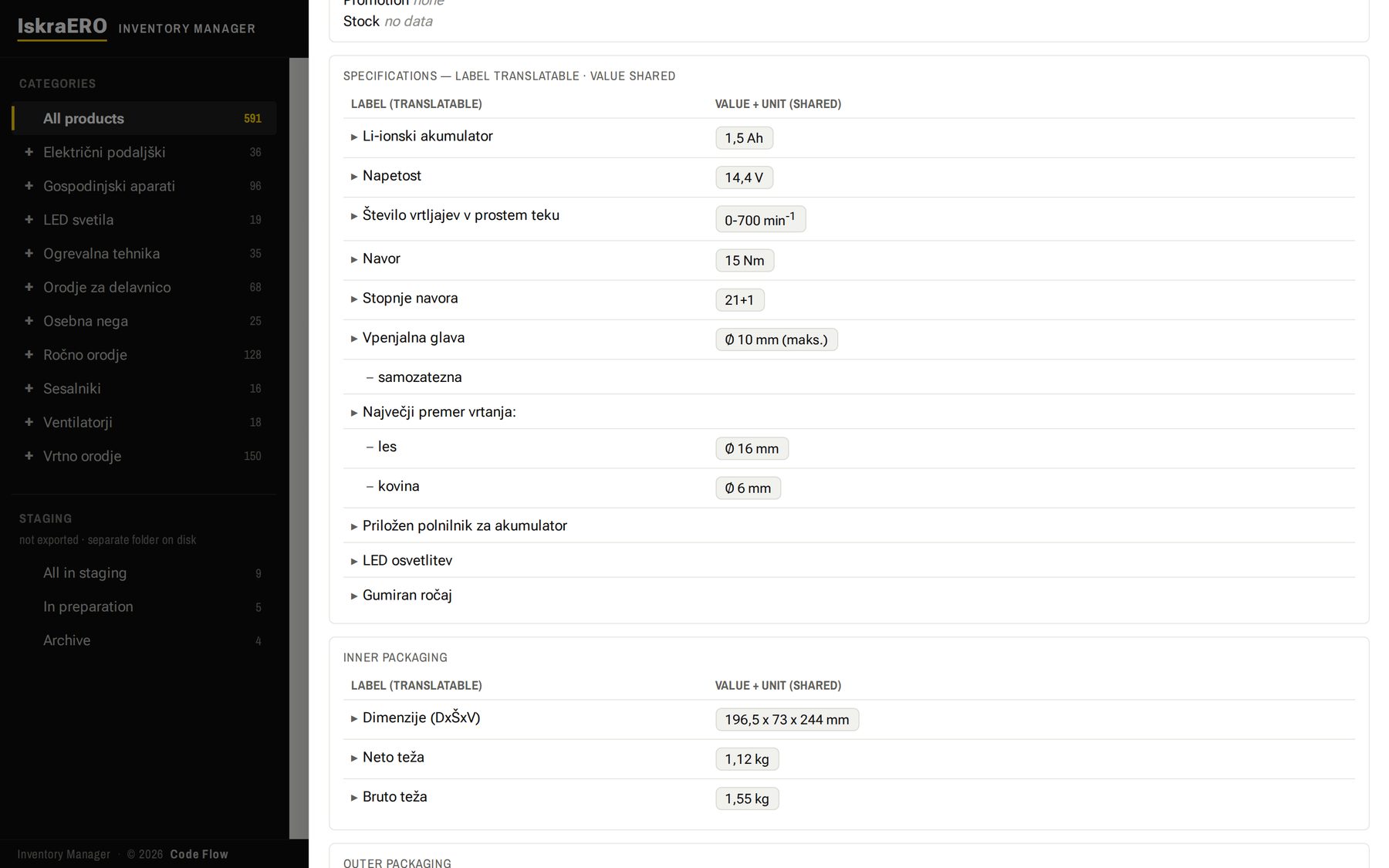
The product card shows shared fields, brand, category path and statuses at the top, with a tab for every language below. Specifications are hierarchical up to three levels, and inner, intermediate and outer packaging are kept apart instead of sharing one cell.
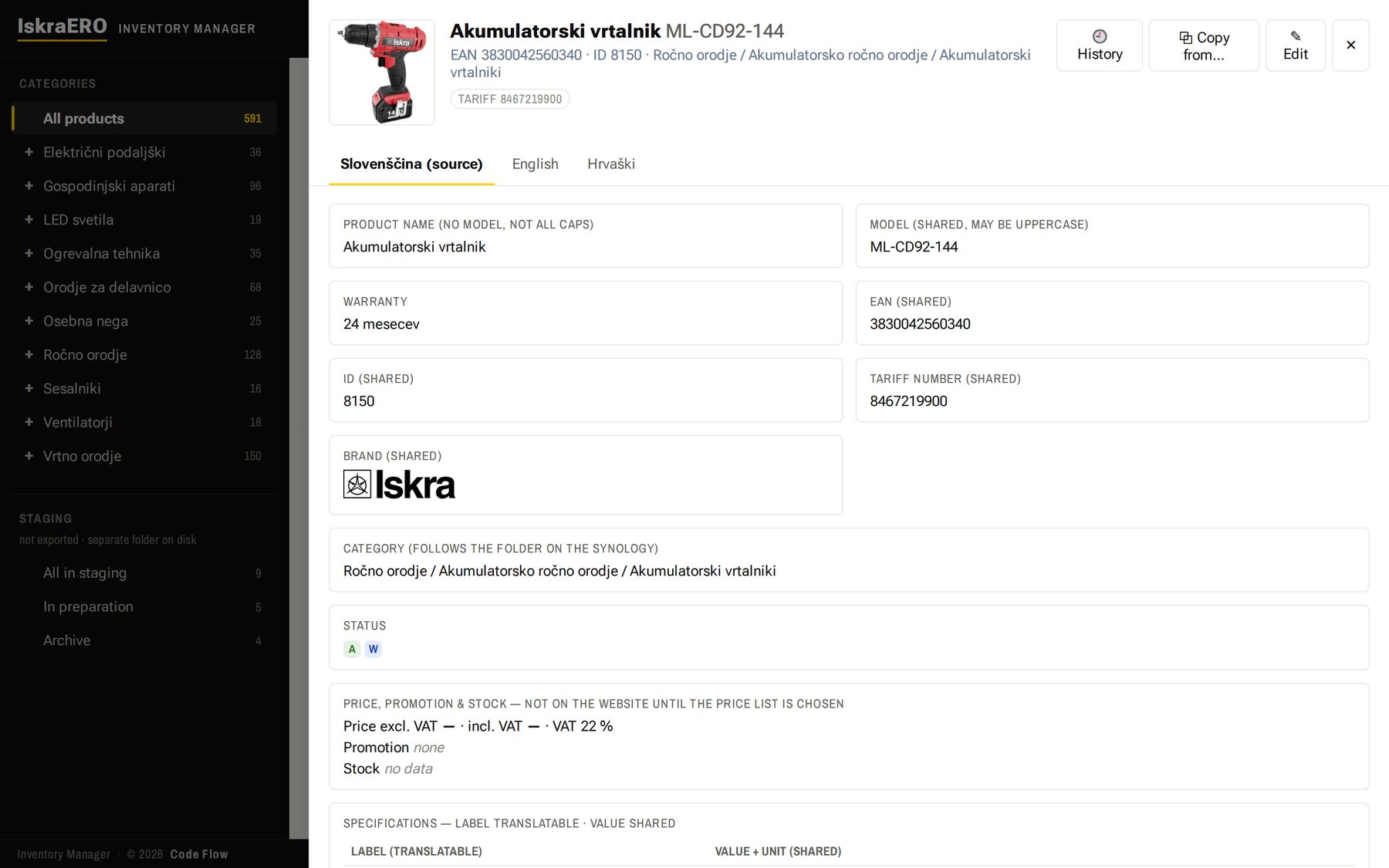
Three languages are live — Slovenian, English and Croatian. Bosnian and Serbian are translated and waiting for native review. A new language is no longer a copy of the catalog — it is a translation of the dictionary.
Part 3: Wrong formats don't get saved
Inventory Manager knows how values must be written: spaces around the “x” in dimensions, ranges, decimal commas, thousands separators, weights to two decimals. What it can correct, it corrects by itself. Anything else turns red, with the reason and the correct form — and saving is refused until it is fixed.
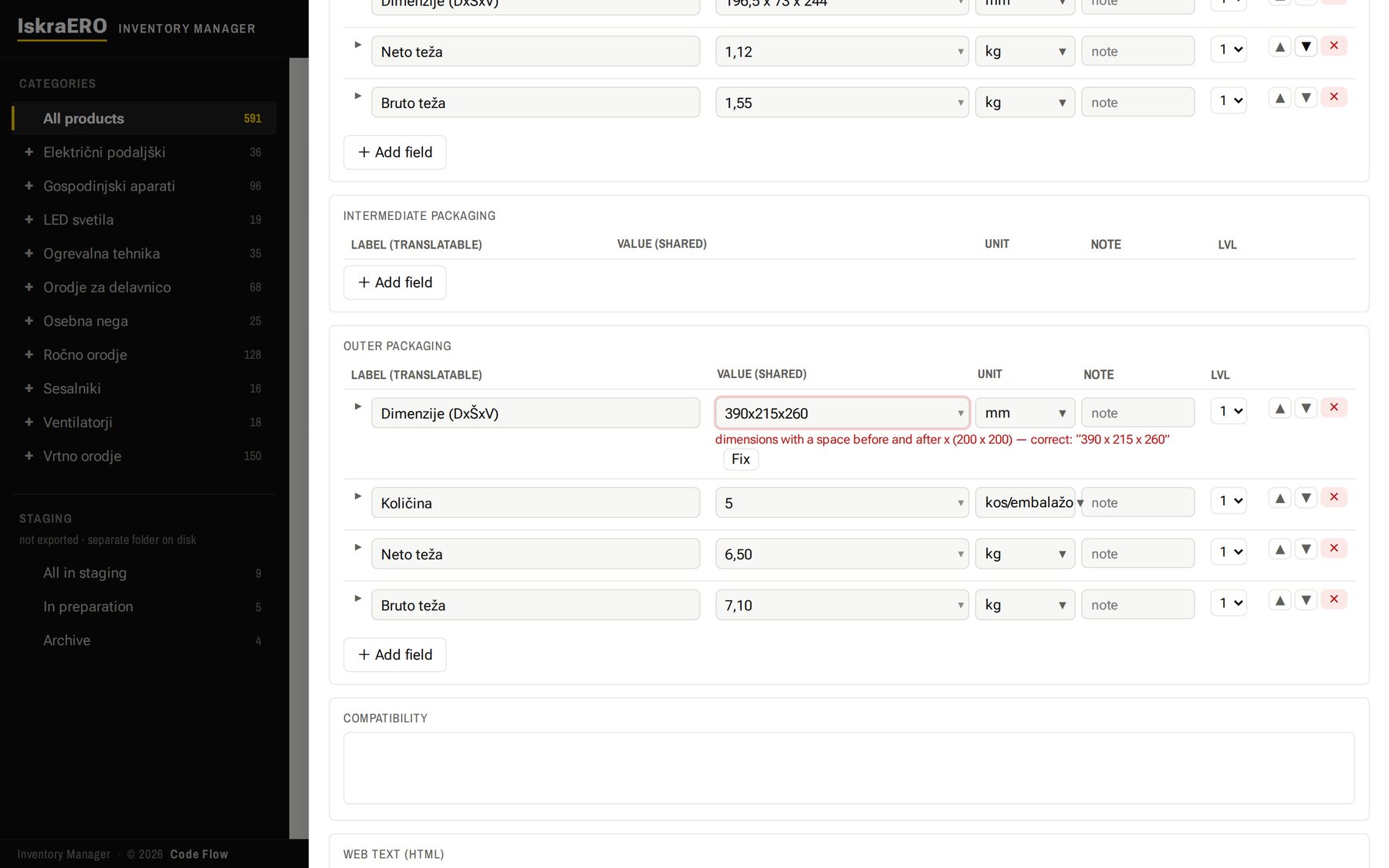
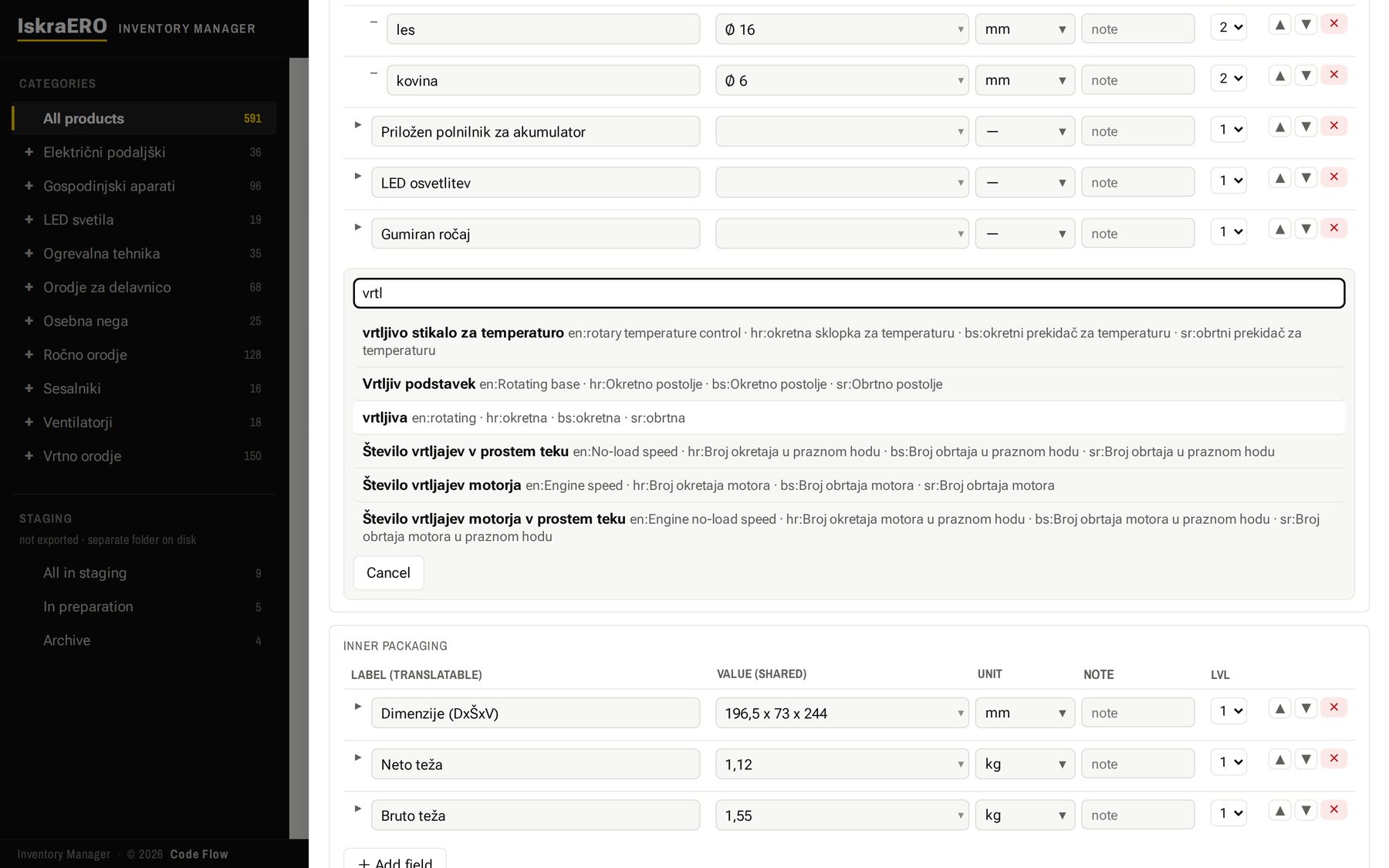
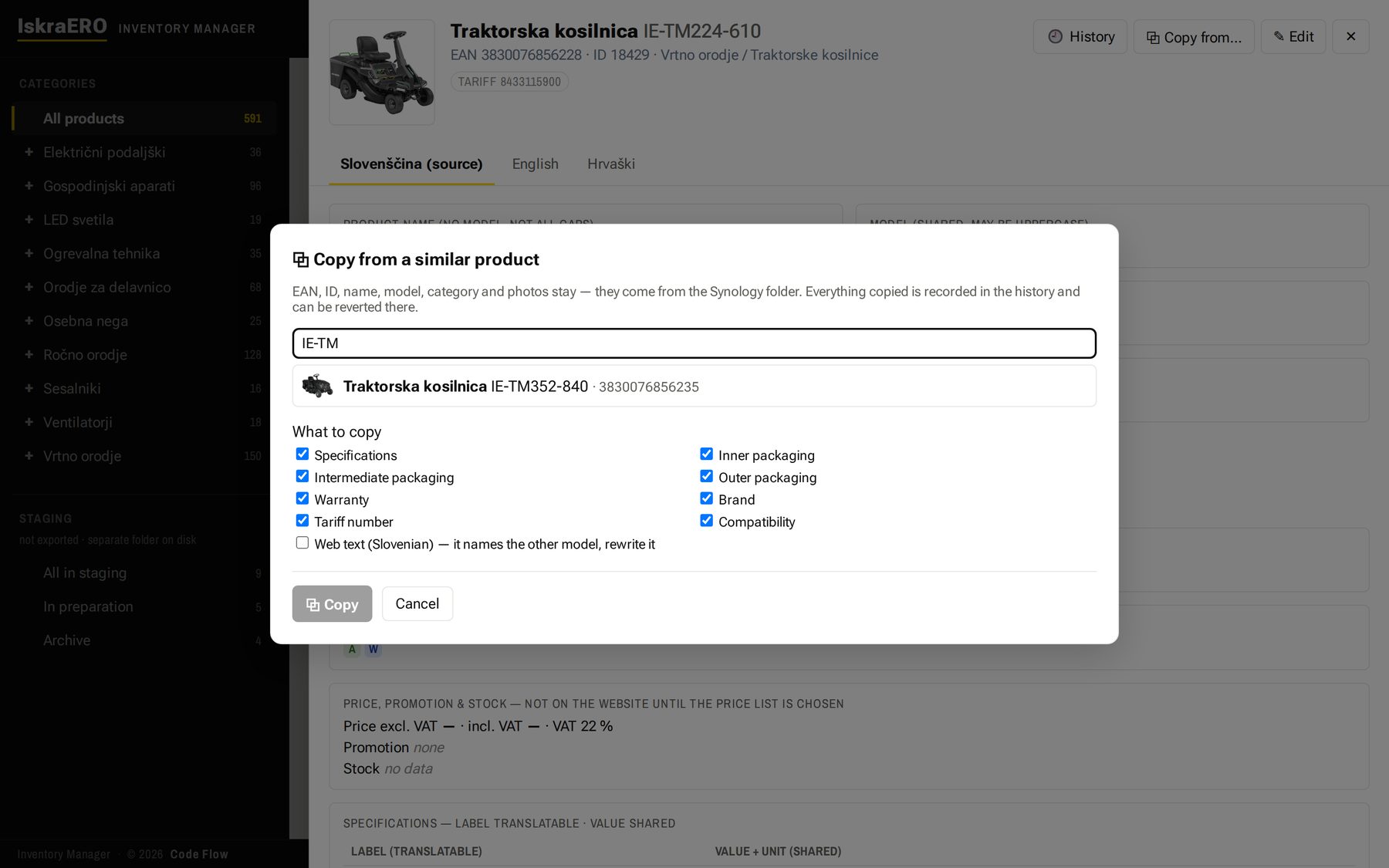
New specification rows are picked from the dictionary, translations included. Type a few letters and the existing terms appear, so the catalog can't drift back into ten spellings of the same thing. And a new product can start from the most similar one: pick the source and the fields to bring over.
Part 4: Bulk editing, and a history that can't be erased
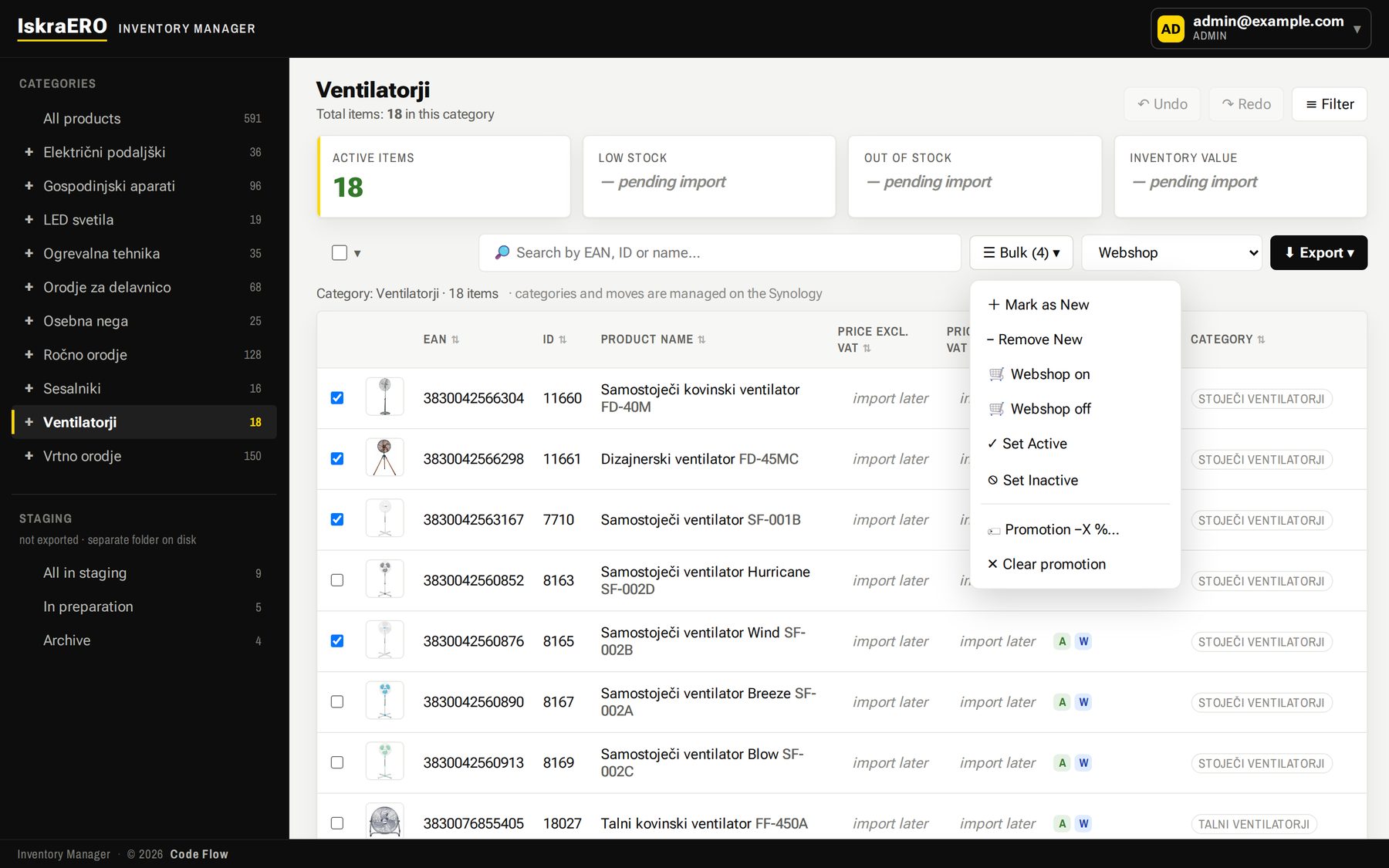
Select products and, in one step, mark them as new, switch them on or off for the web shop, activate or deactivate them, or apply a promotional discount.
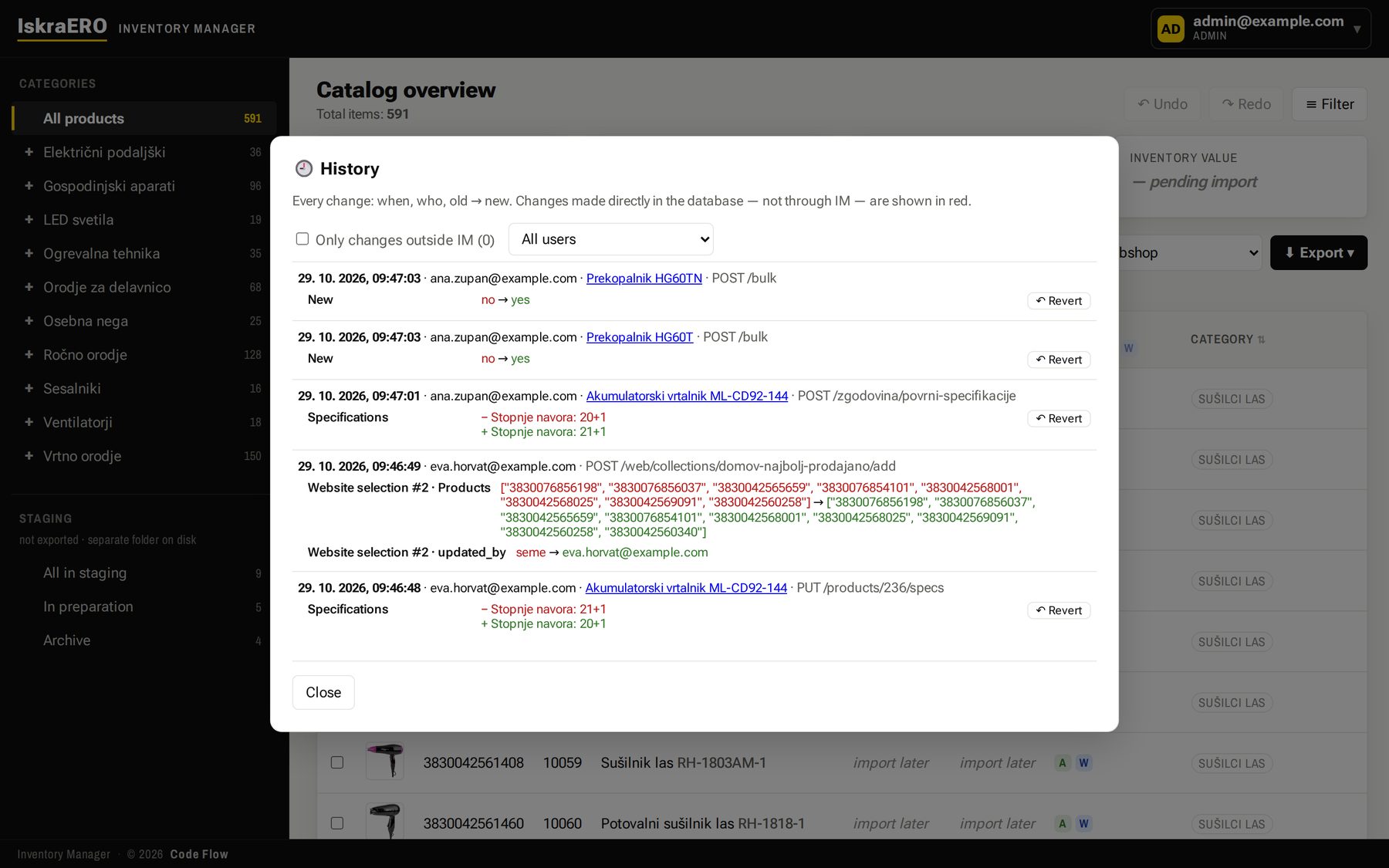
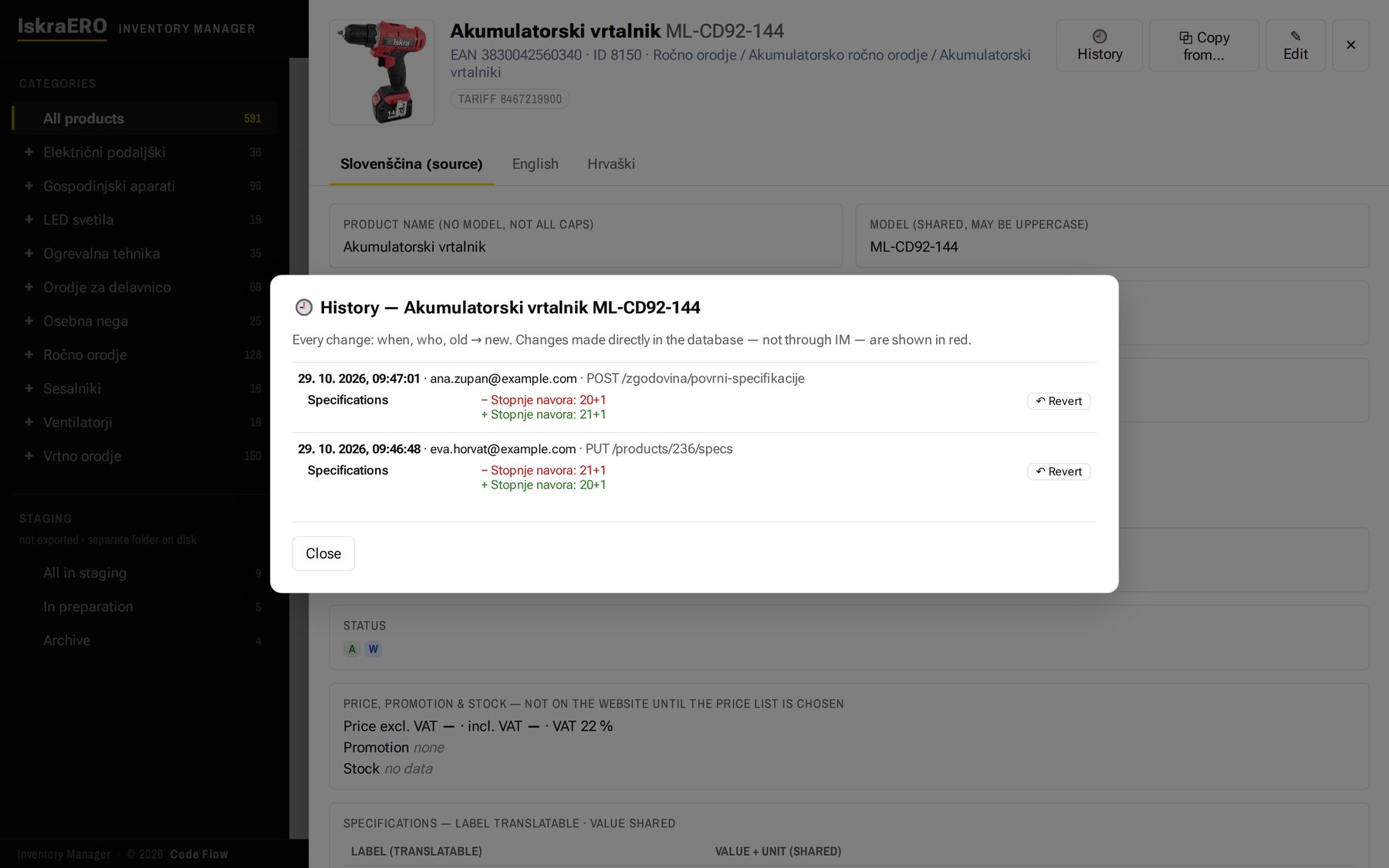
Every change is recorded: who, when, old value → new value. History can't be edited or deleted. Changes made outside the app — directly in the database — are detected and shown in red. Any single change can be reverted, and the revert is recorded too.
Part 5: An export for every audience — from the same data
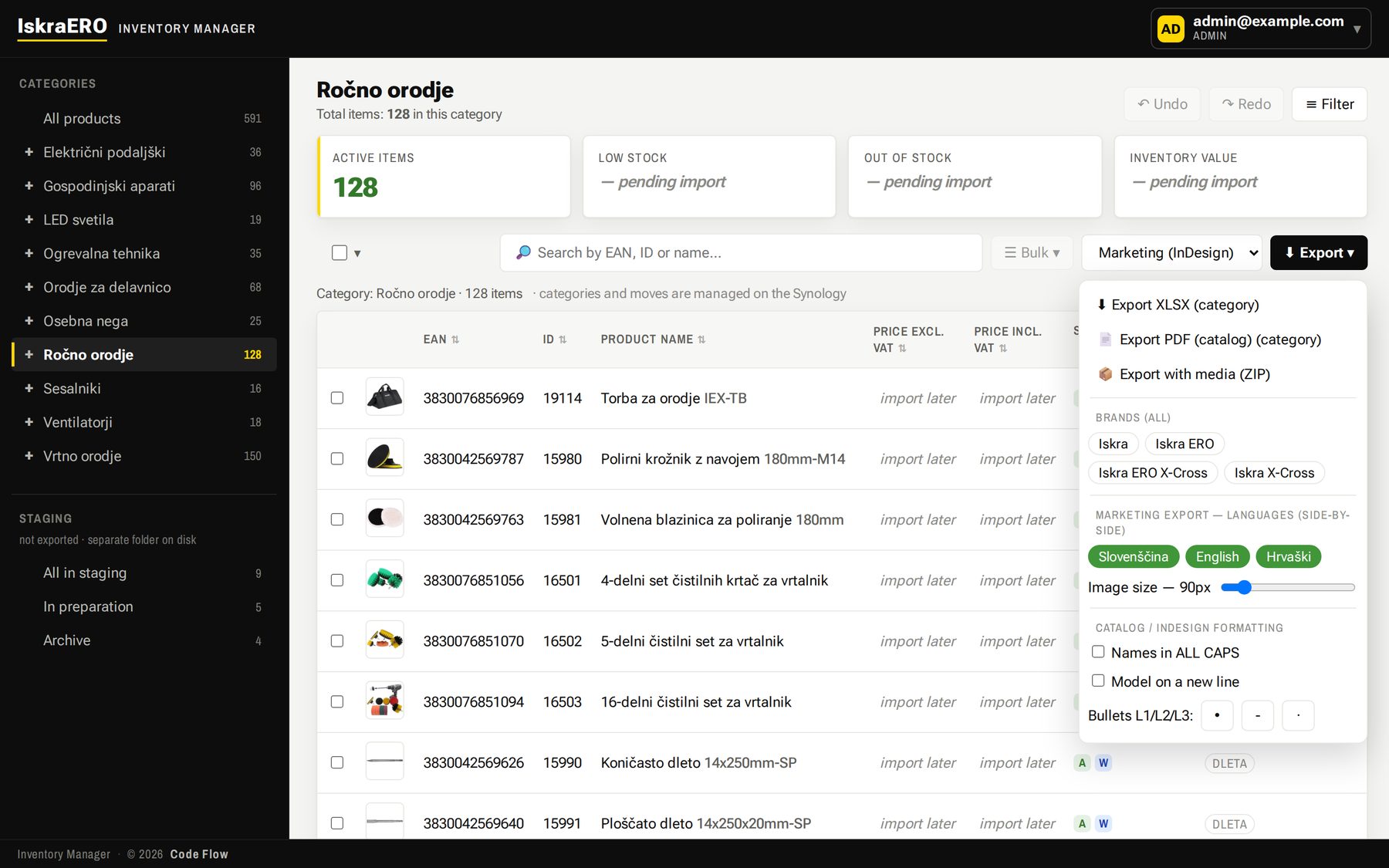
Four templates — Webshop, Price list, All data and Marketing for InDesign — as Excel with the product photo in column A, or as a PDF catalog. Export a selection, a category or the whole range.
- Filter by brand, put languages side by side, set the image size from 48 to 350 px.
- An export prepared for InDesign: one sheet per main category, separator rows per subcategory, names in capitals or the model on a new line, and characters InDesign reads correctly.
- A PDF catalog that never splits a product across pages — portrait for one language, landscape for several.
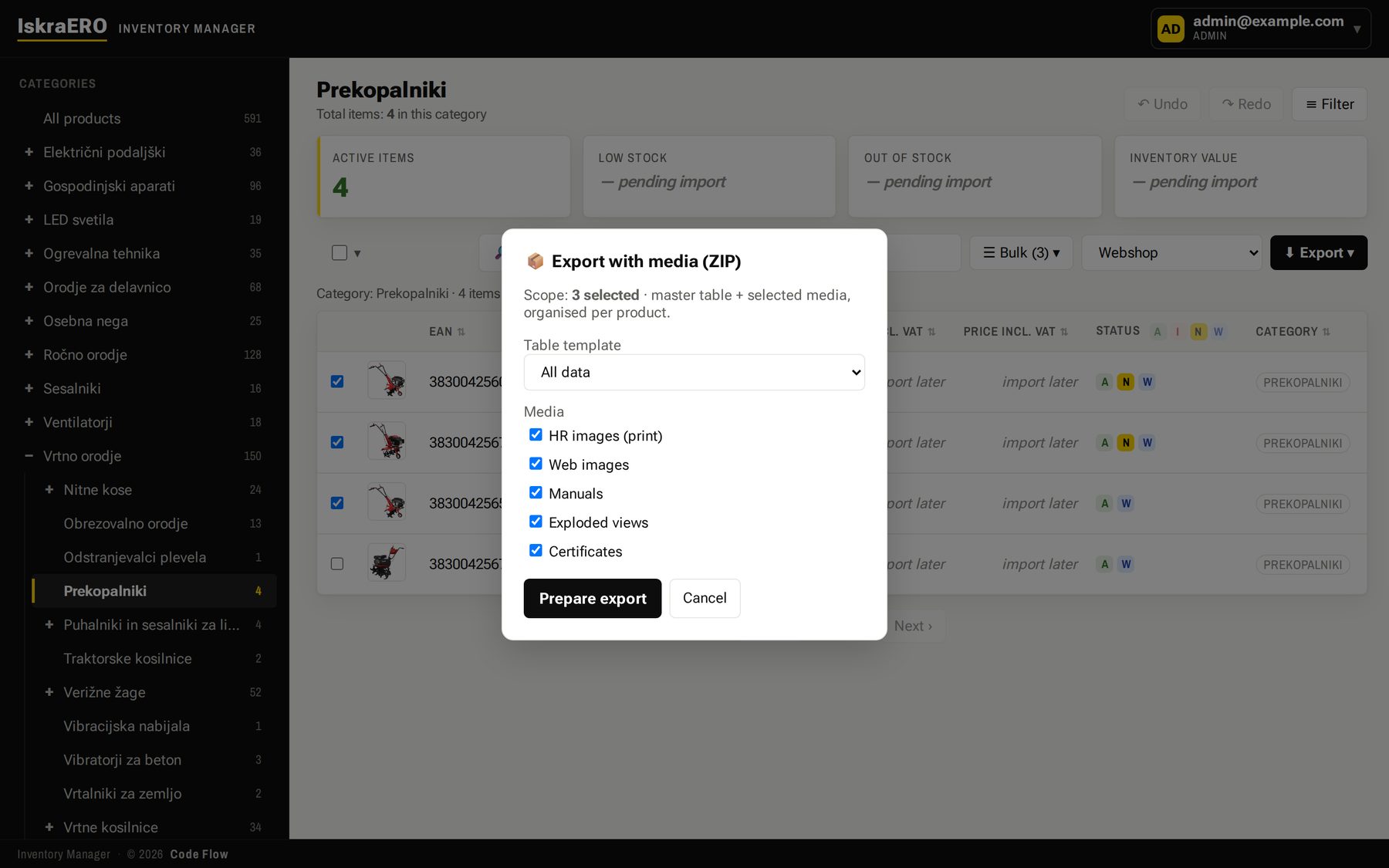
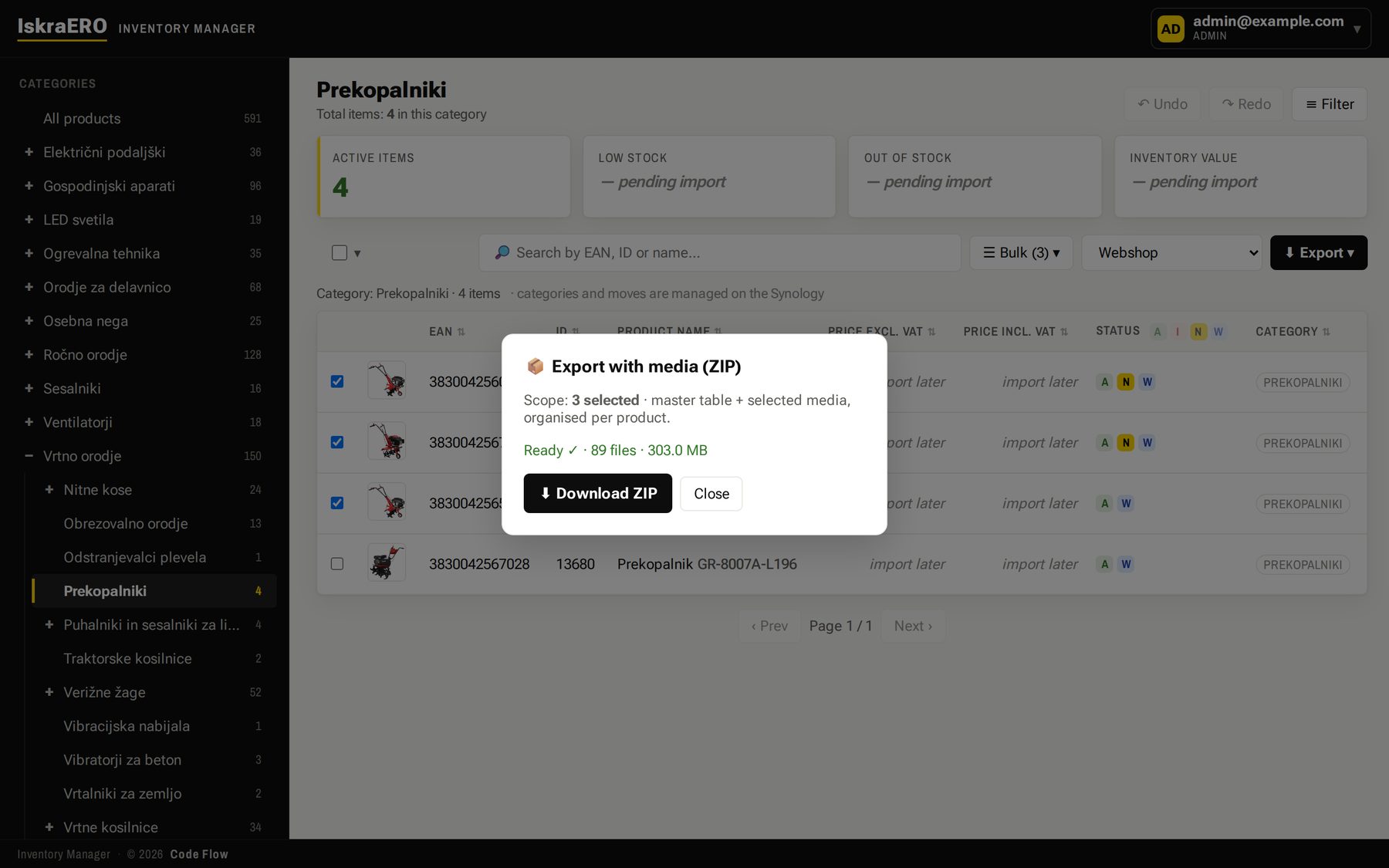
- A ZIP with media for business partners: the sheet plus print and web photos, manuals, exploded views and certificates, organised by product. It is built in the background while everyone keeps working.
Part 6: Right-click, and the product is on the website
Inventory Manager serves a read-only public API that the new iskraproducts.com builds its catalog from. Right-click a product → Show on website → a selection such as “Home · Best sellers”, and the site shows it as a section or a carousel. Every change reaches the site as a signed notification, bundled after two seconds of quiet.
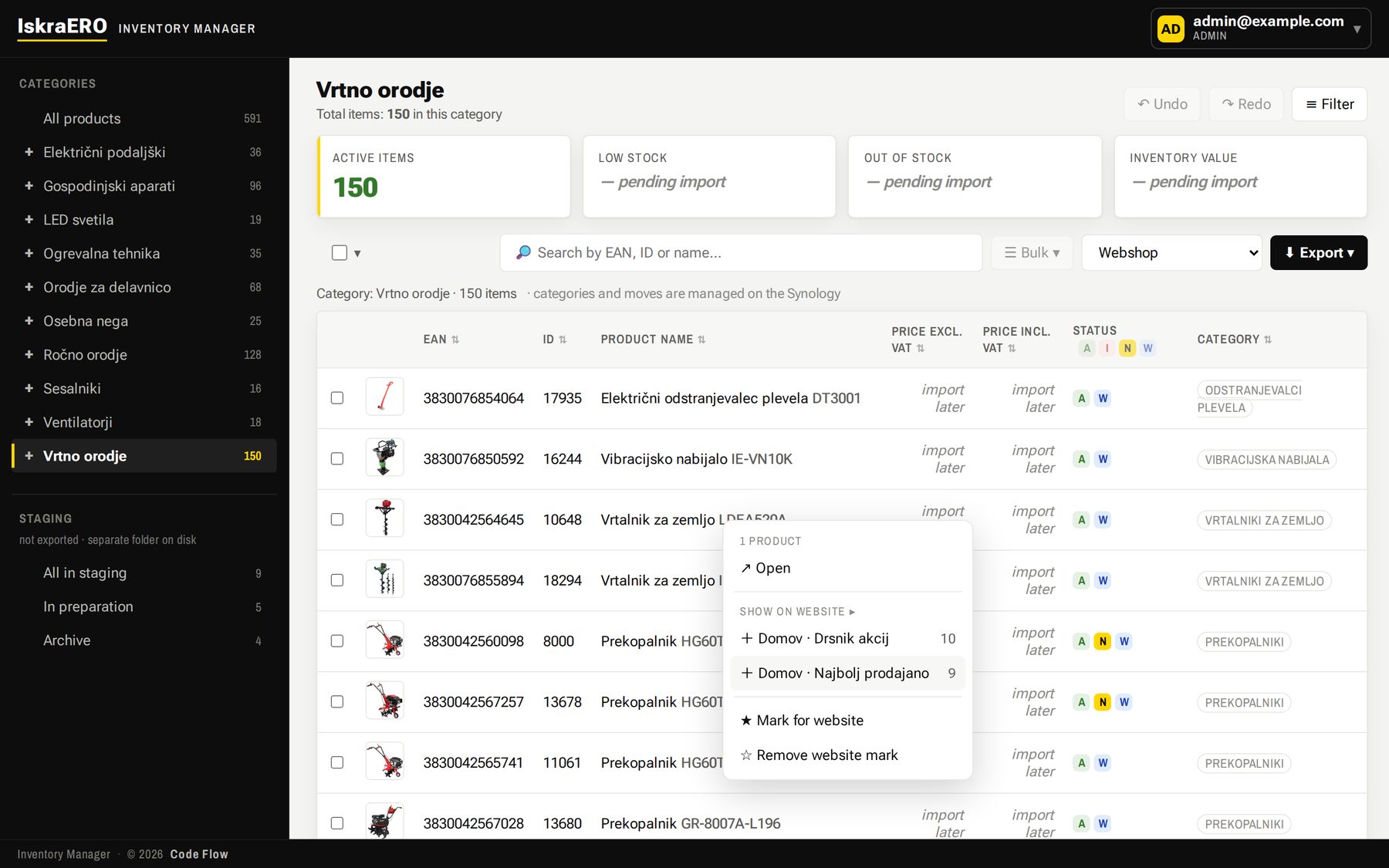
- The API returns only public products and enabled languages, with values already formatted for the language.
- Products are already synced one-way to Shopify as drafts (SKU = EAN), in preparation for the online shop.
- The website keeps no copy of product data, so there is nothing to drift apart.
Part 7: On the company server, with proper roles
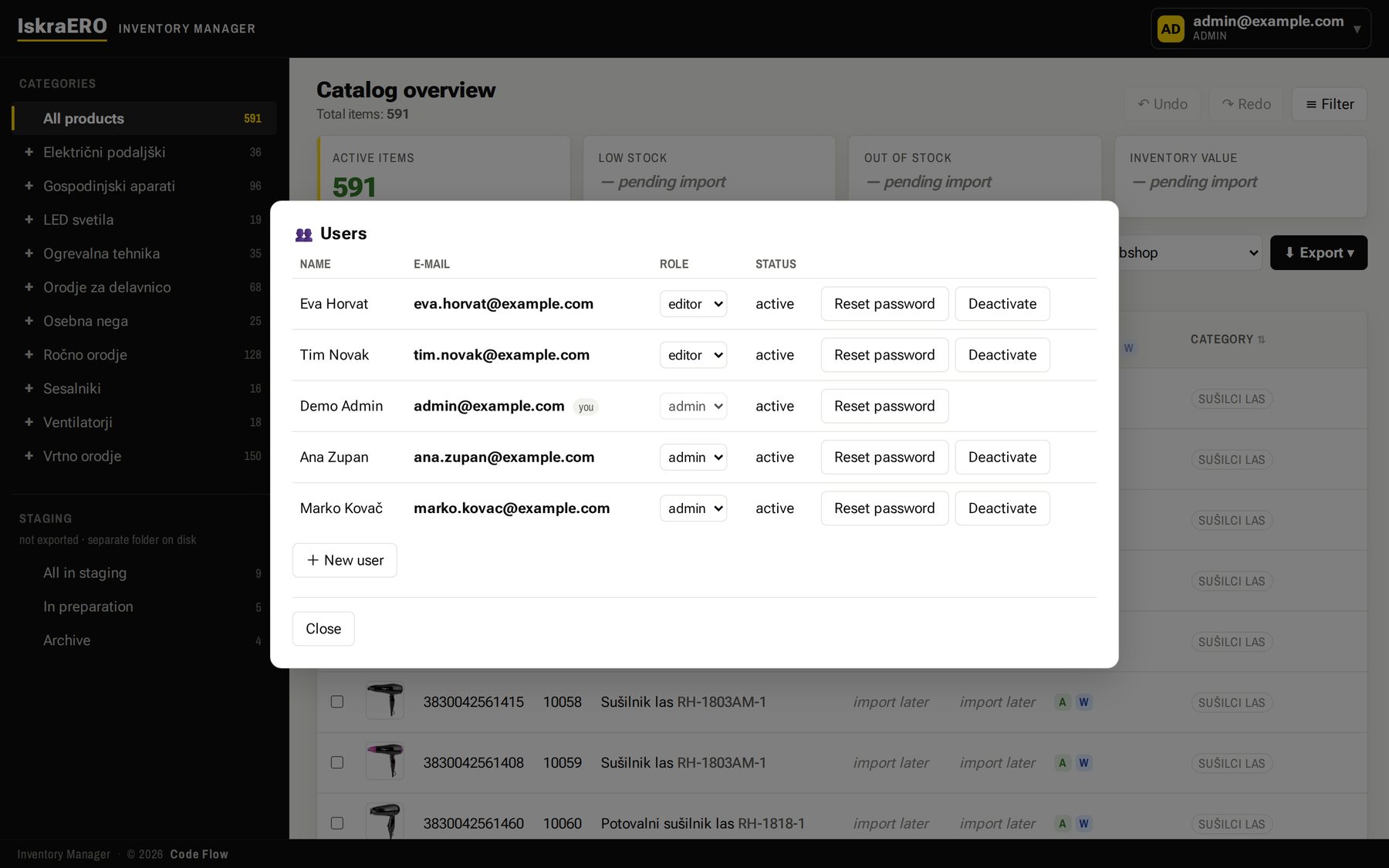
Admin, editor and read-only roles, sign-in by email, and a password change that ends every older session. Accounts and data stay on the client's server — no third-party sign-in.
Inventory Manager
An internal tool on the client's own server. The screenshots come from the working version, with real data.
What's next
Agreed with the client, not delivered yet:
- HTML technical sheets and catalogs generated straight from the data (an HTML/CSS template rendered to PDF), so layout work all but disappears.
- Prices and stock from the business system, once that connection goes live.
- The next Shopify phase: prices, payments and an online shop that sells.
- Further languages, each switched on after native review.
What this means for your business
If “which spreadsheet is the right one?” comes up more than once a week, the problem isn't Excel. The problem is that your data has no single home. Once it has one, everything else — exports, catalogs, the website, the shop — becomes a consequence rather than extra work.
We build you a system for editing your database in bulk, one you can connect to a wide range of other software and to online shops — so changes that used to take hours are a single click away. The system is tailored entirely to your workflow, so your work becomes as automated and organised as possible in the shortest possible time.