MOBILE APPS · SCANBOX
Scanbox: document scanning that does not end at IMG_4471.jpg
Every phone can scan today. Almost none of them solves what follows — names, folders, search by content. Scanbox solves both, and all of it runs on the device itself.
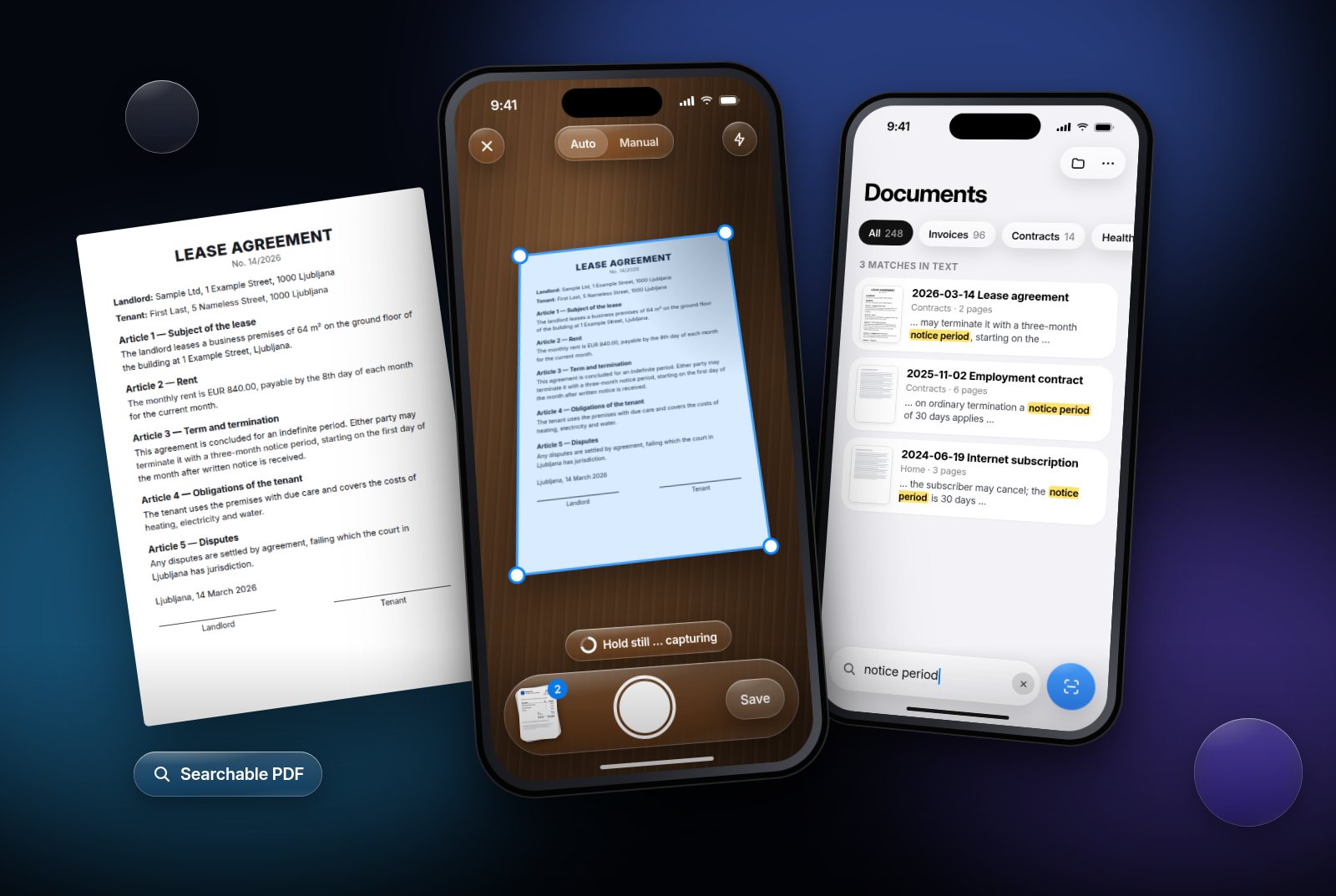
Scanning a document with your phone is a task everybody does and nobody enjoys. The picture is skewed, the edges are cut off, shadows fall across the text, and what comes out is a file called IMG_4471.jpg that nobody can find a month later.
Scanbox is our iPhone app that solves both: the quality of the capture and what happens after it. The page finds its own edges, shadows disappear, the text is recognised, the document gets a sensible name and folder — and six months later you find it by a word inside it. All of it happens on the phone.
Part 1: Capture — the page has to find itself
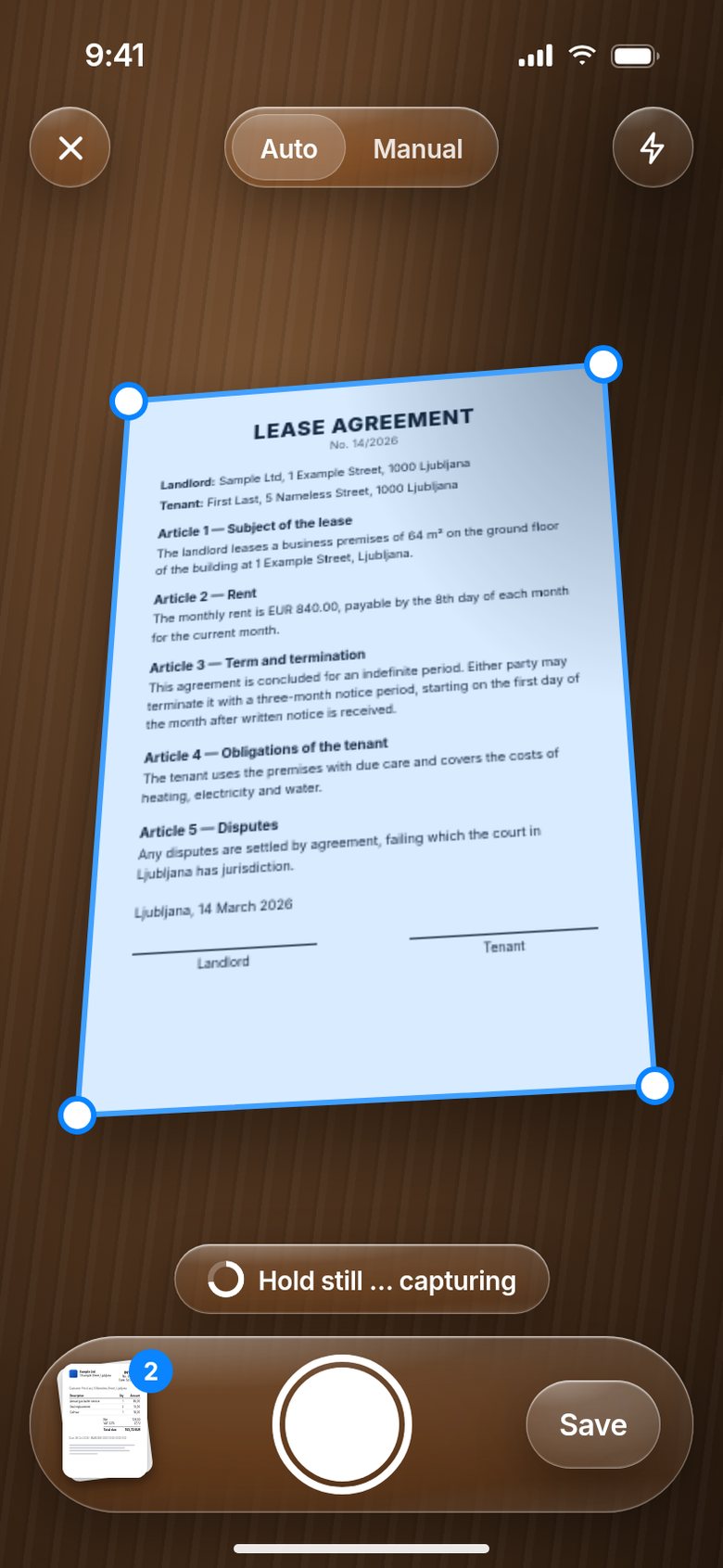
The user points the camera and the app recognises where the sheet is, live. This happens in four steps, all in real time, at 30 to 60 frames per second:
- Edge detection. An outline is extracted from the image, and from the outline the quadrilateral that best fits the sheet. The edges appear as a frame that snaps to the paper.
- Stability check. The app waits until the hand is still and only then fires — no shake, no blurred lettering.
- Perspective correction. A sheet shot at an angle is mapped back into a rectangle. It is the same calculation surveyors use to align aerial photographs.
- Clean-up. Shadow removal, even lighting, sharper text and, optionally, conversion to black and white for smaller files.
Several pages are captured in a row: each new page lands on a stack in the corner, and the document is saved only once the last one is in.
Part 2: Shadows — evened out by region, not brightened
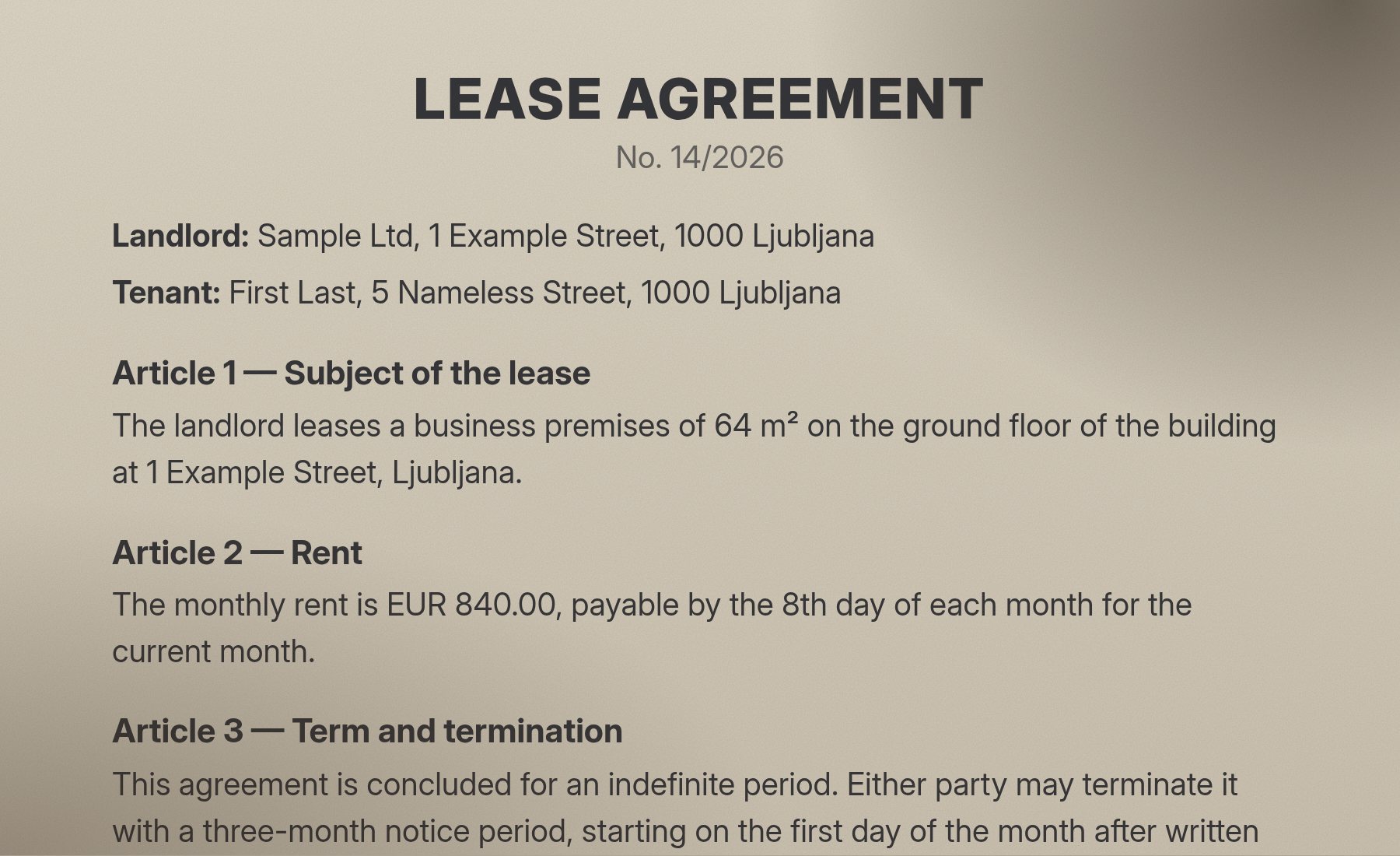
Shadow handling is the hardest part. The hand holding the phone almost always casts a shadow across the top of the sheet, and a desk lamp adds a yellow cast. The fix is not to brighten the whole page but to even it out region by region — otherwise the white turns grey and the text fades.
Part 3: Text recognition
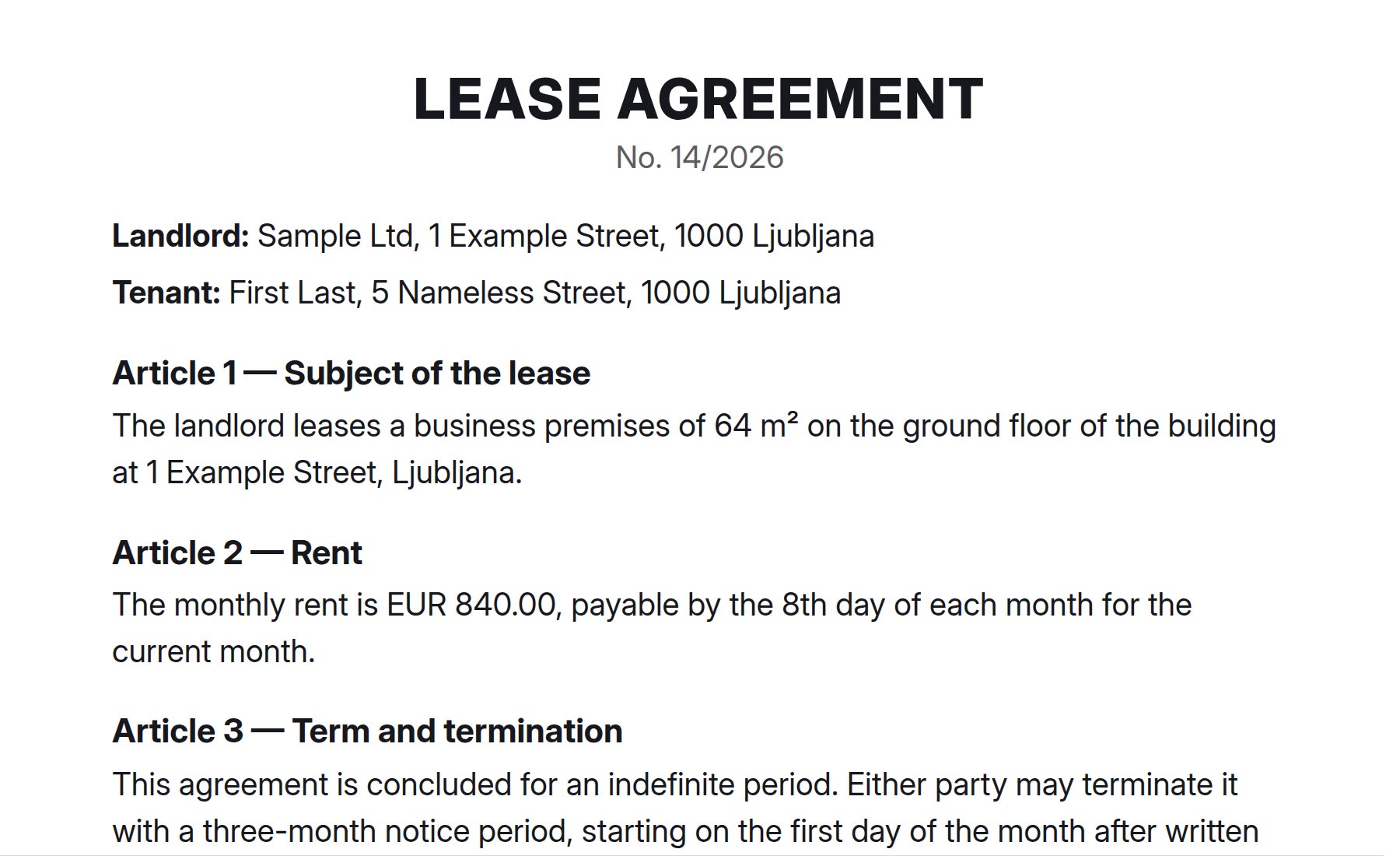
A capture without recognised text is a picture. A capture with recognised text is a document. The difference shows three months later, when you are looking for the contract that mentions the notice period.
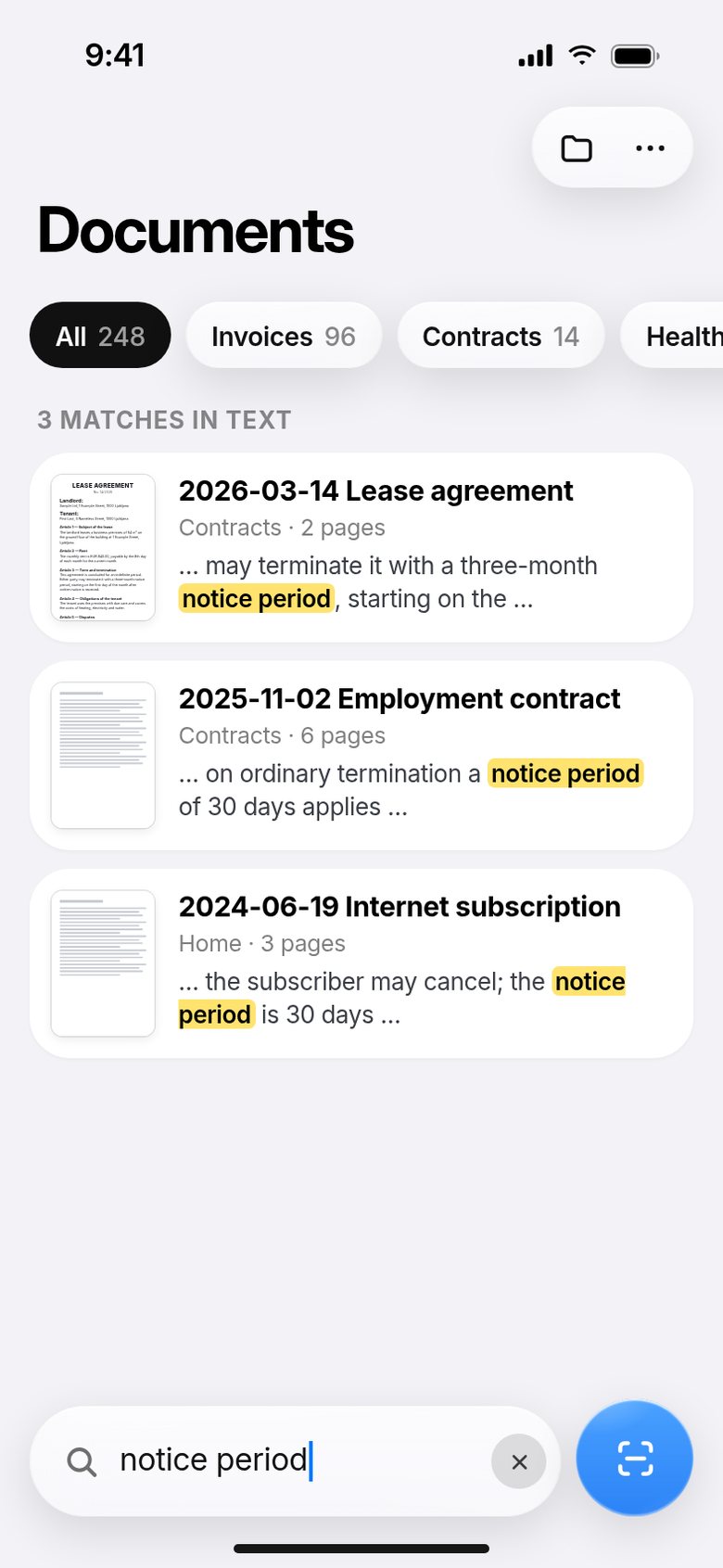
Scanbox recognises text on the device and writes it as an invisible layer beneath the image. The result is a PDF that looks like the photo but can be searched and copied from. For Slovenian that also means handling č, š and ž properly — without it, a search for »računovodstvo« is useless.
So search does not stop at file names. Type “notice period” and you get the contracts in which the phrase appears, with the excerpt where it stands — even if the document is named something else entirely.
Scanbox — documents, scanned and organised
Automatic edge detection, perspective correction, shadow removal, text recognition and searchable PDFs.
How we build mobile apps →Part 4: What makes the difference — organisation
Every phone can scan today. Almost none of them solves what comes next. That is why Scanbox has a proper document system under the surface:
- Folders and tags defined by the user.
- Search by content, not only by file name.
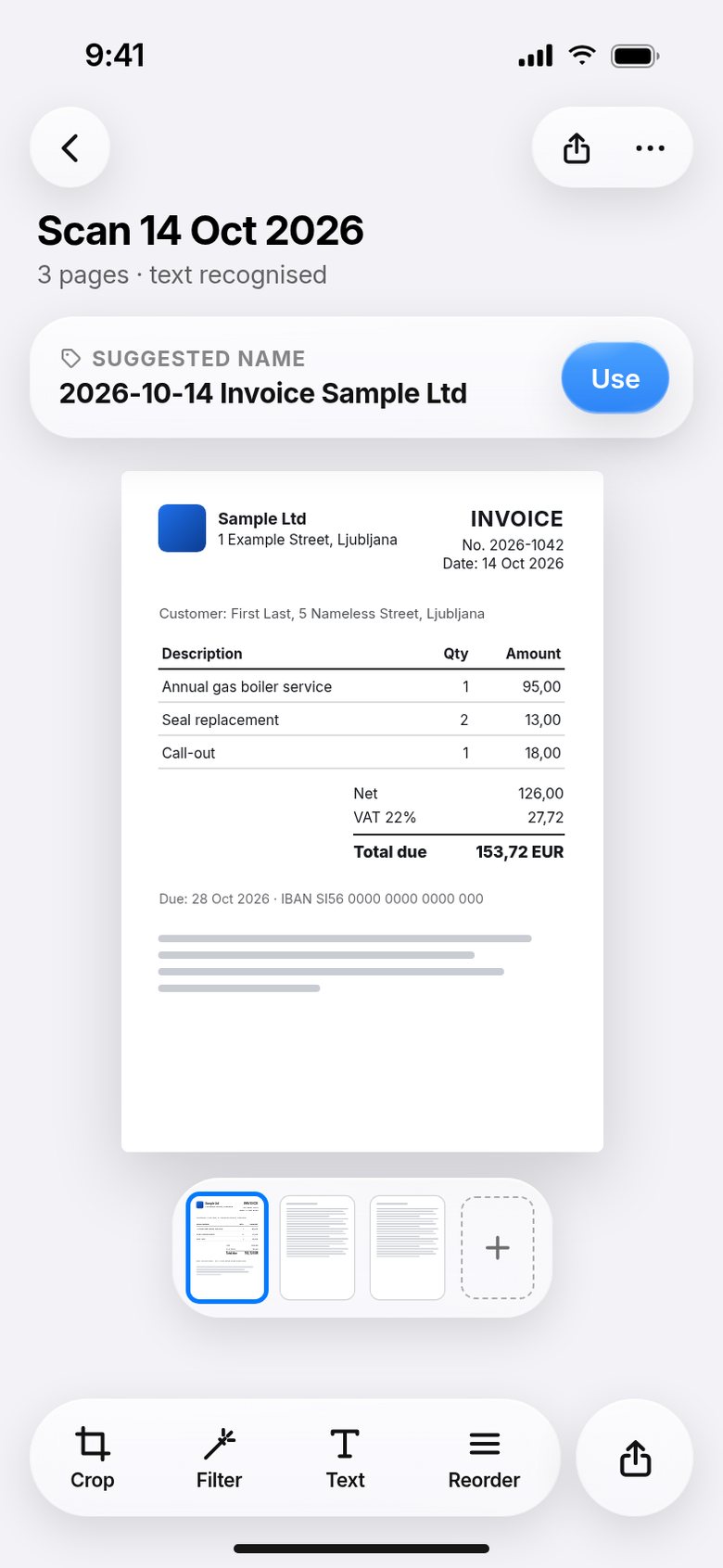
- Multi-page documents — add pages, reorder them, delete a single page without rescanning.
- Suggested names based on the recognised text: the date and the title from the first page are usually enough. Instead of “Scan 14 Oct” the document gets a name you recognise it by.
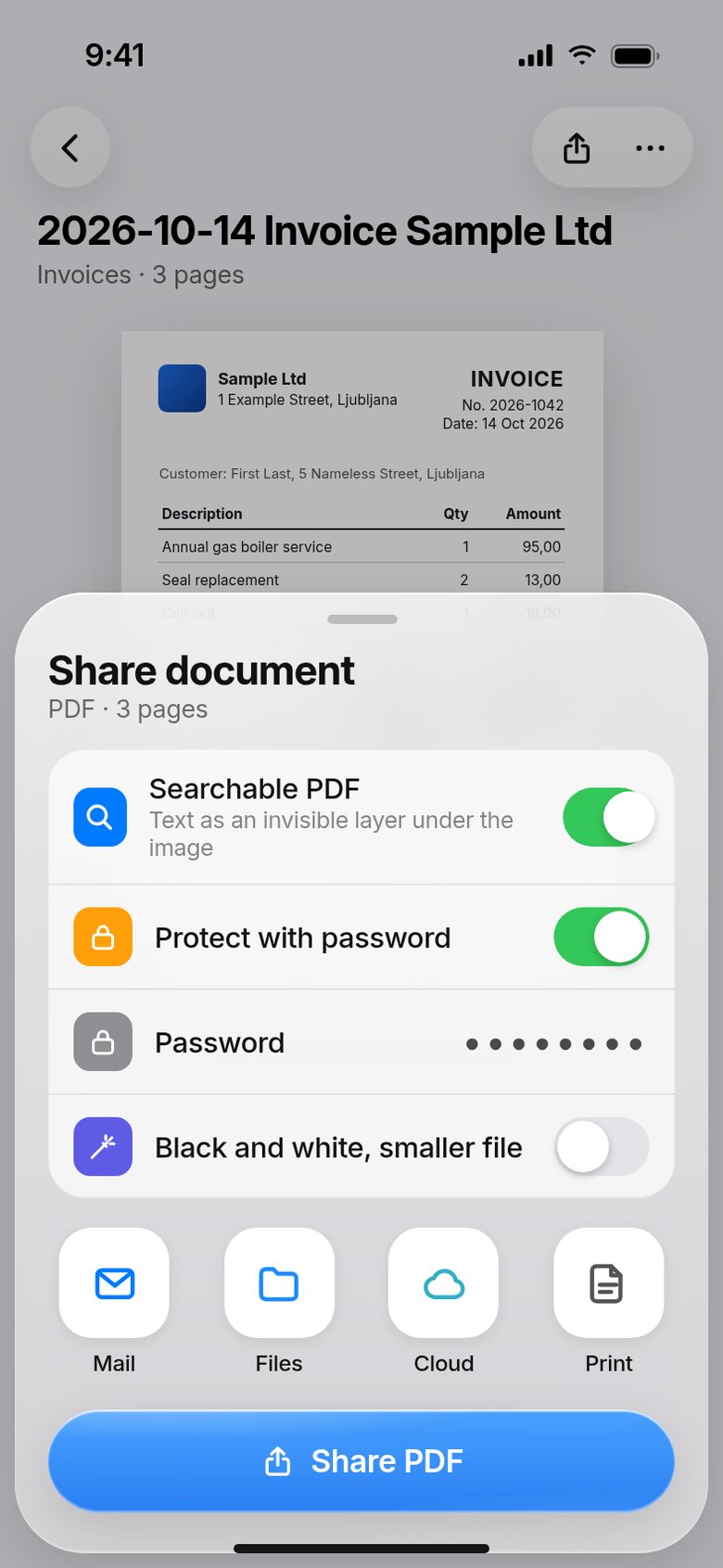
- Sharing by email, to the cloud or as a password-protected PDF.
Part 5: Why everything runs on the device
People scan personal documents, contracts, medical reports and bank statements. That is exactly why processing in Scanbox never leaves the phone: edge detection, corrections, text recognition and search all run locally.
There are three benefits: the documents never exist in a second copy somewhere else, the app works offline, and there is no server cost that would have to be covered by a subscription.
With documents the usual rule is reversed: the less we send onwards, the better the product.
What this means for businesses
The same set of solutions is often needed by companies that have nothing to do with scanning at home:
- delivery notes and work orders from the field, captured with a phone and sent to the office;
- goods receipts with a photo of the document and the order number filled in automatically;
- invoices captured and filed instead of someone retyping amounts by hand;
- stock counts, where the photo and the count are stored together.
In these cases the app is not the goal — the goal is for data from the field to reach the database without retyping. How we organise the data on the other side is shown in the Inventory Manager case study, with the background in from spreadsheets to a real database.
If you need something similar
Tell us what document is created in the field at your company and where it should end up. That quickly shows whether you need an app or just a better form — and we will talk you out of the first if the second is enough.