MOBILE APPS · VOICEINBOX
How an app gets into the App Store — the VoiceInbox case
VoiceInbox is our own product: a voice-first email client for iPhone. We went through the whole process ourselves, from the first line of code to Apple’s green tick. Here is what it actually takes.
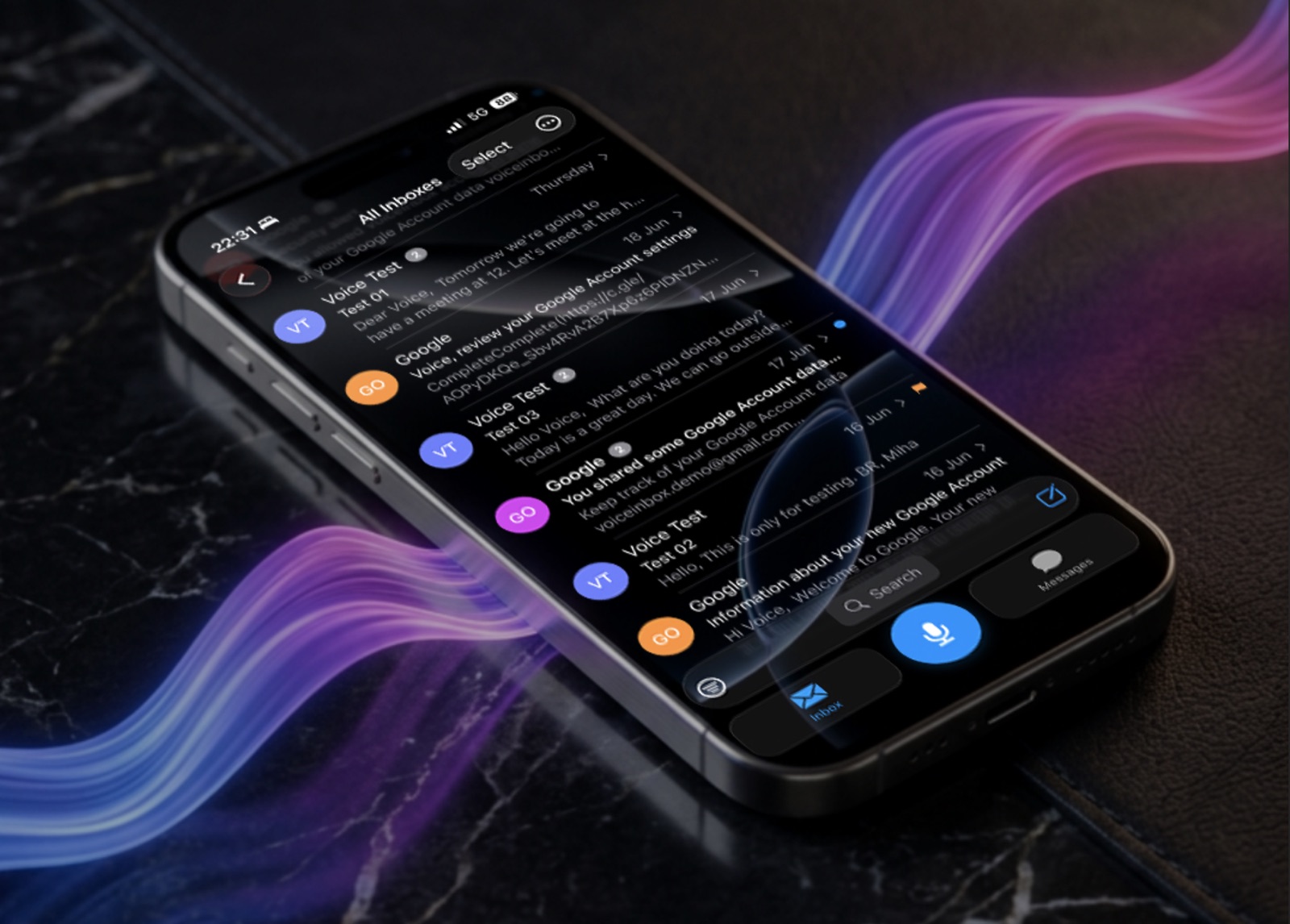
Between “we have an idea for an app” and “the app is on the App Store” there is a good deal more than programming. Because we went through the whole process with our own product VoiceInbox, we can describe what that really involves — with no varnish.
VoiceInbox is a voice-first email client for iPhone: you speak, the app writes, refines, translates and sends the message. In more than 99 languages, hands-free.
Part 1: What happens on the device
It looks simple — you press a button and you talk. Underneath, this is running:
- Real-time audio capture with a waveform that must not stutter, not for a single frame. A user reads a stutter immediately as “it is not recording”.
- Live speech-to-text that runs on the device itself. That was a deliberate decision: the content of the dictation never leaves the phone.
- Text refinement — rewriting in a different tone, translating, shortening.
- A full mail composer — recipients, Cc/Bcc, subject, formatted text, undo and redo.
The last item is the one everybody underestimates. Writing “send an email” is easy. Building a composer that does not lose the draft when the user takes a call mid-sentence is work.
Part 2: What happens in the background
The app has to connect to the user’s mailbox, which means:
- OAuth 2.0 sign-in for Gmail, Outlook and iCloud, plus IMAP/SMTP for standard accounts.
- Synchronisation that keeps mailboxes, drafts and read state aligned across several accounts at once, with background refresh and push notifications.
- Token refresh and retry queues. A message must not be lost between “send” and “sent” — not even if the connection drops halfway through.
This part is 70 % of the work and 0 % of what the user sees. Which is exactly why the quotes promising an app for €3,000 usually do not include it at all.
VoiceInbox
Our own product. Download it and see what “a demanding mobile app” means in practice.
Open in the App Store →Part 3: Apple’s review
Once the app is built, the part companies underestimate most has only just begun. To submit, you need:
- A developer account ($99 a year) and — if you are a company — identity verification, which can take weeks.
- Signing certificates and provisioning profiles.
- Privacy labels: for every type of data you have to state whether you collect it, why, and whether you link it to the user. A wrong answer here is a common reason for rejection.
- Permission texts. “This app needs the microphone” is not enough — Apple wants an explanation of why it needs it and what the recording is used for.
- Screenshots for several device sizes, a description, keywords.
- Test access for the reviewer — if the app requires a sign-in, Apple has to be given a working account, otherwise rejection is automatic.
The most common reasons for rejection
- The reviewer cannot get past the sign-in.
- The app is “just a website in a wrapper” with no functionality of its own.
- A mismatch between what the privacy labels claim and what the app does.
- No way to delete an account when registration is possible inside the app.
- A crash on the device the reviewer tested on.
Review these days usually takes one to three days. Every rejection means a fix and another round — which is why it pays to prepare everything properly the first time.
Part 4: Google Play
At Google the process is different, but no less demanding: setting up Play Console, app signing, the data safety questionnaire, the mandatory target API level that Google raises every year (older apps are simply removed from the store), internal and closed test tracks, and a staged rollout by percentage.
That last point is a useful habit: if you release to 10 % of users first and a bug turns up, it does not hit everyone.
What this means for your project
If you are considering a mobile app, three questions matter more than the choice of technology:
- What has to work offline? That determines the entire synchronisation design.
- Which data will you collect? The answer goes into the privacy labels and shapes how far users trust you.
- Who will maintain the app a year from now? Every year brings a new iOS and a new Google requirement. An app nobody maintains disappears from the store within two years.
We do all three: development, submission and maintenance after release. To see what that looks like in practice, simply download VoiceInbox — it is the most honest portfolio we can show you.